The ordering route decides the build before design does
Milingona's feature list names three distinct ordering mechanisms, not one. "Custom order forms" and an "Order Form shortcode" give you the form route; the version 2.3 changelog from 2018 adds an "Option to list WC products in order form," so the form can reference shop items without sending anyone to a cart. "WooCommerce compatible" covers the conventional shop. "YITH Catalog Mode compatible" covers the third position, where products stay visible while prices and checkout are suppressed.
The three routes produce different pages, so commit before you style anything. A celebration-cake baker taking custom briefs wants photographs, filling and sizing options, a lead time and a form. A pastry shop selling boxes for collection wants a cart and a pickup note. A wholesaler wants a browsable catalogue that ends in a question. The theme supports each; building half of two is where projects stall.
Four demos, named by shopping depth
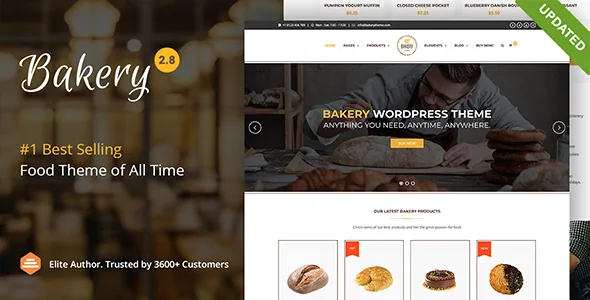
The demo list runs Bakery Main, Bakery Catalog, Bakery Shop and Bakery Onepage, with a fifth named Cake marked "coming soon" and not presented as importable.
The labels describe how far a visitor can go, not a visual mood. Bakery Shop is the full commerce start, the one to import if WooCommerce carries your sales. Bakery Catalog sits alongside YITH Catalog Mode, which is the browsing-without-prices setup. Bakery Onepage draws on the listed anchor functionality for one-page sites and suits a single-location shop whose visitors mostly want opening hours, an address and a few signature items. Bakery Main is the general starting point.
One-click demo import is a listed feature, and the version 2.8 changelog from 11 October 2024 records fixing it, so the importer has seen recent maintenance rather than being a leftover. What each demo contains is a vendor statement, not something verified here.
Where a bakery page differs from a generic business page
A handful of the listed shortcodes are specific to food retail and worth reading closely. The "Opening hours widget" places trading times in a widget area, which answers the question most bakery visitors arrive with. The "Menu Item shortcode" handles individual entries in a menu layout, separate from the WC Products and WC categories shortcodes that pull from the shop. "Special Offer shortcode" and "WP Special Offer shortcode" are listed as two separate items; confirm what each renders before you build a promotions section around either.
Photography gets two entries as well: a "Gallery shortcode" and a "Gallery Widget shortcode." The widget version means imagery can sit in a sidebar or footer area rather than only inside page content, which matters when the cake photos are the argument.
Further down, the vendor lists 50+ shortcodes including timeline, before/after, pie chart and animated SVG. Most will have no place on a bakery page, and they aren't required to.
Editing is shortcode assembly inside WPBakery
The builder described is the drag-and-drop page builder, and the marketplace compatibility list names WPBakery Page Builder, so the working model is rows, columns and shortcodes placed inside WPBakery. The attributes recorded on 4 November 2026 mark Gutenberg Optimized as No. That flag does not remove the block editor from WordPress; it says the theme's layouts were not built or tuned around block-first editing. If you assemble pages from native blocks, plan for the builder's interface instead.
Theme-wide settings sit apart from page content: the vendor lists an options panel with advanced typography (800+ Google fonts supported), unlimited colours, six header styles including fixed and transparent variants, and mega menu support. Those are sitewide decisions; the shortcode work is per page.
A Bootstrap statement that does not add up
The compatibility attributes name Bootstrap 5.x and Bootstrap 4.x. The version 2.8 changelog records updating Bootstrap to v3.3.7. Both cannot describe the shipped front end, and nothing in the supplied material resolves which is right.
This is worth knowing before you write CSS. If you plan to override theme styles with Bootstrap utility classes, check the built stylesheet first rather than assuming 5.x class names exist.
The changelog carries two other details with day-to-day consequences. Version 2.8 records compatibility with WordPress 6.6.x and PHP 8.3.x and names Yoast SEO as a recommended plugin. It also records Google Maps styles being removed in favour of selecting a style from the Google console, so map styling now happens outside the theme. The vendor's last recorded update is version 2.8.2 on 17 November 2024.
The compatibility attributes themselves are declarations carried by the listing, captured on 4 November 2026, not results of installing the theme against a particular host, PHP build or plugin combination.
Bundled plugins versus the package file list
The feature list states that WPBakery Page Builder ($45 value) and Slider Revolution ($25 value) are included. The marketplace attribute for files in the package names only PHP, CSS and JS files.
Those two statements are not automatically in conflict, since a bundled plugin can arrive as PHP inside the theme package, and the changelog keeps tracking both plugins release by release. But the file list is also not proof that usable plugin licences are present in whatever copy you end up with. If updating those plugins independently matters to your maintenance plan, verify what is actually inside the archive rather than inferring from the price figures.
Questions & answers
Can Bakery take orders without a WooCommerce checkout?
The vendor lists custom order forms and an Order Form shortcode, and the version 2.3 changelog records an option to list WooCommerce products inside the order form. YITH Catalog Mode compatibility covers a browsing-only setup. Whether a submission becomes an order or an email enquiry depends on how you configure it.
Does the theme work in the block editor?
The listed page-building tool is the drag-and-drop builder, named as WPBakery in compatibility, and Gutenberg Optimized is marked No. That flag says layouts were not tuned for block-first editing; it does not mean the block editor is unavailable.
Where do opening hours and the menu live?
Opening hours are a widget, so they belong in a widget area rather than page content. Menu items use their own shortcode inside a WPBakery layout, distinct from the shortcodes that pull products from WooCommerce.