Pinning changes how a page is sequenced, not just how it looks
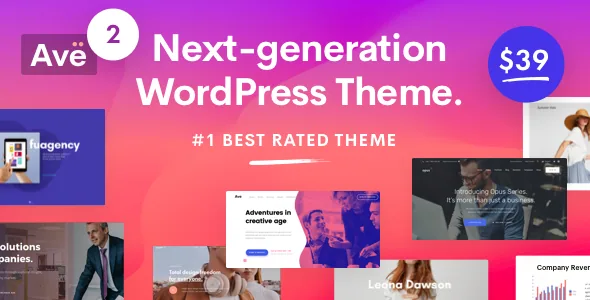
Most multi-purpose themes sell you background images and a parallax checkbox. Ave's vendor feature list instead puts pinning at the centre, describing a method where content is held in place and mixed with other content as the page scrolls. The description calls Ave "the only theme that uses the pinning method" — an exclusivity claim that is marketing, not something you can verify from a feature list. What matters is the capability it describes.
Pinned and sticky backgrounds turn a page into a sequence. A section stays fixed while later content moves over or past it, so the order in which you place blocks becomes a design decision rather than a stacking exercise. That suits a page whose argument builds — a product walkthrough, a short brand story, a service explanation that reveals itself in stages.
The cost is that pinned sections need deliberate content. A pinned background behind an empty block just looks frozen, and stacking several on one page makes scrolling laborious. Read the vendor's parallax entry in the same spirit: the description leans on animation language, and the practical question is whether the motion helps or distracts on the particular page you are building.
Section templates you import, edit and save again
Ave's description devotes real space to a template collection that works differently from a demo importer. You import a pre-built section, replace its content, and can then save your own version for reuse on other pages. The vendor presents this as a speed tool, and that is the right way to read it.
The distinction worth understanding is between template reuse and inheritance. Saving a section creates a copy you place elsewhere; edit one instance and the others do not follow. That is fine for repeated elements such as a call-to-action band or a feature grid, where consistency matters less than adjusting copy per page. It is not a substitute for a global content system, so if a single change must propagate across dozens of pages, plan for that maintenance yourself.
The same section library is where the one-click demo installation lands. The vendor describes installing any demo or extension by selecting it and confirming, which gives you a filled starting site rather than a blank canvas — useful for seeing how the pinning and section patterns are meant to fit together.
The presentation elements Ave builds in rather than borrows
Several of the display tools here are described as part of the theme rather than as plugin output. That includes a built-in slideshow, so the vendor's position is that you need no external slider for ordinary slideshow needs. There is a modal popup element, shape dividers you add to sections, a dynamic shape that emphasises an image, an advanced carousel you can drop any element into, device mockups for presenting screenshots, and a mega menu builder that accepts any element inside it.
Taken together these are composition parts: they let you assemble a page from pieces the theme already styles, without hunting for separate plugins for each one. The vendor also states that Revolution Slider is included. Both can be true — the in-built slideshow covers simple cases, and Revolution Slider covers the more elaborate ones. Treat that inclusion as a vendor statement about the theme package; it is not a promise about the files in anyone else's copy.
What the shop claim actually covers
The vendor describes a "next-generation shop" with object-oriented UX, an enhanced quick view, AJAX loading and a headline promise about conversion. Those are goals, not specifications. The concrete parts you can plan around are the quick view behaviour — letting a shopper see product detail without leaving the listing — and AJAX, which the vendor separately describes as easy loading for a better experience.
The marketplace attributes, observed on 3 November 2026, list Easy Digital Downloads and Events Calendar as compatible-with entries. Those two sit oddly beside the shop language: one is a digital-goods store plugin, the other an events plugin, and neither is WooCommerce. So the shop description tells you the theme has store-facing display work; the compatibility list tells you which commerce plugin the vendor has declared. If your store depends on a specific plugin and its checkout flow, that is the thing to test rather than assume.
Global controls: header, colour and the dark/light switch
The header gets its own builder: you choose a pre-built header or assemble a custom layout, and the vendor describes the result as mobile-friendly. Paired with the mega menu builder, that covers sites with enough sections that a flat dropdown stops working. Layout choice extends further, since the vendor offers one-page or multi-page as a site-level decision rather than two separate demos.
The colour manager is described as saving frequently used colours for reuse, with side-by-side comparison in the live editor. The dark/light toggle is the more opinionated entry: the vendor says switching to a dark layout adjusts font colours automatically, so you are not manually re-colouring text after the change. That is convenient if you want a dark variant, and worth verifying on your own content if you have custom elements imported from section templates.
A child theme is listed, which matters if you expect to modify templates directly. The vendor also builds in Coming Soon and Maintenance layouts, removing one common plugin dependency.
Compatibility as declared, and what an archive does not tell you
The marketplace listing observed on 3 November 2026 declares WordPress 4.9.x through 6.8.x, browsers including IE11, Firefox, Safari, Opera, Chrome and Edge, and lists PHP, CSS and JS files. Those are vendor compatibility statements, not the result of running the theme on your host, your PHP version or your plugin stack. The IE11 entry in particular describes an intent that has little bearing on most current builds.
Gutenberg Optimized is marked No. Read that carefully: it means the theme's design was not built around the block editor, not that blocks are unavailable. Ave's own visual editor is the intended editing path, and its elements are the ones you will be placing.
The declared WordPress range stops at 6.8.x, and the vendor's own update note refers to version 2.9 with WordPress 6.x support. A theme can run on a later WordPress release without that being declared, but nothing in the description confirms it. On a site already past 6.8, treat the first install and the first round of plugin updates as the real compatibility check — and keep a staging copy so a surprise does not land on the live site.
Questions & answers
Do I need a separate page builder plugin to edit Ave?
The vendor presents an in-theme visual editor with its own element collection and instant preview, and describes building pages without coding. Nothing in the description names a required third-party builder as the editing path. Revolution Slider is the one bundled plugin the description names explicitly, and that concerns sliders rather than page composition.
Is the built-in slideshow a replacement for Revolution Slider?
Not necessarily. The vendor lists both: an in-built slideshow for adding slideshows without an external slider, and Revolution Slider as an included premium plugin. For straightforward slides the built-in element is the lighter route; the bundled plugin covers more elaborate slider work. Confirm which one the demo you like actually uses.
How is pinning different from a fixed background image?
A fixed background stays put while the page scrolls over it. The vendor's pinning description goes further, saying you can pin content and mix it with other content as the page moves. In practice that makes scroll position part of the layout, which is a stronger effect and needs more planning per section.
Can I use Ave for a digital downloads store rather than a physical shop?
The marketplace attributes list Easy Digital Downloads as compatible, and the vendor describes shop features such as quick view and AJAX loading. Those two claims come from different places and do not confirm that the quick view and store layouts work with a digital-goods catalogue. Check that specific combination before committing.