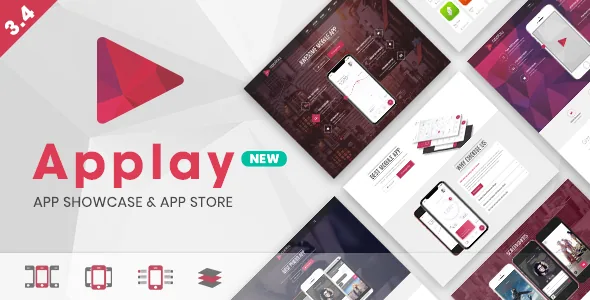
App entries can be pulled from the stores instead of typed
Most app-listing themes assume you will copy each title, icon and screenshot out of the App Store or Google Play by hand. Applay's vendor feature list claims the opposite: an auto-fetch option that pulls app information — title, description, screenshots and icon — from Apple iTunes and Google Play.
The theme's changelog shows this arriving in stages. Version 2.0 in December 2014 added Apple iTunes fetching; version 2.1 in January 2015 added Google Play; later entries record fixes for Google Play fetching and, in version 3.7, an improvement to it. Version 2.0 also added support for external screenshot image URLs, which means a listing can reference screenshots hosted elsewhere rather than requiring a fresh upload of every image.
That detail matters when you plan a catalogue. If you add apps in batches or keep a listing current after a store release, fetch-then-adjust is a shorter routine than typing everything. Whether your specific listing's fields survive a fetch unchanged is something only a real import on your install will show; the vendor description is a feature claim, not a promise about any particular app record.
Visitors can submit their own app, with the fetch running for them
Applay lists a front-end "User Submit App Form with Auto Fetch and Email notification". The changelog dates it to version 2.1.1 in February 2015, with later fixes for submitting a Google Play URL and for blank screens during Google Play fetches.
The function is narrow but useful: a visitor enters an app, the theme tries to fill in the details, and an email notification tells you a submission arrived. What the vendor does not state is a moderation or approval queue, so treat the form as a way to collect entries rather than a publishing pipeline you can rely on. A directory site that depends on submissions needs to decide where review happens before it opens the form.
This submission route is the second half of the theme's catalogue approach. One side is you pulling data from the stores; the other is other people pushing it in.
The mockup is a plugin, so screenshots sit inside a phone without Photoshop
The vendor bundles a "Mobile Showcase Builder Plugin" and describes its purpose bluntly: create mobile mockups without Photoshop. The point is that a device frame, the screenshot inside it, and the parallax or CSS animation around it come from theme elements rather than a flattened image you would otherwise commission.
The device list grew over time. The 2015 changelog adds iPhone 6, iPhone 6+, Apple Watch, MacBook Pro and MacBook Air frames and an orientation option for the showcase device; version 3.0 in 2018 adds iPhone X and Galaxy Note8. Treat the newest of those as the ceiling of the vendor's published device coverage — nothing in the listing claims frames for later hardware.
For a showcase site this is the practical difference between updating a screenshot and redoing an image. Swapping the screenshot inside an existing mockup is a content edit; replacing a designed composite is not. The same logic applies to showcasing a tablet or desktop app next to a phone app, if the frames you need are among the listed ones.
Selling apps puts a shop beside the showcase
The feature list includes "Sell or promo Mobile Apps using WooCommerce" and a separate "Multi Vendors support (with WC Vendors)", with WC Vendors compatibility first recorded in the 1.3 changelog in December 2014. The marketplace attributes, observed on 4 November 2026, declare compatibility with WooCommerce 5.x through 10.x and name WPML and bbPress 2.5.x/2.6.x alongside WPBakery Page Builder.
Read together, these point to two different store shapes. A single developer selling licences or add-ons needs WooCommerce alone. A marketplace where other studios list their own products needs the WC Vendors layer, which is a separate plugin from the theme — the theme declares compatibility, not inclusion of a multi-vendor engine.
Selling and showcasing also call for different page content. A product page carries price, options and cart; a showcase entry carries screenshots and store links. Applay supports both, and the vendor mentions a store listing mode alongside WooCommerce product templates, so you can present apps without a cart in the way. Neither claim tells you how a given product type should be configured; that is your store architecture to decide.
Four homepages, three storefronts, and the editing layer underneath
The vendor counts four homepage variations and three app-store variations, alongside two theme styles — Modern and Classic — three header styles each available in a dark and a light schema, unlimited colour options, and an optional one-page layout. Demo content is included, which is how those variations are meant to be seen before you choose.
The distinction worth noting is between theme-level style and page-level structure. Switching Modern to Classic changes the design language across the site; picking among the homepage or app-store entries changes which page you start from. Keeping those two decisions separate makes it easier to try a different header schema without rebuilding content.
Pages themselves are assembled in WPBakery Page Builder, which the vendor states is included and also lists under compatible-with. The marketplace attributes observed in November 2026 give the latest marketplace version as 3.7.1.
What the 2023 update date means for a theme that depends on store APIs
The marketplace records the vendor's most recent update on 8 July 2023, at version 3.7.1. That is a declaration from the listing, not a report of testing on your stack, and it does not tell you what state a copy you install is in.
For most themes a long gap between updates is a maintenance question. Here it touches the headline feature. Apple iTunes and Google Play auto-fetch depends on endpoints the theme does not control, and the vendor's own changelog shows repeated maintenance to those fetchers over the years — Google Play fixes in 2.1, 2.1.1, 2.1.3, 2.3.2 and 3.7. Given the date of the last entry, it is worth importing one real app from each store and checking the result before you commit a catalogue to it.
The same caution applies to anything else the theme pulls in. Declared WordPress compatibility in the listing spans 4.9.x through 7.0.x, and the files listed are PHP, CSS and JavaScript. Those attributes describe the vendor's declaration; they are not a substitute for a quick install test on the version you actually run.
Questions & answers
Does the auto-fetch fill in everything on an app listing?
The vendor says it fetches title, description, screenshots and icon from Apple iTunes and Google Play. How much of a specific listing it fills, and whether it still works against today's store endpoints, needs to be checked with a real import on your install — the last recorded vendor update is July 2023.
Do I need WC Vendors to sell apps with Applay?
No. A single seller can use WooCommerce alone, which the theme declares compatible with. WC Vendors is only relevant if you want other people listing their own products, and it is a separate plugin rather than something bundled with the theme.
Are the phone mockups images I have to design myself?
They come from a bundled showcase plugin that builds device frames in the theme. The vendor's published device list runs from older iPhones and a Galaxy Note8 through to Apple Watch and MacBook frames, so it is worth confirming the exact devices you need before relying on it.


