The demo import is a choice between two colour versions, not one starter site
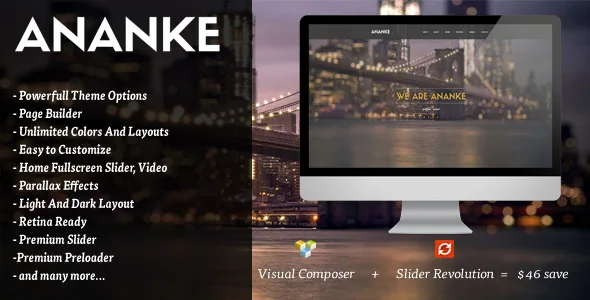
Most portfolio themes ship a single sample site and leave you to recolour it. Ananke's vendor description lists "8 Homepages Versions" and, separately, "Dark And Light Version" with one-click demo content import that installs either the dark or the light variant. Eight homepages multiplied by two colour directions is the first decision you make, and it happens before you write a single line of your own copy.
Treat that as a structural choice. The variant you import determines the palette of every section, the contrast of the parallax backgrounds and how your photography reads against the page before you touch anything. Importing twice to compare is possible, but you will be comparing two copies of the same layout logic rather than two different design ideas.
The vendor's intended uses — personal portfolio, creative agency, designer, illustrator, photographer — sit within one page type. There is no separate shop or business layout in the feature list, so a project that needs commerce should look elsewhere rather than assume a demo covers it.
What the import hands you is a WPBakery page, not a set of templates
The feature list names "Visual Composer Page Builder with Drag and Drop layout – 23+ web element," and the marketplace attributes record compatibility with WPBakery Page Builder — the same plugin under its earlier and current names. So the page you import arrives as builder rows and elements. Reworking it means rearranging those elements, not assembling sections from a block pattern library.
The "23+ web element" figure is worth reading as a boundary. A one-page portfolio built from roughly two dozen element types will cover headings, text, images, sliders, portfolio grids and pricing tables, but it will not behave like a full design system. If your page concept depends on a component the element set does not offer, the practical fix is custom markup or a companion plugin, not a setting.
Because the demo lands as builder content, the imported page is also the thing you will maintain. Any structural change you make is a builder edit rather than a template override, which suits a single long page and gets awkward if you plan to spawn dozens of inner pages from the same source.
Parallax, scroll effects and anchors are the page's logic
The list carries "Parallax One Page," "Parallax background," "On Scroll Effect Layout," "Smooth Scrolling" and "One page navigation" as separate entries, which together describe how a visitor moves through the site. Backgrounds shift at a different rate as sections pass, elements arrive as they enter the viewport, and the navigation links jump between anchors on the same page.
That last part changes what your menu is for. On a one-pager the menu is a table of contents, so the section order you import is the navigation order your visitors see. Insert a section in the middle later and the anchor links need to match, otherwise a menu item scrolls past its target or lands on the wrong block.
The vendor also lists a "Premium Royal Preloader." A preloader is most useful when a page loads heavy parallax imagery, and least useful on a fast connection — worth deciding on rather than leaving at its default, since it delays the first thing a visitor sees.
Filterable portfolio listing, Ajax project pages
Portfolio work in Ananke is presented two ways. The feature list names "Filterable Portfolio (fancy box and ajax single project)" alongside "Ajax portfolio," and separately says "4 Portfolio Page Examples Built-In." The filter applies to the listing: visitors narrow the grid to a category without a page reload. The Ajax behaviour applies to opening a project: the single project view loads into the flow instead of triggering a full page transition.
For a designer or photographer with work in several categories, this is the part of the theme that earns its place — a client can reach a relevant subset quickly, then open one project without losing the scroll position of the grid behind them.
What the vendor does not describe is the portfolio's relationship to WordPress's own post types or to a dedicated plugin. The portability question follows from that: work entered through the theme's portfolio structure is tied to the theme, so a future move means re-entering it elsewhere rather than exporting a standard format. Four built-in portfolio page examples give you starting layouts, but they are layouts, not a migration insurance policy.
Colour, icons and fonts live in a Redux options panel
Styling is described as "Theme Options with Redux Framework" and "Unlimited Color Styles" — a scheme built from a few clicks in the options screen rather than from a stylesheet edit. Alongside that, the vendor lists "150+ Animated SVG Icons," "675+ Icons," "Includes Entire Font Awesome" and "Google Fonts Support."
The icon counts overlap rather than stack. Font Awesome is the general icon font; the animated SVG set is a separate library for the decorative, moving icons a parallax page tends to use. Treat the two figures as what each library contains, not as 825 unique choices.
Where this matters for planning is that none of it is described as block-editor styling. The marketplace attribute says "Gutenberg Optimized: No," which is a statement about how the theme was designed rather than a claim that the block editor is unavailable. If your team's workflow assumes site-wide styles edited from the Site Editor, the options-panel model is the mismatch to weigh first.
Declared compatibility and the version picture
The vendor's current release notes pair the theme with "WPBakery Page Builder 8.7.x," "Revolution Slider 6.7.x" and WordPress 7.x. The marketplace attributes, observed on 4 November 2026, separately list compatibility with Contact Form 7, WPBakery Page Builder and WPML, and a software version range running from WordPress 5.5.x to 6.9.x. Those two statements were published at different times and do not match line for line; neither was verified here against a running install.
Revolution Slider appears in the release notes as a separately named plugin. The marketplace file bundle lists PHP, CSS and JavaScript files only, so whether the slider or the builder ships in the package is best confirmed before you plan around it.
For a site in more than one language, the feature list promises "Translation-ready using provided POT file" and the attributes name WPML. Those are two different jobs: the POT file gives translators the strings, while WPML handles running the languages side by side.
The listing marks the theme responsive, widget ready, high resolution and well documented, with four or more columns in the layout attribute, and browsers listed as Firefox, Safari, Opera, Chrome and Edge. Those are declarations attached to the product, not the results of testing against your hosting, PHP version or plugin combination.
Questions & answers
Can I switch from the dark to the light version after importing a demo?
The vendor describes the import as choosing either the dark or the light variant, not as a live style switch. Importing the other variant is the path the description supports; whether colours can be flipped afterwards depends on the Redux colour options, which the vendor lists but does not map to the two demo versions.
Does Ananke work if my team edits with the block editor?
The marketplace marks the theme as not Gutenberg optimized, and its editing surface is described as WPBakery Page Builder with a fixed element set. That does not mean the block editor is unavailable in WordPress; it means the theme's own page structure and styling are built for a builder and an options panel rather than for block patterns and site-wide styles.
Is the portfolio tied to the theme?
The vendor describes a filterable portfolio and Ajax single project pages as theme features, without naming a separate portfolio plugin or a standard post type. Plan on entering work into the theme's own structures, and check the imported demo to see where those entries live before you commit a large catalogue.