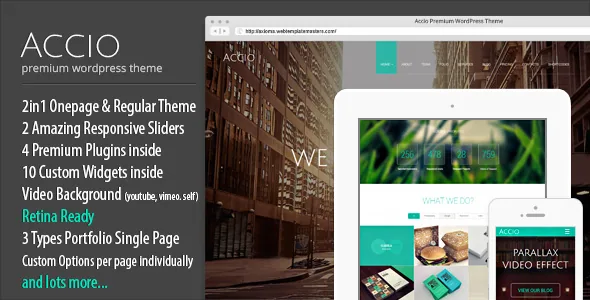
One page or many pages, from the same theme
ThemeMakers states the premise plainly in the listing: Accio "could be used in both ways: as one-page theme and the regular theme with separate pages as well." The feature list backs it with "Unlimited OnePage Pages," and the marketplace category places it under creative/portfolio with agency and studio tags around it.
That framing matters more than the parallax effects the theme is named after. A single-page site puts every section in one scroll, so a visitor reaches services, work and contact by anchor rather than by menu click. A multi-page site under the same theme spreads those sections across URLs. You are deciding how much content one scrolling page can carry before it becomes a slog, and whether the navigation should offer two entries (single page) or a deeper tree.
If your project is a compact agency or studio presentation — a handful of services, a portfolio strip, a contact block — the one-page route is the reason to look at Accio. If you already know you need a blog with archive pages, service detail pages and legal pages, you are effectively using the regular half of the template, with the one-page machinery idle.
The back-end Layout Constructor is the editing model
Accio does not hand page composition to the WordPress block editor or to an external builder like Elementor or WPBakery. ThemeMakers describes its own Advanced Layout Constructor: you "arrange pages and posts layout by few mouse clicks only" from the back-end, and the front-end should mirror what you set up there. The feature list adds a "test editor inside with full shortcode list," and the changelog shows a text tab added to that constructor in version 1.0.5.
Underneath sits the TM Visual Shortcodes plugin, one of the four vendor plugins the listing names as included, with "over 35 visual shortcodes." Imported demo layouts are therefore made of shortcode output, not blocks. Expect to edit content through the shortcode list and the constructor rather than by typing into a block canvas, and expect a shortcode-heavy page to look different in the editor than on the front end until you preview it.
Two consequences to plan for. First, anyone else editing the site needs to learn this specific panel rather than the WordPress editor they already know. Second, if you later migrate content into blocks or another builder, the shortcodes have to be rendered or rebuilt — there is no standard block structure to fall back on.
Two fullscreen sliders, one video background layer
The listing groups the theme's media tools as a Full Screen Layer Slider, a Full Screen SuperSlides Slider and a Full Screen Video Player. LayerSlider is named as bundled, and the changelog tracks it release after release right up to the point where the tracked history ends, so the slider is a genuine part of the package rather than a suggestion.
Video backgrounds are described in their own section: full-screen video from YouTube, Vimeo or a self-hosted file. That gives you three sources with different trade-offs. Embedding from YouTube or Vimeo keeps the file off your server but depends on the third party and on its player behaviour; a self-hosted file puts weight on your hosting and on how the file is delivered but keeps the video yours. The changelog repeatedly records fixes in the plugins responsible for displaying background video, which tells you this was a maintained surface of the theme rather than a one-off add-on.
What the vendor does not include: the demo media. The description states that all media files in the demo preview are for demonstration only and are not part of the theme package, and that the demo images are watermarked. Sliders, parallax backgrounds and hero video all need your own assets, which is a real production cost on a theme whose look depends so heavily on imagery.
Parallax sections, two menus and smooth scrolling
Parallax is the theme's selling point in its own title, and ThemeMakers describes it as the ability to add "variety of 3D looking parallax backgrounds to any section you like." In a one-page build, those sections are stacked on a single scroll, so the background layers move at a different rate as each block passes.
Navigation comes in "2 different menu variations," described as amplified by smooth scrolling — anchor links that glide to the target section instead of jumping. Related details in the feature list are a touch-enabled multilevel dropdown menu and four named responsive layouts covering mobile portrait and landscape plus tablet portrait and landscape.
Weigh this against how people read. A single scrolling page with animated backgrounds and smooth-scroll anchors can feel deliberate on a portfolio, and tedious on a phone where scrolling is long and every section competes with the next. The vendor's own changelog includes repeated mobile fixes — staff alignment on phones, slider issues on mobile layouts, social links on mobile staff cards — which is the normal pattern for themes of this vintage and worth factoring into your testing plan rather than assuming the responsive claim settles it.
Support is discontinued, and the changelog says why it matters
The most important paragraph in the listing is not a feature. ThemeMakers states that technical support for the item has been discontinued, that no guidance or tips will be provided, and that if you cannot resolve an issue yourself you can buy paid support or hire a third-party developer. No refunds are offered on that basis. The vendor separately guarantees that the theme will function as described while it remains for sale, and invites bug reports for a future release list.
Read that as the terms of ownership: you get the theme, documentation and video instructions the listing describes, but not a support relationship. For a build you are handing to a client, that needs to be in the contract conversation.
The release history is long and mostly maintenance — plugin version bumps for LayerSlider, mixitup, video player scripts and TwitterFetcher, WordPress compatibility checks through the 4.x and 5.x generations, PHP 7 compatibility fixes, and security updates. Imported demo content also arrives through the vendor's TMM DB Migrate plugin, described as a built-in tool for demo import.
One changelog entry deserves attention before you plan your workflow: version 1.2.8 records "deactivate Gutenberg and re-activate Classic editor." The marketplace attribute observed on 4 November 2026 marks Accio as Gutenberg Optimized: Yes, but the vendor's own release notes show an explicit decision to route editing through the Classic editor. If your team expects to write pages in the block editor, confirm the behaviour on your install instead of trusting either label.
Files, fonts, translations and the declared WordPress range
The marketplace file list for Accio names Layered PNG, Layered PSD, PSD, PHP, HTML, CSS and JS files. The PSDs are the practical route if you want to reskin a section or a page outside the theme's options panel: you get the layered artwork to adapt. Documentation is listed as well documented, with the vendor describing detailed documentation and video instructions.
For styling, the theme options panel carries the typography and layout settings, with the Google Fonts API described as offering 570+ font families. Ten custom widgets are listed — contact form, contact info, Facebook like box, Flickr feed, Google map, latest tweets, recent posts, recent projects, social links and testimonials. Several of those depend on third-party services that have changed substantially since the theme's release, so treat the older social widgets as legacy rather than dependable.
On translation, WPML is the single declared compatible plugin in the marketplace attributes observed on 4 November 2026, and the vendor lists localization readiness with a .po file. The same attributes declare WordPress 6.0.x through 6.9.x — vendor claims rather than results from a test install, and worth verifying on a staging copy of your own stack given the theme's age. Browser compatibility is listed as IE 8 and up alongside Firefox, Safari, Opera, Chrome and Edge, a declaration written in a different era of the web.
Questions & answers
Can I use Accio for a normal multi-page site instead of a one-pager?
Yes, according to ThemeMakers. The listing states the theme works both as a one-page theme and as a regular theme with separate pages, and the feature list mentions unlimited one-page pages, so the single-page format is a mode rather than a restriction.
Do I need to know shortcodes to edit Accio?
Practically, yes. Page and post layouts are composed through the vendor's Layout Constructor and the TM Visual Shortcodes plugin, which the listing says provides over 35 shortcodes. The bundled demo layouts are built that way too, so editing existing content means working inside that system.
Is the demo imagery included with the theme?
No. The description states that all media files in the demo preview are for demonstration only and are not part of the theme package, and that demo images are watermarked. Parallax backgrounds, slider images and video are yours to source.
What happens if I need help after buying Accio?
The vendor has discontinued technical support for the item. The listing says no guidance, tips or recommendations will be provided, that paid support may be available, and that no refunds are offered on the basis of discontinued support. Bug reports are still invited for consideration in future releases.