Three ways to deliver a class, and the theme has a slot for each
Most studio themes are organised around a homepage design. Yoku's vendor description is organised around class delivery instead, and that is the useful way to read it. LearnPress handles courses, lessons and quizzes when you want a taught product on your own site. A live stream button with your own link covers the case where the teaching happens on a third-party platform. Offline classes and a timetable cover the studio timetable itself.
Those three routes do not compete. A studio that runs weekday classes in a room, weekend workshops online and a pre-recorded course can map each to a different part of the theme without inventing a workaround. Everything below is taken from the vendor's feature description and the marketplace attributes, not from running the theme.
LearnPress is the online-class route, and it is optional
The vendor states that Yoku is integrated with LearnPress for courses, lessons and quizzes, and that the plugin is installed separately and is optional. The demo includes 8 sample courses, which tells you the course layout, lesson structure and quiz presentation are already styled rather than left to plugin defaults.
Read "optional" as a real boundary. If you only sell in-studio passes or run a schedule page, you can leave LearnPress out and nothing about the class pages depends on it. If you do want a course catalogue, you are adding a plugin and its own course management on top of the theme, so the quality of the course experience is partly a LearnPress question rather than a Yoku one.
Live-stream links keep playback with your provider
The vendor describes a live stream button attached to any class, carrying a link you supply. That means Yoku does not have to host video or integrate a specific streaming service: a class page can hand the visitor off to whichever platform you already use. An earlier version of the vendor's copy named MindBody as an example, though the current description stays generic about the provider.
The practical consequence is that the booking and the watching can live in different places. You keep the class listing, description and schedule in WordPress and send people out for the session. Whether that suits you depends on whether you want a single account experience for students or are happy to split discovery from delivery.
Offline classes and the timetable rest on a separate plugin
Two further features cover the studio floor: offline classes and a yoga timetable. The timetable item is explicit about its dependency — the vendor says it is styled for the MotoPress Timetable plugin, installed separately and optional.
So the theme supplies the look of the timetable rather than the scheduling engine. You add the plugin, build the schedule inside it, and the theme's styling applies. Nothing in the description suggests a built-in booking system, capacity handling or instructor roster, and those are the items to confirm in the demo before you plan around them. If your studio lives or dies by a booking calendar, evaluate MotoPress first and treat Yoku as the presentation layer.
Two editors, and a migration command between them
The vendor describes the current framework as PixeBuilder-ready while keeping the classic GoodLayers page builder available. Existing pages can be converted at any time through a "Migrate to PixeBuilder" command. The importer mirrors that choice: demo content is offered as PixeBuilder demos or classic GoodLayers demos.
This is a fork in your workflow, not a marketing detail. Pick the editor you will actually maintain and import the matching demo, because mixing the two leaves you maintaining pages in two systems. The classic builder is the safer choice if you have prior GoodLayers experience or existing content built that way; PixeBuilder is where the vendor's development is pointed. The classic builder's described behaviour — background wrapper options, custom skin colour per wrapper, three view modes and ajax saving — is familiar ground for anyone who has used a GoodLayers theme.
The three demos map onto the three business models
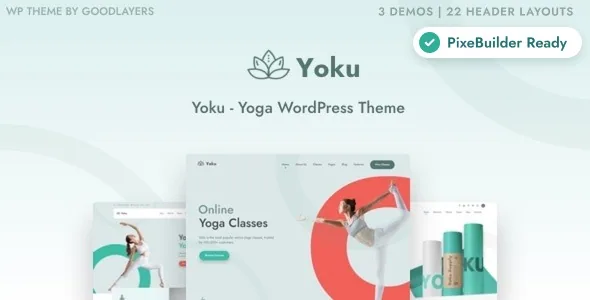
The demos are named Online School, Yoga Studio and Yoga Shop, which matches the delivery routes above. The demo importer is described as one-click, with the vendor noting a multi-thread image import technique to speed it up.
One boundary matters here: the vendor states plainly that images from the preview site are not included in the theme package. A freshly imported demo will therefore look like the previews in structure and styling but will need your own photography before it looks finished. For a yoga brand, where imagery carries most of the mood, budget for that shoot as part of the project rather than as an afterthought.
Brand control: wrapper skins, headers and footers
The vendor's design controls are finer-grained than a single global accent colour. Custom skin colours can be created and applied per page-builder wrapper, so three stacked sections of a page can each carry a different treatment. That suits a studio that wants, say, a warm block for retreats and a neutral one for pricing on the same page.
The header list is unusually long: 22 header layouts, a per-page custom header option, and secondary navigation in slide or overlay style, plus floating navigation. Footers come in 6 layouts and can be disabled per page, which is handy for landing pages that should end on a call to action. Elsewhere the vendor lists full, boxed and 100% fluid layouts, an RTL stylesheet, a font uploader accepting EOT or TTF, and 700+ theme options. Layout is declared responsive and widget-ready, with 4+ columns.
Commerce and translation, as declared
Yoku is described as a route to selling yoga goods with WooCommerce, and the marketplace attributes declare compatibility with WooCommerce 10.x.x, 9.x.x, 7.x.x and 6.x.x, plus WPML. Those are vendor and marketplace statements rather than results of testing on a current install.
WPML support matters if the studio teaches in more than one language, since class names, schedule labels and course copy all need translating. The commerce side is straightforward if you already run a shop; if the paid class itself is the product, remember that selling it runs through the optional LearnPress route or an external provider rather than through the theme.
Package contents and the declared platform range
The file list includes Layered PSD, PSD, PHP, CSS and JS files. The PSDs are design source files, useful if you need to adapt artwork, not page templates. The vendor's support material points to its own support site rather than bundled documentation, and the marketplace marks documentation as unrated.
The declared software range at the time of observation, 5 November 2026, spans WordPress 5.7.x through 7.0.x, and the marketplace listed version 1.4.0 as the latest release. Treat the range as a support declaration: it says what the vendor says the theme works with, not what any particular copy of the theme has been run against. If your site runs a version outside that range, or on the boundary, confirm before committing.
The one decision that matters
Yoku earns its place when a studio genuinely mixes delivery methods — a room schedule, an online course, and streamed sessions with a provider you already use — and wants all three presented in one design system. The per-wrapper colour control and the header variants then do the branding work across very different page types.
It is a weaker match if you need the theme itself to handle bookings, capacity or payments for classes. The timetable is plugin-dependent styling, and the course catalogue depends on LearnPress being installed. Confirm those two plugins behave as you need before you decide the theme is the right shell.
Questions & answers
Does Yoku require LearnPress to work?
No. The vendor describes LearnPress as installed separately and optional, and only the online course route depends on it. Studio schedules and offline classes are listed as separate features.
Is the class timetable built into the theme?
Not the scheduling itself. The vendor says the timetable is styled for the MotoPress Timetable plugin, which is installed separately and optional, so the theme supplies presentation while the plugin holds the schedule.
Can I keep using the classic GoodLayers builder?
Yes. The vendor lists the classic builder alongside PixeBuilder and provides a Migrate to PixeBuilder command for converting pages later. Demo content is offered in both flavours, so import the one matching the editor you plan to use.
Are the demo images included?
The vendor states that images from the preview site are not included in the theme package. The file list covers Layered PSD, PSD, PHP, CSS and JS files, so plan on supplying your own studio photography.