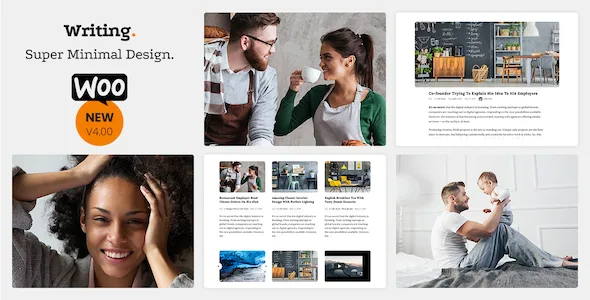
One post archive, five presentations
The vendor describes Writing's blog styles as a switch: Default, Classic, List and Masonry, with "List with Featured Post" arriving in version 3.51. The same published posts can sit in a stacked reading column, a compact list, or a staggered grid, because the choice is a theme setting rather than a rebuilt page. Nothing in the description names a page builder; changes happen in the WordPress Live Customizer.
Reading details the changelog documents
Version 3.60 added separate options for featured image captions in single posts and in post lists, so a caption can appear next to a thumbnail without also printing under the full-width image. Version 3.78 added a switch to show an updated date in the meta line, and 3.791 added the ability to place a word of your choosing before it.
Two more entries are easy to miss and easy to want. Version 3.67 added an option to disable the masonry effect so the grid falls into equal heights. Version 3.78 added an option to limit previous/next post navigation to the same category, which keeps a reader inside a series instead of sending them to an unrelated article. Version 3.791 added a switch to turn off rounded image corners, which affects the look of every photo in the theme at once.
Widgets ship through a companion plugin
Version 3.66 created the Writing Core plugin to carry the theme's widgets, so the widget side of the site depends on that plugin being installed and active next to the theme. The same release added a setting for footer widget columns, adjustable from one to three.
Other structural pieces in the changelog include a sliding sidebar with its own icon, a Authors page template added in 3.68 to list every user on the site, and a "custom content then posts list" template added in 3.791. For a solo blog the footer column count and sidebar are likely the only ones you touch; the Authors template matters if you publish under several names.
The Customizer is the whole control surface
The vendor lists unlimited colours and the changelog shows where they land. A 3.60 entry replaced the JavaScript that derived sub-colours from a custom main or post content background colour with PHP, so the palette is generated by the theme rather than picked colour by colour. Typography gained font subsets in 3.71, and 3.74 added the option to load Google Fonts asynchronously.
Because the Customizer is the surface, decisions live in one place, but anything it does not expose is a code change. The theme also gained a Performance Settings section in 3.68 with image lazy loading, a loader choice and an effect setting, plus switchable image sizes per screen in 3.63.
RTL, and the version of Writing it changes
Version 3.00 shipped a right-to-left version of the theme, which the vendor describes as supporting RTL languages with almost no difference from LTR, using Arabic as the example. The changelog shows the work continuing afterwards: slider error and UTF-8 first-letter fixes at 3.42, logo dot refinements at 3.32, and RTL together with slider fixes in later releases.
That distinction matters for a bilingual project. A translation plugin can swap strings; it cannot mirror column order, menus and meta placement. Translation readiness and WPML compatibility are listed as vendor claims, and the translation strings themselves remain your job.
Social output you can switch off
The vendor lists 24+ social icons, share buttons on posts and Facebook Open Graph tags, and the changelog tracks the icon list growing over time with Medium, Tumblr, Twitch, Quora, Product Hunt, Goodreads, Spotify, Telegram, Amazon, Wikipedia and a plain mail link. Version 3.76 added rel="noreferrer" to social links.
If you already run an SEO plugin, two options added in 3.38 are the ones that prevent duplicate tags: disabling the theme's automatic Open Graph metadata and disabling its Facebook scripts. Leaving the theme's output on alongside a plugin that also prints Open Graph tags gives a post two competing sets.
What the listing declares, and why the dates matter
Marketplace attributes recorded on 3 November 2026 list WordPress 4.9.x through 5.9.x, a responsive layout, widget-ready status, Gutenberg Optimized set to Yes, and PHP, CSS and JS files in the package. The vendor update on the listing is 28 April 2023; browsers run from Internet Explorer 9 through Chrome, Edge, Firefox, Safari and Opera.
These are declarations, not the result of installing the theme here. The WordPress range ends at the 5.x line and the vendor's last update is dated 2023, so running Writing on a much newer WordPress release is an unverified combination rather than a confirmed one. The Gutenberg Optimized mark is consistent with the changelog's editor fixes for column handling at 3.73, editor width at 3.71, and wide images and styles across 3.65 and 3.67.
Questions & answers
Can I change the blog layout without rebuilding my posts?
Yes. The style is a theme setting, and the vendor describes switching between Default, Classic, List and Masonry; a fifth option, List with Featured Post, was added in version 3.51. The posts themselves stay as they are.
Is a page builder needed to edit Writing?
The vendor's description does not name one. Customisation is done in the WordPress Live Customizer, and the theme's widgets come from the Writing Core plugin added in version 3.66.
Does the theme work for an Arabic or Hebrew blog?
A right-to-left version was added in 3.00 and the vendor describes it as supporting RTL languages with almost no difference from left-to-right, using Arabic as the example. Translation readiness and WPML compatibility are also listed, though the translated strings are yours to supply.


