How courses are structured for instructors
The content hierarchy is the part instructors touch daily. A unit is the leaf: the vendor lists video, audio, documents, PDF and text as unit content, so a lesson can mix media without a separate plugin for each format. A section groups units together with quizzes and assignments, and a course collects the sections. Learners move through that sequence and the theme tracks their activity per course, quiz and assignment.
Assessment is where the specification gets specific. The vendor lists eight question types, including match answers, sort answers, dropdown selection, fill in the blank, single- and multiple-answer multiple choice, and free-text or essay responses. Quizzes can use a fixed static question set or be generated dynamically from a question pool, and they support automatic grading, manual grading and re-evaluation. A question bank plus CSV bulk import means you can move an existing question library in rather than retyping it. If your courses are assessment-heavy, this is the strongest differentiator in the listing.
Selling courses, bundles and time-limited access
Commerce runs through plugins you may already use. WPLMS sells courses via WooCommerce or Easy Digital Downloads, and the vendor says every payment gateway supported by WooCommerce carries over, including manual options like bank transfer or cash on delivery. Course bundles group several courses at a single price, and course subscriptions set weekly, monthly or yearly pricing.
Access control goes further than a simple purchase gate. You can set a maximum completion duration for a course, assign courses manually with email and notification triggers, adjust a student's subscription window by hand, and schedule reminder emails before expiry or when a learner has gone quiet. Course announcements (one per course) and a per-course news blog give instructors a channel that reaches students by email, push or in-site notification.
Membership-based selling is supported, but the vendor names the plugins that must be installed: Paid Memberships Pro, Restrict Content Pro, WooCommerce Memberships, ARMember, WishlistMember and others. Those are separate purchases or installations, and their own settings will govern how access behaves. Budget for that before you assume memberships are included.
Conferencing and certificate tools have separate add-ons
The addon table is worth reading carefully, because several headline LMS features live there. BigBlueButton, Zoom and Jitsi conferencing are each delivered through a named addon (Vibe BBB, Vibe Zoom, Vibe Jitsi). The drag-and-drop PDF certificate builder is the WPLMS PDF Certificates addon. Deep Google Analytics tracking is WPLMS GA, and front-end blog posting is vibe posts. A base certificate feature with student and instructor details, unique validation codes and course assignment is described as part of the theme itself, so lightweight certificates and an advanced builder are not the same thing.
An installable interface for learners and instructors
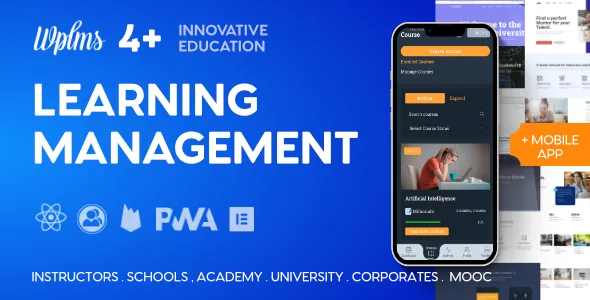
The Progressive Web App angle is the theme's other defining claim. Users can install the site as an app, and the vendor says it keeps working offline from cached data, images and video, with install prompts and push notifications. There is also a one-click app generation option inside the theme options panel, producing an app shell for administrators, instructors, students or a custom role.
Installability and offline availability are vendor-described capabilities. The files already cached, the browser and the learner's device determine what remains available without a connection. The marketplace description's older browser notes should not be treated as current platform support guarantees.