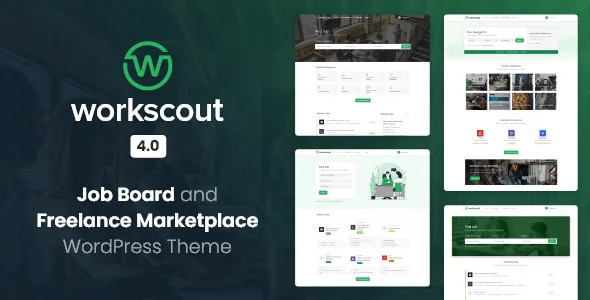
The bids are the product, not the job listings
Plenty of WordPress themes will publish job ads. WorkScout's vendor description goes further: employers can post tasks and micro jobs in the manner of Upwork or Freelancer, and freelancers respond by placing a bid that carries both a price and a timeframe. Once a task is won and completed, both sides can leave reviews.
That pushes the theme past a listing directory into a marketplace with two account types and a transaction between them. If your project is a straightforward careers page for one company, this machinery sits unused. If you intend to take a cut of work arranged on your site, the bidding layer is the reason to look at this theme rather than a directory theme with a jobs category.
Everything is built on Mike Jolley's WP Job Manager plugin and its extensions, which the vendor describes as the foundation the theme was developed to extend. Treat the plugin as a hard dependency of the design, not an optional companion.
Two kinds of post, and who acts on each
The description separates regular job ads from task and project posts, and the difference matters for how visitors move through the site. A job ad draws candidates who submit an application. A micro-task draws freelancers who submit an offer. Both routes lead back to the same user account.
Reviews are mutual and tied to completion, which is a small detail with operational weight. A completed task produces reputation on both sides, so the profile page is doing double duty as a work record rather than a static biography. The vendor does not describe an escrow stage or a dispute process between bid and completion, so plan how you would handle a task that goes wrong before you make payments automatic.
One resume profile, two jobs
The vendor lists the fields inside a freelance profile: a portfolio showcase, attachments, task and job reviews, employment and education history, and private messaging. The stated purpose is that the same online resume can be used to apply for a job or to bid on a micro task.
That reuse is the practical argument for the theme. Candidates do not maintain a CV for applications and a separate pitch document for tasks. Recruiters, meanwhile, see a consistent record. Private messaging gives both sides a channel inside the site rather than an email thread you cannot see.
Separately, the description says job applications can also run through a simple form asking for name, email, a cover letter and a resume file. That form route exists alongside the profile route, which is useful for visitors who will not create an account just to apply.
Where the money sits: commission, wallet, payouts
The wallet section is the clearest commercial claim in the description. The site owner can charge fees and take a percentage of every completed task. A freelancer's wallet page shows an earnings summary, payout history and a chosen payout method.
The vendor names two payout routes: the site admin pays out manually, or payouts run automatically through Stripe Split Payments. Those are different operating models. Manual payouts mean you reconcile and send money yourself, which suits a small marketplace where every completed task gets a look. Automatic split payments push the work into Stripe and depend on your Stripe configuration being correct before the first task completes. The vendor attributes these as theme capabilities; nothing in the listing states what fees Stripe charges or how disputes are handled.
Listing layouts and the filter claim
The vendor offers several ways to display jobs: a classic list or grid with a sidebar, a full-page layout with a map, and AJAX loading for fast browsing. Advanced filters sit alongside these for searching, and the description singles out salary and rate filter settings as exclusive to WorkScout.
The salary and rate filters are the interesting part for a freelance site, because filtering by rate is what a freelancer actually does on a competitor marketplace. The exclusivity claim is the vendor's own wording, so read it as their positioning rather than a measured comparison.
Layout choice is a page-level decision here rather than a global one, since the variants described serve different browsing habits: a sidebar list for scanning, a map view for location-led searching.
The add-ons and what each one changes
The description walks through WP Job Manager extensions by name, and each one alters a workflow rather than adding decoration. Application Deadline extends how applications are reviewed and managed from the job dashboard. Job Alerts lets registered users save searches and receive emails daily, weekly or fortnightly. Bookmarks adds a saved-items system for both directions: a job seeker saves jobs, an employer saves candidate resumes, and notes can be attached to either.
Resume Manager compatibility is described as full, with signup, resume upload and a predefined submission form handled in the WordPress admin. WooCommerce Paid Listings is the monetisation add-on: it charges for uploading jobs or resumes and explicitly requires the WooCommerce plugin. That is a different revenue model from the task commission, and a site could reasonably use either or both.
Whether a given extension arrives with the theme or is bought separately is not something the description settles. Confirm that with the vendor before you budget.
Compatibility, the builder question, and the Gutenberg flag
As observed on 3 November 2026, the marketplace attributes list Elementor, Elementor Pro, WooCommerce 8.x and 9.x, and a WordPress range running from 6.0.x to 7.0.x, with WordPress 6.x versions named individually. Those are declared ranges, not tested combinations on your PHP build and plugin set.
One attribute deserves care. Gutenberg Optimized is recorded as "No". That does not mean the block editor refuses to load or that pages cannot be written in it; it means the vendor is not presenting block-editor optimisation as a feature. The layout work in this theme is described around its own job board components, so the page-building question to ask is where those components come from and whether Elementor is required for the demo layouts you intend to use.
The file list is PHP, CSS and JS, documented as well documented, with responsive layout, widget-ready areas and high-resolution assets. Demo photography is not included, per the vendor, so budget for your own imagery.
Questions & answers
Does WorkScout handle payments itself, or does it rely on Stripe?
The vendor describes two payout methods for freelancers: payouts made manually by the site admin, or automatic payouts through Stripe Split Payments. Commission on completed tasks is described as a percentage you set. The listing does not describe an escrow or dispute process, so decide how money is held between bid and completion before enabling automatic payouts.
Can candidates apply without creating a profile?
Yes, according to the description. Applications can go through a form that collects name, email, cover letter and a resume file, or through an online resume built in the theme. The resume route is the one that also works for bidding on tasks.
Is WP Job Manager required?
The vendor says the theme was developed from the ground up to extend Mike Jolley's WP Job Manager plugin and its extensions. Treat the plugin and the named extensions as the base the theme's functionality is built on rather than optional extras, and confirm which extensions come with your licence.