Content types first, layouts second
Vodi's feature list starts with a plugin, not a page builder. The vendor developed MAS Videos to provide "the core functionality" for the theme, and describes it as forked from WooCommerce so it can create and manage movies, videos and TV Shows. Whatever you build with Vodi sits on top of that layer, which means the order of work is: decide what a movie record holds, what a TV show record holds, what an episode holds, then lay out pages that read from those records.
That is a different starting point from a template-first theme. You cannot sensibly design the archive grid before you know which fields each entry carries, and you cannot plan a single-show page before you decide whether episodes are separate entries attached to it. The vendor's own description of the product treats Movies, TV Shows and Videos as three managed things alongside WordPress's core blog, so an entertainment site here is a small database with presentation on top.
The marketplace description does not say whether MAS Videos arrives inside the theme package or is installed separately, since the file-type field records only PHP, CSS and JS theme files. Confirm that with the vendor before you plan a build order around it.
The archive loop and what visitors can actually narrow by
Movies, TV Shows and Videos each get an archive page in the vendor's design, and the description is explicit that these are archive pages rather than hand-built grids. Filters are described as widgets you add to the sidebar of those archives, letting visitors narrow the full set of content you have published.
Two of the named sort views carry a dependency. Most viewed and most liked filtering is described as working "when used with plugins like JetPack and WP ULike" — so if those two sorting modes matter to your site, budget for installing and configuring those plugins rather than expecting the behaviour from the theme alone. Views the vendor lists without that qualification include most commented, history and featured, and there is a history page for logged-in users.
Where this gets concrete: a film site with a large catalogue lives or dies on the archive page. If you need visitors to move from "everything" to "the thing I want to watch" in two clicks, the filter set is the product decision worth evaluating first, not the homepage design.
Single templates: four for films, six for videos, four for episodes
Once someone clicks an item in an archive, the vendor supplies alternative single-page layouts: four styles for a single movie, six for a single video, and four for a single episode. Those counts describe variation within one content type, so you pick per record type how much visual treatment a page gets rather than committing the whole site to one arrangement.
The episode count is the structurally interesting one. Episodes appearing as their own layout set, separate from single TV shows, implies a series page and its individual episodes are handled as distinct pieces of content. That is a data decision before it is a design decision: if you model a season as a numbered list inside one show entry, you will not be using the episode templates the way the vendor organised them.
The description does not explain how an episode is linked to its parent show, or whether the four styles can be assigned per episode. If your series structure is unusual — anthologies, multiple seasons with different casts — check that during a trial rather than after launch.
Gutenberg as the build surface, with 47 blocks behind it
The theme is built with Gutenberg and ships 47 blocks that the vendor says can assemble a variety of home pages. The marketplace's compatibility field agrees, marking Gutenberg Optimized as Yes, and the vendor's most recent changelog entry records Vodi's blocks being updated to Block API v3 for the iframed post editor, plus a fix for carousel block previews not loading in the editor. Read that entry as evidence the blocks are being maintained for newer WordPress editor behaviour, not as proof of how they perform on your install.
Practically, working in Gutenberg means page composition happens in the same editor as content entry, with no separate builder layer to keep in sync. The trade-off is that the theme's block library is the design vocabulary — you will be arranging elements the vendor built rather than dragging arbitrary widget sets. The vendor states nine home pages are included, which gives a range of starting arrangements for that block set.
If your team is already comfortable in the block editor, this is a low-friction fit. If your workflow depends on a builder with a large third-party addon ecosystem, the block library will feel like a closed set.
Four headers and four footers, each with a light and dark version
The theme offers four header layouts and four footer layouts, and the vendor says a light and a dark version exists for each. Headers and footers are also described as widget-ready and customisable through widgets and custom code via actions and hooks — so the chrome is both point-and-click and extendable if you need to inject something the controls do not cover.
The light/dark pairing is more useful than it sounds on a video site. Many real entertainment layouts mix a bright editorial section with a dark viewing section; having matching header and footer variants in both registers saves you from rebuilding navigation styles whenever a page changes tone.
What the description does not cover is how the light and dark variants are triggered — whether they are separate selections per page, a global switch, or a paired appearance setting. Confirm that during a trial if you plan to alternate between the two within one site.
Structured data, as the vendor describes it
The vendor states that MAS Videos and Vodi automatically add structured data to every individual movie, TV show and video listing page, covering details such as type, ratings, reviews, release date and cast. That is the kind of markup that gives search engines readable facts about a watch page rather than only prose.
Treat it as a vendor claim. The description does not specify the schema type used, whether it validates against a particular vocabulary, or how the markup handles a record missing fields like cast or release date. Structured data that fails validation can do more harm than none, so run a marked-up page through a validation check on your own content before relying on it.
Even so, the claim is a meaningful signal about intent: the theme was planned around machine-readable film and TV records, not just presentational grids.
The six demos and what they are actually for
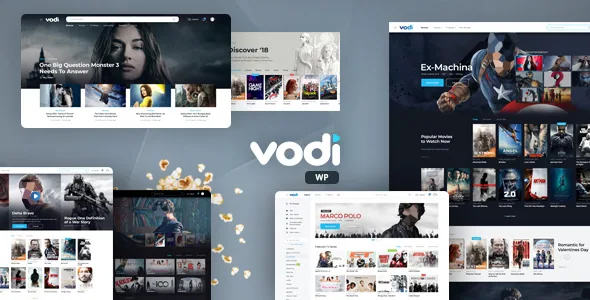
The demos are Vodi Main (movies, TV shows, videos, blog and static pages), Vodi Magazine (an entertainment magazine home page), Vodi Sports (sports magazine with videos), Vodi Stream (gaming magazine with gaming videos), Vodi Tube (videos only) and Vodi Prime (TV shows only). They are genre-shaped starting points over the same content model rather than six different products.
The vendor is also explicit about a limitation most listings bury: the imported dummy content arrives with placeholders and does not include the preview images. Your site after import will not look like the demo until you supply your own artwork and records.
That means the demos are best read as structural references — how a film archive, a show page and a video listing are arranged — rather than as visual assets you can publish. A magazine layout with no posters in it is a wireframe until your catalogue fills it.
What the marketplace listing states, and where it stops
As observed in November 2026, the listing records a WordPress 7.0.x version field, a theme version of 1.2.16, and compatibility with Chrome, Firefox, Safari, Opera and Edge. The vendor's latest changelog entry mentions a WordPress 7.1 compatibility line. Those are declarations stored with the listing, not results from running the theme against your PHP build, host or plugin stack — test on staging before committing.
The theme is built on the Underscores framework and records Well Documented with vendor documentation. Widget areas are listed as ready. The file-type field names PHP, CSS and JS files, which is a description of theme code and says nothing about bundled plugins either way.
The vendor's support notes put normal response time at one business day, with weekend requests potentially answered on Monday. Also worth knowing: the description invites you to request a trial through the vendor's support channel, which is the cheapest way to settle the open questions about MAS Videos bundling, episode linking and light/dark behaviour before you build.
Questions & answers
Do I need MAS Videos installed for Vodi to work?
The vendor describes MAS Videos as providing the core functionality for the theme and says it was developed in-house, forked from WooCommerce. Movies, TV shows and videos are managed through it, so the theme's archives and single templates depend on that content existing. The listing does not state whether the plugin is bundled with the theme package or installed separately, so confirm that before planning your build order.
Can I use Vodi without the block editor?
The theme is built with Gutenberg and ships 47 blocks intended for page composition, and the marketplace marks Gutenberg Optimized as Yes. The listing does not describe an alternative page builder or shortcode-only workflow. If your team needs a different builder, that is a question for the vendor rather than something the evidence settles.
Do the demo images come with the theme?
No. The vendor states that importing the dummy data produces a site with placeholders and does not include preview images. Plan on supplying your own posters, stills and thumbnails before the site resembles the demo.
Will the most-viewed and most-liked filters work out of the box?
The vendor describes those two advanced filter options as available when used with JetPack and WP ULike. Treat them as dependent on those plugins rather than native to the theme, and set them up deliberately.