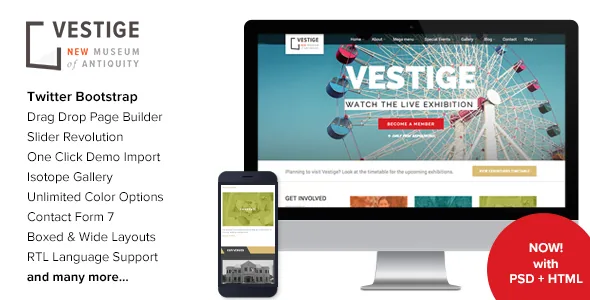
One programme record, several pages
The vendor describes Vestige as a theme "designed & developed for Museum, Events, Charity or Non Profit Websites", with a nod to corporate sites as well. Read past that sentence to the feature list and the product is narrower and more interesting than its category label: it treats a cultural programme as structured data, not as a page you rewrite each season.
Exhibitions, venues, events and artists each get their own content type, and the vendor's feature list sells "Grid / List views for Exhibitions, Venues, Events" alongside a "Full Width Agenda / Monthly Calendar" and dedicated "Exhibitions/Events Details Page" templates. Once an exhibition exists as a record, the same entry can appear in a listing, on the calendar, and on its own detail page, with venue and artist relationships attached rather than retyped.
That is the decision worth making early. If your organisation runs a few static pages and changes them twice a year, this machinery is more than you need. If you publish a season, with dates that shift, venues that host multiple shows, and artists who appear in more than one place, the archive structure is what you are buying.
Grid or list, and where the monthly agenda fits
Each of the three listing types can be presented as a grid or a list, which is a practical split rather than a stylistic one. A grid suits a visual browse — posters, photographs, object shots — where a visitor scans by image. A list suits someone checking what is on next week, since dates and titles read cleanly in rows.
The agenda is the piece that ties the programme together. The vendor lists it as a full-width monthly calendar, so a month view is a first-class layout rather than a widget tucked into a sidebar. For a museum with overlapping exhibitions, one-off talks and recurring tours, a month grid is usually the page visitors want first.
Detail pages are where bookings and logistics belong. The listing promises an exhibitions and events details page for each, and the changelog shows the vendor refining what appears there over time — captions for artwork image sliders arrived in v2.4, and full-size images in the lightbox for event and exhibition galleries were fixed in the same release.
Booking links, manager emails and ticket prices
Vestige does not run its own ticketing engine. What the changelog documents is a set of controls around an outside booking destination. Version 1.9 added an option to use a custom booking URL for events and exhibitions, so the button can point at whatever system already sells your tickets. Version 1.8.5 added a manager email field on event and exhibition records so registration notifications reach a named person.
Two later entries show the detail has been kept up. Version 2.7.1 introduced an option to show currency symbols in place of the ticket price name, which matters if prices vary by event. Version 3.7 changed the booking button to hide for past instances, so an expired show does not keep offering a reservation. Version 3.8, dated March 2026, updated the event and exhibition registration forms for better spam protection.
Treat all of this as configuration to verify on your own install rather than as a tested flow — the supplied listing is vendor and marketplace documentation, not a hands-on report. The useful question is whether the booking URL option covers the systems you already use for ticketing and whether the notification email lands somewhere a colleague actually monitors.
Artworks and artists extend the same archive
The collection side of the site is handled with the same record-based approach, and the changelog is more forthcoming about it than the feature list. Version 1.8.8 added price and dimension fields to artwork post types, which turns a catalogue entry into something closer to an object record. Version 1.8.3 added the option to filter artworks by artist inside the artworks grid and list widget, plus next and previous navigation on single artwork pages. Version 1.8.9 added pagination to the artists widget.
Together those entries describe a small catalogue system: browse works, narrow them to one artist, open a single work, step to the next one. If you are publishing a permanent collection alongside temporary exhibitions, that is a second archive using the same underlying pattern rather than a bolted-on gallery.
The vendor separately credits Flickr and DollarPhotoClub and states that images from the live preview are not included in the template. Budget for licensing your own object photography and exhibition shots; the demo's imagery will not travel with the theme.
Headers, colour and boxed or wide layouts
Design control is mostly global with a per-page exception. The vendor lists three header styles, 12 premade colour schemes with unlimited colour options, boxed and wide layout choices, Google Fonts support, and a set of Font Awesome plus 150 line icons. Those are the levers you set once and apply across the programme archives, which keeps listings consistent when new exhibitions are added.
The per-page exception is more useful than the global palette. Version 2.7 added page design options tabs and the ability to choose a different header for each page. A museum front page can run a promotional header while archive and detail pages stay quiet, without a second child theme.
Accessibility deserves its own note because of one specific changelog line. Version 3.7 updated widgets to output the alt attribute to comply with EAA regulations, and version 3.7.1 fixed a missing alt attribute on the featured block widget image. The European Accessibility Act requirements are a reason to check that every image you upload carries meaningful alt text rather than a file name — the theme's job is only to render the attribute you supply.
Declared compatibility and what the package contains
The marketplace attributes, observed on 3 November 2026, declare compatibility with WooCommerce 6.x through 10.x and with WPML, alongside a WordPress version range running from 5.0.x upward. The vendor's own changelog records PHP 8.2 compatibility in v3.2 and PHP 8.3 in v3.3. These are declarations from the listing, not a tested matrix against your plugin stack or hosting setup.
Files included are listed as Layered PSD, PHP, HTML, CSS and JS, and the theme is marked widget ready, responsive, and documented. The layered PSD is worth noting if a designer is maintaining your branding, since it gives you editable source rather than a screenshot to match.
WooCommerce support matters mainly if the museum or charity sells memberships, catalogues or shop stock; the shop pages themselves come from WooCommerce, and a themed layout can still clash with plugin additions. WPML support is relevant for bilingual institutions, though translations of custom post types and theme options are exactly the kind of thing to test with your own content rather than assume from the compatibility tag. The version of the theme in front of you is the number to check inside WordPress; the marketplace listing records a later release than any packaged copy you may encounter.
Questions & answers
Does Vestige sell tickets itself?
No. The theme provides a booking link and an optional custom booking URL per event or exhibition, so the actual transaction happens in whatever ticketing service you point it at. The changelog also records a manager email field on records so registrations can notify a person, and a change in v3.7 that hides the booking button for past instances.
Can I show a season of exhibitions on a calendar instead of a page of cards?
The vendor lists a full-width monthly agenda alongside grid and list views for exhibitions, venues and events. That gives you three ways to present the same records: an image-led grid, a date-readable list, and a month calendar.
Are the demo images included with the theme?
The vendor's credits state that images from the live preview are not included in the template. You will need to license your own exhibition and collection photography before publishing.