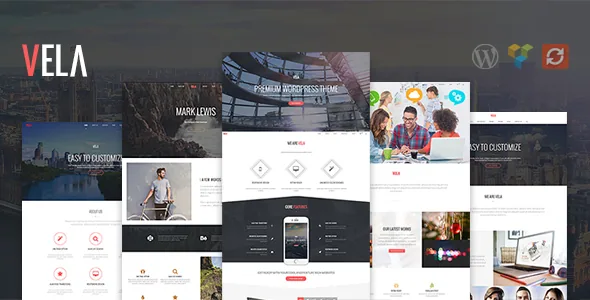
The one-page switch is the setting to think about first
Wyde's feature list includes an option to create a one-page website "with just a click." That single setting changes more than layout: on a one-page site, menu items point at sections of the same document rather than at separate pages, so the menu carries more weight than usual.
The changelog is the useful signal. Version 2.2.6, dated 13 June 2026, lists a fix for "an issue with menu links in One Page site" next to plugin and core updates. The mode is supported and maintained, but the fix also tells you to click every anchor on a long scrolling page before launch, especially after you add, remove or reorder sections following the demo import. Version 2.2.6 is the latest release recorded on the marketplace; run whatever the vendor currently publishes.
Six transitions, seven loaders, one site-wide feel
Motion in Vela is configured rather than coded. The vendor offers six AJAX page transition effects and seven loader animations, so you choose what visitors see between pages and what they see while the next page arrives. Smooth scroll is listed as a separate option.
Treat these as a site-wide feel rather than per-page decoration. A corporate site with a busy enquiry flow reads better with a short transition and a quiet loader; a portfolio can carry more. Because the vendor describes transitions as a theme-level feature, plan on one setting for the site and judge it on a slow connection, where the loader stays on screen longest.
Live search that can reach beyond posts
The AJAX live search shows suggestions while someone types, and the vendor describes the searchable post types as customizable. The second half is what to plan around: on a business site with services, projects, staff or products, you can decide which content types produce suggestions instead of accepting a posts-only dropdown.
Suggestions are only as good as the fields they surface, so thin titles like "Services" or "Read more" give thin results. Name pages the way a visitor would search for them.
WPBakery for page bodies, options for the frame
Page bodies are built in WPBakery, listed as compatible on the marketplace and bundled with the theme. Around it, Wyde provides a theme options panel, page and post options, multiple section and title area layouts, and a multi-option page background setting. The split is conventional but worth naming: the builder decides what sits inside a page, the options panel decides the frame and the defaults around it. Template and stylesheet edits belong in the child theme, which the vendor lists as ready.
One attribute to read carefully: Gutenberg Optimized is marked "No." That is a statement about block-editor optimisation, not proof that the block editor stops working. If your team writes in the block editor as a matter of course, though, the vendor's editing surface is WPBakery, so plan for that workflow.
Two bundled plugins and the ceilings the vendor sets
Vela ships WPBakery Page Builder and Slider Revolution under a bundled licence, and the vendor states a version ceiling for each: WPBakery is supported up to 8.x and not from 9.x, Slider Revolution up to 6.x and not from 7.x. The vendor's instruction is to stay on those versions so theme features keep working.
This is the listing's biggest practical constraint. Update either plugin past the limit, or install a newer copy you already own, and you are outside the combination Wyde supports. Version 2.2.6 shipped WPBakery 8.7.3 and Slider Revolution 6.7.57 alongside Wyde Core 4.1.3 and demo content 1.2.1, which is consistent with tracking inside those ceilings. Check the installed plugin versions before and after any manual update, and hold them until a later theme release moves the notice.
Five demos, and what the marketplace declares
Wyde ships five demo content sets with one-click import, and the demo package is versioned in the changelog, so it moves with theme releases rather than staying frozen. One-click import means a single step rather than assembling pages section by section; the imported pages still need your own text, images and menu structure.
The layout is described as responsive and retina ready with four or more columns available, widget ready, and compatible with Firefox, Safari, Chrome and Edge. Attributes observed on the marketplace on 4 November 2026 name WordPress 6.5.x through 7.0.x, WooCommerce 8.x, 9.x and 10.x, and Contact Form 7. Those are vendor and marketplace declarations, not results from running the theme against your PHP version or plugin stack, so a product, cart and checkout pass on your own setup is still yours to do.
Questions & answers
What happens if WPBakery or Slider Revolution updates past the supported version?
Wyde supports WPBakery up to 8.x and Slider Revolution up to 6.x, and states that 9.x and 7.x respectively are not supported. Updating either plugin beyond that point puts you outside the combination the vendor supports, so keep them at or below the ceiling unless a later release changes the notice.
Does Gutenberg Optimized being marked "No" mean the block editor is unusable?
No. The attribute describes block-editor optimisation, not availability. The vendor's page-building surface is WPBakery, so content created in the block editor may not inherit Vela's section and title area styling.