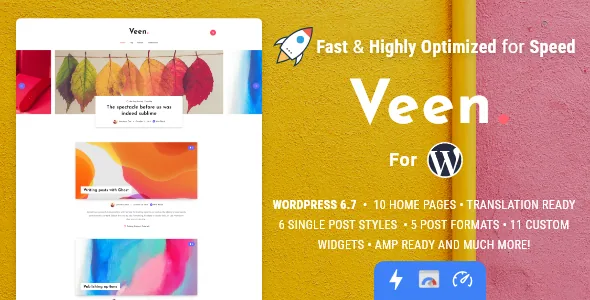
Advertising is built into the theme, not bolted on with a plugin
Most blog themes leave ad placement to a plugin that injects markup somewhere in the content flow. Veen's vendor description takes a different position: it lists a dedicated advertising section below the header, before and after post content, a custom advertising area you can place anywhere, and an advertising section between grid posts.
The changelog shows the inventory was extended rather than fixed once and forgotten. Version 2.5.0 added an advertising option "between X paragraphs" under Theme Options → Advertising → single post section. That is a slot that sits inside body copy, at a position you define per post, rather than a banner that lands wherever a plugin decides.
One entry is worth noting for anyone inheriting an older setup: version 2.5.2 records fixing a case where the literal string "code" appeared when using banners between paragraphs. If a site was configured before that release, check how those mid-article slots render. That is a changelog note about the vendor's own fix, not something a current install should reproduce.
The practical consequence is that monetisation settings live in one place you control, and each position can be reasoned about separately. If you want a leaderboard under the header and nothing mid-article, that is a theme option rather than a conditional plugin rule.
Transitional AMP means two outputs to keep in mind
Veen supports AMP in Transitional Mode, per the vendor's feature list, with AMP home and AMP single post pages shown in the preview material. Transitional mode matters because it implies both an AMP version and a canonical version of the same content. Ad slots and widgets you enable therefore have to work in both outputs.
The changelog treats this as an active concern. Version 2.5.0 states that some widget banners will no longer appear on AMP pages, added specifically to prevent AMP script validation errors. Version 2.5.2 added an option to enable footer widgets under Theme Options → AMP. Those two entries together tell you the theme deliberately varies what renders on AMP pages, which is the right behaviour and also something to check against your own ad providers.
If your ads depend on third-party scripts, confirm how each position behaves on the AMP version before you commit to a layout. The theme handles some of that filtering itself, but the vendor's claim is about avoiding validation errors, not about guaranteeing every ad network works in both outputs.
Three single-post layouts and a sticky sidebar
The vendor lists three dispositions for a single post: fullwidth with sidebar, fullwidth without sidebar, and a classic layout where the featured image sits inside the article. A separate no-sidebar style is available for posts and pages, and the sidebar is described as sticky for posts.
This is the decision that determines where an ad slot or widget actually lands. A sticky sidebar keeps a column visible while a long article scrolls, which suits a tall skyscraper or a small stack of links. The classic layout pulls the image into the text column, so a pre-content banner sits above a different visual rhythm than it does on a fullwidth header image.
Planning is easier if you choose the disposition first and place ad positions second. The vendor also supplies a custom tag page, a custom author page and a custom 404 page, which is the kind of detail that matters on a personal or photography blog where archive pages get shared as much as articles.
Lazy loading is split into three switches
Rather than one global setting, the vendor describes lazy loading for three separate targets: lists such as home pages, archives and categories; post content; and embeds, naming iframes from YouTube, Vimeo and Soundcloud.
Splitting them is useful because each target has a different risk. Deferring list images affects how quickly a grid fills in as a reader scrolls, which is usually fine. Deferring post content images affects what loads when an article opens. Deferring embeds keeps heavy iframe scripts off the first paint, which is often the single biggest win on a post that contains a video.
The thing to watch is the top of the page. If your homepage grid opens with a large hero image, test how the first row behaves before deferring it. The vendor's speed claims are the vendor's; nothing here is a measurement of your own site.
Popular posts: a view counter that survives caching
Version 2.2.0 changed the view counter to use AJAX, with the stated purpose of improving counting on sites running heavy cache plugins. That is a small technical detail with a direct editorial consequence: if you plan to feature a popular-posts widget in a sidebar, the numbers you see should be more representative on a cached site.
Version 2.5.2 added a filter by post views to the Recent Post widget, and version 2.2.0 added a "last X days" filter. Together those let a sidebar or ad-adjacent block show what readers actually open, restricted to a recent window.
Keep the scope honest. A view counter tracks visits recorded by the theme; it is not analytics, and it will not reconcile with server logs or a third-party measurement tool. Use it for placement decisions, not reporting.
What the maintenance record shows
The marketplace listing observed on 4 November 2026 records version 2.7.0, updated 5 February 2026. That release is mostly compatibility and housekeeping: improved WordPress 6.9 compatibility, improved PHP compatibility with older versions, dashboard and link fixes, and a correction to the About Me widget URL.
Two entries in 2.7.0 change assumptions about widget content. The Twitter widget is no longer compatible, and custom social networks were added under Theme Options → Social Profiles. If you are moving a site with an older Twitter widget configuration, plan for the replacement rather than expecting the widget to keep working.
The multilingual record is straightforward. The vendor states the theme is translation ready with English and Spanish included; a changelog entry added Turkish in version 2.3.0. The description also mentions 11 custom widgets, including a dedicated About Me widget and a custom tag cloud.
Declared compatibility, read as declarations
The marketplace attributes record compatibility with the Block Editor and Contact Form 7, Gutenberg Optimized set to Yes, and a software version range running from WordPress 7.0.x back to 4.9.x. The package file list names PHP, CSS, SCSS and JavaScript files.
The WordPress range is the seller's declaration, observed on the listing rather than tested against your plugins and PHP build. Treat it as a starting point. Gutenberg Optimized being marked Yes is a vendor claim about block editor tuning; the changelog does record block editor fixes, including custom fonts and colours not applying inside the editor from version 2.5.2 and block alignment corrections before that.
On speed, the vendor description makes a strong claim: excellent Google PageSpeed results, with up to 100% on desktop, and a theme size of roughly 1.5MB. Those are vendor assertions tied to a specific demo setup and the vendor's own caveat about factors that affect speed. Your result depends on your images, plugins and hosting, so judge the demo and measure your own build.
Questions & answers
Can I place an ad inside an article rather than above or below it?
Yes. The changelog for version 2.5.0 added an advertising option between X paragraphs under Theme Options → Advertising → single post section, in addition to the header, pre-content, post-content and between-grid-post positions listed in the feature set.
Does enabling AMP mean visitors only ever see an AMP page?
The vendor describes AMP support in Transitional Mode, which pairs AMP versions with canonical ones rather than replacing the regular site. The changelog also shows the theme varying what renders on AMP pages, for example removing some widget banners and making footer widgets an option under Theme Options → AMP, so check your ad setup against both outputs.
Are the About Me and tag cloud widgets part of the theme or a plugin?
They come with the theme. The vendor description counts 11 custom widgets and names the About Me widget and a custom tag cloud widget among them, alongside an advertising widget you can place anywhere.
Is the Twitter widget still usable?
No. Version 2.7.0 records that the Twitter widget is no longer compatible, and the same release added custom social networks under Theme Options → Social Profiles as the replacement route for social links in widgets and the header.


