A photographer theme that puts the dashboard on the feature list
Most photography themes argue with gallery grids. CodeSymbol's feature list for Uno includes a User Dashboard System and a Product Registration System alongside the usual layout counts, and the vendor says nothing about what either contains. That makes Uno worth a second look if you want a logged-in area on a photography site; it also means you should not read those two lines as client proofing, file delivery or any other gated workflow until you see the screens.
What the author does describe is a wider audience than photographers: content creators and designers with portfolios are also named as suitable users. The layout library is the main argument, and the demo images are not part of the package.
Layout counts that disagree inside the same listing
The feature list gives specific numbers: 16 portfolio layouts, 15 gallery layouts, 2 page layouts, a contact page and 2 blog layouts. The description's opening paragraph is looser and larger, claiming more than 20 portfolio layouts and more than 20 gallery layouts.
Both statements sit in the same marketplace listing and nothing reconciles them. If the exact breadth of the layout library decides whether Uno suits a multi-genre portfolio, plan around the feature-list figures and confirm the set you actually intend to use.
The counts also tell you where the design effort went. Twenty-odd gallery and portfolio arrangements, against two blog layouts and two page layouts, describes a theme meant to carry images rather than a general-purpose site.
Editing happens in CodeSymbol's builder, not in blocks
Uno ships its own CodeSymbol Page Builder as the editing surface, and the vendor refers to "a lot of elements" without naming them. There is no Elementor reference in the material and no block-editor route described.
The marketplace attribute for Gutenberg Optimized reads No. That is an optimisation label, not a statement that the block editor is switched off, but it does tell you the author did not tune Uno for block patterns or full-site editing. If your team works in blocks, expect to learn a separate builder.
One vendor promise is more concrete than the element count: every layout and page shown in the demo can be accessed and edited, and everything except the demo images is included in the template. For portfolio work that matters, because it means a demo arrangement is a starting point you can restructure rather than a fixed template you have to match.
Demo imagery is not in the template
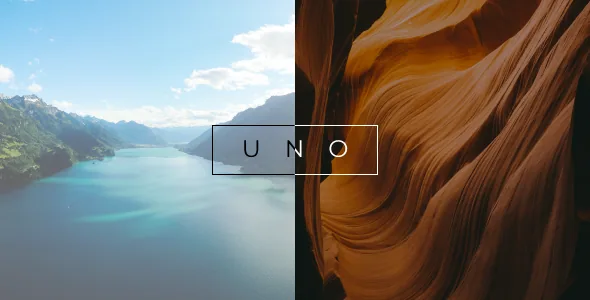
The vendor states that images are not included with the theme. On a photography site that carries more weight than usual, since the preview's appeal comes from the photographs in it.
Supply your own work, with the licensing and releases that go with it, and expect the layouts to read differently once your images replace the demo set. A gallery arrangement built around a few wide landscapes can behave quite differently with a large set of portraits at mixed aspect ratios.
The WordPress range ends at 6.6.x, and the listing is dated 2024
Marketplace attributes recorded on 3 November 2026 list WordPress 5.5.x through 6.6.x, Firefox, Safari, Opera, Chrome and Edge as browsers, responsive layout, four or more columns, widget-ready areas, high-resolution assets, and PHP, HTML, CSS and JS files in the package.
The date is the useful part. The vendor's last recorded update is 19 February 2024, and the listed WordPress range stops at 6.6.x, so the listing carries no vendor claim of testing on later releases. That is not proof of breakage, but if you run a current WordPress version, or depend on plugins that require one, verify behaviour on a staging copy before you commit to the theme.
Questions & answers
How many portfolio and gallery layouts does Uno include?
The feature list says 16 portfolio layouts and 15 gallery layouts. The opening paragraph of the same description says more than 20 of each. The figures conflict, so treat the feature-list numbers as the safer reading and check the layouts you want in the demo.
Does Uno work with Elementor or the block editor?
CodeSymbol advertises its own CodeSymbol Page Builder, and Elementor is not named in the supplied material. The Gutenberg Optimized attribute is No, which is an optimisation label rather than proof the block editor is unavailable. Assume the theme's own builder is the intended editing path.
Are the demo photographs included?
No. The vendor states that images are not included with the theme, so you will need to supply your own photography.


