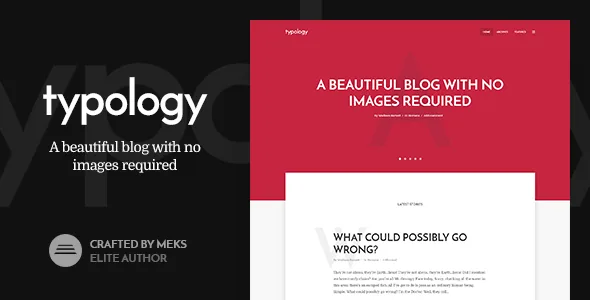
A blog theme that assumes you may never upload a featured image
The vendor's marketplace metadata sums up Typology in one line: "Have a beautiful blog with no images required." The longer description says the design is built on typography and will look right "with or without images." That is a narrower promise than most WordPress themes make, and it explains almost every other decision in the feature list.
If your publishing routine is a headline, a body of text and a date, the usual friction disappears. You are not hunting for a header image to make an article look finished, and the layout is tuned so that a post with a text-only cover still reads as deliberate. The vendor aims the theme at writers, book authors, poetry sites, developer and programming blogs, and personal journals.
What it is not, based on the evidence supplied, is a page-builder product. No page builder appears in the feature list, the attributes or the summary. The design surface is a theme options panel plus WordPress post and archive settings, which is a different way of working from dragging rows and widgets. For a text-heavy blog that is usually enough; if you want to compose landing pages from element libraries, this is the wrong starting point.
Typography is the design tool, and the controls are granular
The vendor lists typography as the theme's core instruction set: a range of fonts, plus options to fine-tune font sizes and letter spacing for both body text and headings. A later changelog entry added the ability to change paragraph width under Theme Options → Typography, which is the control that most affects reading comfort on wide screens.
The feature list also promises unlimited font and colour combinations and dedicated areas for uploading a logo and icons. So the practical workflow is: pick a font pairing, set sizes and spacing for headings versus body, narrow or widen the paragraph measure, then leave the rest of the layout alone. Because the design depends on it, get the paragraph width and letter spacing right before you write much — retrofitting a measure across dozens of posts means re-reading each one.
The changelog is a fair warning that these controls have needed upkeep: font-size bugs under the block editor were fixed in versions 1.7.1 and 1.7.2. Treat typography as the part of the theme worth checking first against your own content and WordPress version.
Colour, covers and the home page band
Alongside type, the vendor describes a minimalist palette "built on one colour," with combinations available but a single-colour approach. Version 1.4 added a second colour option specifically to create a gradient cover background, so the cover area can shift from plain to something more pronounced without introducing a separate hero-builder.
Other items from the changelog that affect the home page: an option to auto-rotate a slider on the home page, an option to disable the cover and intro area on paginated pages, a scroll-down arrow when the cover fills the entire screen, and an image fallback for the video background on mobile devices that cannot play it. The vendor also describes a home page with several sections for different content.
The pattern is consistent: a single hero band with a few switches for behaviour, not an assembly kit. If you want a home page that mixes sliders, link boxes and multiple widget zones, this is thinner than a magazine theme on that specific point.
Per-post and per-archive layouts keep the template from dictating every page
Version 1.5 is the release that matters for anyone running a blog with more than one kind of page. It added display and layout options for each individual post and page, so a specific article can override the global setting. It also added layout options for category, tag and author archives separately, instead of one layout for all archives.
That pairing covers two different needs. A long essay might read better without the cover treatment that suits a short note; a category index can look one way while a tag archive looks another. For a writer's site with distinct sections — poems, notes, longer work — this is the setting to plan before publishing.
Pagination is a separate choice with four modes: classic Older/Newer links, numbered pagination, a Load More button, or infinite scroll. A changelog entry notes a fix for pagination on the home page when "Enable Cover section on first page only" was switched on, so that particular combination has been corrected rather than assumed working from day one.
Some settings you expect in a theme now live in plugins
Version 1.6 restructured the theme to meet marketplace requirements, and that structure still governs where you configure things. The options panel was removed from the theme and moved into the Redux Framework plugin, installed from Appearance → Typology plugins. The theme's custom widgets moved into a separate Typology Buddy plugin. Social sharing moved into Meks Easy Social Share, with the network choices now in that plugin's settings screen rather than the theme panel.
Two smaller changes came with it: the custom JavaScript field was dropped in favour of a headers-and-footers plugin, and additional CSS was moved to WordPress's native Appearance → Customize → Additional CSS field.
Why it matters before you start: the typography, layout and colour settings described above live behind Redux Framework. If you activate the theme and cannot find the options panel, the theme is not broken — the companion plugin is not active. Install everything from the Typology plugins screen first, then begin configuring.
Text tools for inside posts, plus right-to-left and translation options
The vendor lists 12 shortcodes for content inserts: columns, separators, highlights, dropcaps, buttons, pull quotes, progress bars, social icons, tabs, toggles and accordions. These are the small formatting pieces that a text-first theme needs, since you will not be compensating with image-led blocks. Note that they are shortcodes, not block-editor patterns — the workflow is inserting a shortcode string into a post.
RTL support is a single toggle in the theme options, according to the vendor, and the feature list describes built-in translation of theme strings through the options panel. The changelog records RTL fixes in past releases, which indicates the mode is maintained rather than newly announced. The description does not list a bundled translation catalogue or a WPML integration, so if you need a multilingual site, plan on translating strings through the panel and reviewing the result yourself.
WooCommerce is listed as compatible across versions 5.x through 10.x in the marketplace attributes, which means the theme will not block a shop. It does not mean a storefront design is included; the theme's styling is aimed at reading.
What the listing settles and what it leaves to you
The declared files are PHP, CSS and JS, with a responsive two-column layout and widget-ready sidebars. WordPress compatibility is declared from 4.9.x through 7.0.x and browsers from IE9 through current Chrome, Firefox, Safari and Edge — a listing declaration, observed in November 2026, not a record of testing on your install. The vendor's most recent changelog entry reports testing against WordPress 6.9 and PHP 8.2.
Left open: how much content the one-click demo import brings, and how the theme's post layouts look once your own long-form text is inside them rather than the demo copy. Both are answered faster by reading the demo than by any feature list.
One practical note on updates: the vendor describes connecting the site to the marketplace API for update notifications, and recommends a marketplace plugin for that. The theme's own changelog shows the fixes you would otherwise miss — Gutenberg editor font sizes, gallery popups, and the image popup option that was broken until version 1.7.5. Whichever copy you run, keep it current and keep the companion plugins in step with it.
Questions & answers
Does Typology require a page builder?
No builder is named anywhere in the supplied description, feature list or attributes. Layout work happens through the theme options panel and per-post or per-archive settings. That means no WPBakery or Elementor dependency for the theme's own design, and also no drag-and-drop element library if you were counting on one.
Where did the theme options panel go?
Since version 1.6 the panel ships as the Redux Framework plugin rather than inside the theme. The vendor's instructions point to Appearance → Typology plugins for installing it, along with Typology Buddy for the theme's custom widgets and Meks Easy Social Share for sharing buttons. Activate those before configuring typography or layout.
Can I use Typology for a shop?
The marketplace attributes list WooCommerce 5.x through 10.x as compatible, so the theme does not stand in the way of running a store. The vendor's design description is about reading and writing, though, so treat product page styling as something to assess in the demo rather than a feature you can assume.
What pagination options are available?
Four: classic Older Posts/Newer Posts navigation, numbered pagination, a Load More button, and infinite scroll. The choice is a theme setting, so it applies site-wide rather than per archive.


