Portfolio presentation is split into parts, not one grid widget
Most themes with Elementor support give you demo pages and leave the rest to the builder. Trydo's marketplace description lists the custom elements it adds, and the portfolio section reads as a set of decisions rather than a single block: Portfolio, Portfolio Minimal, Portfolio Meta, Portfolio Share. The first two are alternative index treatments — one fuller, one leaner — for the same project entries, so you pick the density you want per page instead of restyling one grid.
Meta and Share are the project-page side. Meta covers the facts attached to a case study; Share gives visitors a way to pass a single project on. Keeping them as separate elements means a project page can carry exactly the details you need without hunting for a plugin to supply them.
One thing the vendor does not spell out is how flexible the Portfolio element is beyond that. If your projects need unusual filtering or a data structure outside the standard entries, the element list alone will not answer that.
Five banners, chosen by who the site belongs to
The banner list is the other place where the theme's intent shows: Banner for Agency, Banner For Designer, Banner For Main Demo, Banner For Personal Portfolio, and Banner Video. Four of those are audience-specific openings, which is unusual to see called out separately because the first screen is otherwise the hardest thing to adapt between an agency, a solo designer and a photographer.
Banner Video is the odd one out and the one worth thinking about first. A video opening is a strong claim on a visitor's bandwidth and attention, and the vendor lists "Parallax and Video Background" as a general feature alongside it. Whether the video banner pulls from a hosted file or an external service is not stated in the supplied description, so check that against your hosting before committing a homepage to it.
Dark mode ships as the starting state, not an add-on
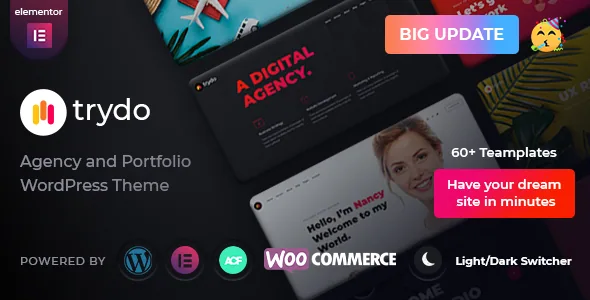
Rainbow-Themes records the light/dark switcher arriving in version 1.1.0 "for All Demos", and the description adds that dark mode can be set as the default. Those are separate facts: a switcher lets a visitor change the appearance, while the default decides what everyone sees first.
For a studio site this is a real design decision. If the work reads better against a dark surface you can start there and leave the toggle as a courtesy. The vendor frames the feature around low-light viewing; the practical value for an agency is simply controlling the first impression without writing custom styles.
What the description does not detail is how far the two modes are tuned — whether every custom element has a considered dark and light treatment, or whether some are simply inverted. That is worth judging on the demos.
Mixing demos to get the pages you want
The vendor counts more than seventeen home demos and names them by scenario: Creative Agency, Creative Agency Landing, Personal Portfolio, Personal Portfolio Landing, Minimal Portfolio, Home Particles, Digital Agency, Business, Home Parallax, Startup, Studio Agency, Freelancer and Parallax among them. Some names describe an audience; Home Particles and Home Parallax describe a visual technique — the vendor lists "Advanced Particles" as a feature and carousel elements separately.
Because the demos are assembled from the same custom elements, importing one sets your starting styling and page structure. The vendor's own pre-purchase FAQ says you can install any demo and then import another demo's homepage content, which handles the case where a studio layout has the inner pages you want but a different front page suits the brand.
All demo images are preview-only according to the vendor, so plan for your own photography or licensed assets.
The plugin stack you inherit
Trydo's custom functionality lives in a companion plugin called Trydo Core. The other named plugins are Advanced Custom Fields PRO, Contact Form 7, Elementor and Redux Framework, which handles the theme options panel where colour, typography and layout settings sit.
That split is common and works, but it shapes how the site ages. Your portfolio fields belong to ACF, your forms to Contact Form 7, your global settings to Redux. Swapping any of those later is a project, not a checkbox, so it is worth knowing before content grows around them.
The package list includes the theme file, a child theme, required plugins, demo data, licensing and documentation. Customisations belong in the child theme.
Multilingual, RTL and the declared compatibility
Full RTL support was added in version 1.6.0, and the vendor describes the theme as translation-ready with a .pot file; the vendor's FAQ says RTL styles apply automatically once the site language is changed in Settings > General. WPML is named among compatible plugins on the marketplace listing. For a studio working in more than one language, that is a documented route rather than something to retrofit.
The listing, observed on 4 November 2026, declares WordPress 5.0.x through 6.9.x, WooCommerce 6.x.x, Elementor and Elementor Pro, Bootstrap 4.x, and browser support back to IE11. Gutenberg Optimized is marked Yes and the file list names PHP, CSS, SCSS and JS. These are vendor and marketplace declarations, not results from running the theme on your server with your plugin set — and the declared WooCommerce range is a statement of what was tested, not a ceiling on what will work.
Selling alongside the portfolio
WooCommerce support arrived in version 1.1.0 according to the changelog, and the vendor later added a shop demo. That makes selling prints, products or services a supported path in the same theme rather than a bolt-on.
Consider what a shop adds to the editor experience. Product templates and cart behaviour come from WooCommerce, and the theme's own elements — banner variants, portfolio widgets, counters, pricing tables — keep doing the marketing-page work. If your studio mostly publishes projects and occasionally sells, that combination covers both without a second theme.
Questions & answers
Do the portfolio widgets work with entries I create myself?
The elements come from the theme and its Trydo Core plugin, so they appear in Elementor on any page. The vendor's description does not specify how the Portfolio elements source their items, so confirm whether they read the theme's own project post type or standard posts before you build a content plan around them.
Can I keep light mode as the default instead?
The vendor says dark mode can be set as the default, which implies the starting state is configurable rather than fixed. The description does not list where that setting lives; Redux Framework runs the theme options panel, so that is the likely place, but verify it in the demos or documentation.
Does Trydo require Elementor Pro?
Elementor and Elementor Pro are both listed as compatible, and the custom elements come from the theme rather than from Elementor Pro. The vendor lists Elementor among the used plugins without stating that Pro is mandatory.