The tour is a repeatable object, not a page you write
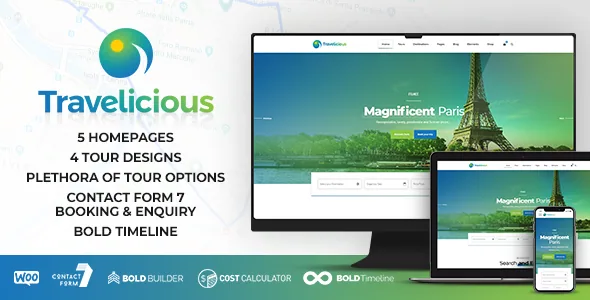
BoldThemes frames Travelicious as a theme for tour operators and travel agents who need to present a large offer and let clients "search for and to read about" it. The feature list backs that framing with a specific content shape: a tour item with its own header designs and its own detail fields, plus display elements named Tour list, Tour search form and Tour single.
That distinction is worth catching before you compare themes on looks. A site built this way scales by adding tours, not by duplicating and rewriting pages. If your catalogue is a dozen fixed packages you describe in long prose, the structure is overhead. If it is forty departures that share the same fields and rotate seasonally, it is the reason to pick the theme.
Four tour layouts, and what each one costs you in content
The vendor lists four tour designs: regular, gallery, tile and list. Those are different reading densities rather than skins. Gallery and tile presentations depend on having strong, consistently cropped images for each departure; the regular layout leans on text and a single lead photo. List suits a destination index where a visitor scans many tours in a narrow column.
Tour headers are separately described as offering multiple designs, so a single tour can change the strip above its content without touching the listing layout that surfaced it. Decide early which layout carries your main destination page. Retrofitting a photo-led grid onto a catalogue that was written for a text-led list means reshooting imagery you may not own the rights to.
The tour detail template as an editorial checklist
The vendor sums up the tour detail content as includes, excludes, destination, embedded map, gallery, tour plan, reviews and similar tours. Treat that as the brief you hand to whoever writes the tour copy. Each item is a field you either fill or deliberately leave empty.
Includes and excludes are where operators usually differ most: flights or not, transfers, meals, tips. A tour plan section wants the itinerary broken into days or stages. The embedded map ties the tour to a place, and similar tours turns every detail page into a route to the rest of the catalogue. If your sales process depends on a PDF itinerary, plan where a content editor slots that in, because the vendor's list does not name a document or brochure field.
Search and maps as the browsing path
Beyond the detail content, the vendor describes a customizable tour search with categories, Google map style and pins, and lists a Tour search form element you can place in Bold Builder layouts. That means search is a block you position, not a fixed widget bolted to one sidebar. You could put it under a hero on the home page and again at the top of a destination index.
The description does not specify which fields that form filters on, whether results update without a reload, or how it behaves with a large catalogue. Those are the things to exercise on the vendor's live demo before committing a large inventory to the structure, because a search element that queries the wrong taxonomy is a rebuild rather than a settings change.
Pricing and enquiry: what the bundled plugins suggest
The vendor lists five plugins as included: Bold Builder, Meta Box, Bold Themes' Import Plugin for one-click demo import, Contact Form 7, and Bold Themes' Cost Calculator, which the description calls customizable and free with the theme. Separately, WooCommerce, W3 Total Cache, Yoast and RTL are described as supported rather than bundled.
For a tour site that matters at the enquiry step. Contact Form 7 handles forms; Cost Calculator is the vendor's own plugin, sold separately on CodeCanyon, for working out a price from inputs. Neither is a booking engine, and the vendor does not claim one. If you need live availability, deposit collection or supplier inventory, that sits outside what this theme's description covers, and the enquiry path here is a quote request rather than a reservation. Treat the bundle as a starting point described by the vendor, not as a substitute for checking the plugins against your own setup.
Editing model: Bold Builder plus per-page overrides
Pages are assembled in Bold Builder, which the vendor describes as a fast drag-and-drop backend editor. Two features in its list are unusual enough to plan around. The first is full clipboard copy and paste between pages, and the vendor notes between websites as well — useful when you roll out a second destination site from an existing layout. The second is an override option that changes global settings for individual pages.
That override is what lets a landing page for a premium expedition break the site's standard header or colour scheme without a child theme. The same panel includes hiding or showing elements by screen resolution and time-limited content appearance, where a block runs between dates. For seasonal offers that is a real workflow saving; for a permanent page it is a setting you should record, because content that disappears after a set date is easy to forget you configured. The vendor also describes colour schemes, a colour picker, Google Fonts, custom icon sets, parallax and page transitions.
Photography rights and the demo's images
The vendor states plainly that images on the theme demo sites are not licensed for third-party use on production sites, and that licensing them separately is your responsibility. Travel themes live on imagery, so this is a budget line rather than a footnote. It also means a one-click demo import gives you layout and structure, not the photographs that make the demo look convincing.
Bold Builder gained an AI Content Generator in October 2023, per the vendor, which generates text from input data. That can help fill placeholder copy while you draft layouts; it does not solve the image question, and anything it produces should be edited like any other draft.
The declared compatibility record, dated
As recorded on the marketplace listing on 4 November 2026, the latest marketplace version is 1.7.2 and the declared software range is WordPress 6.0.x through 7.0.x, with WooCommerce 6.x through 9.x listed as compatible. The package files are PHP, CSS and JavaScript, the layout is responsive and high resolution, widgets are supported, and the vendor lists documentation and a child-theme-ready structure.
Gutenberg Optimized is marked No, which describes how the theme's designed content is built in Bold Builder rather than the block editor; it does not establish that the block editor is unusable on the site. Browser support is declared for IE10, IE11, Firefox, Safari, Opera, Chrome and Edge. These are vendor and marketplace declarations observed on that date, not results from testing the theme against your own plugin stack.
Questions & answers
Can Travelicious take real bookings with availability and payments?
The vendor's description does not claim a booking engine. It lists Contact Form 7 for forms and its own Cost Calculator for working out a price from inputs, with WooCommerce supported rather than bundled. Live availability, deposits or supplier inventory are outside what the listing describes.
Do I need to replace the demo photos?
Yes, if you plan to publish them. The vendor states that images on the demo sites are not licensed for third-party use on production sites and must be licensed separately.
Can I change one page's design without affecting the rest of the site?
The vendor lists an override option for changing global settings on individual pages, alongside resolution-based show/hide and time-limited content appearance. That is the intended route for a one-off landing page rather than editing the global scheme.
Is the theme built for the block editor?
The marketplace marks Gutenberg Optimized as No, and the vendor's designed content workflow is Bold Builder's drag-and-drop editor. The label describes the theme's intended editing path; it does not on its own mean the block editor stops working.


