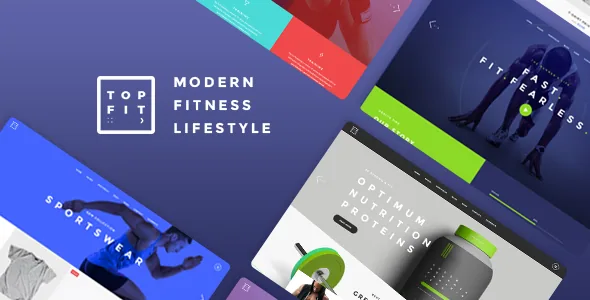
A schedule, not just a fitness look
Plenty of gym themes give you dark backgrounds, athletes in mid-lift and a pricing table. TopFit's vendor description opens on something narrower and more useful: a Timetable Responsive Schedule plugin, bundled with the theme, for building weekly timetables and single event pages, alongside a BMI calculator.
That pairing is the practical core. A studio's week is the same set of questions repeated — which class, which instructor, which room, which time slot — and a static "Classes" page answers them badly as soon as the rota changes. A recurring weekly view plus a dedicated page per class or event lets the schedule carry its own content instead of living inside a paragraph block.
The BMI calculator is aimed at the other side of the site: the visitor deciding whether to sign up at all. It is listed as a theme element rather than described in detail, so treat it as a widget you can place on a landing page, not a coached assessment tool.
The vendor also notes that the imagery in the demo is presentational only and is not licensed for your site. Budget for your own photography of the floor, the classes and the trainers.
Two scheduling models, one decision
TopFit offers two paths into scheduling, and they suit different operations.
The bundled timetable handles the repeating weekly grid: the kind of table a member scans for "Tuesday, 6pm, spin." The changelog shows that plugin actively maintained — version 2.1, released 12 October 2026, updates Timetable Responsive Schedule to 8.0; version 2.0 had moved it to 7.6 a year earlier. The marketplace compatibility list also names The Events Calendar.
Those are not the same thing. A timetable plugin is built for a dependable weekly pattern. An events calendar is built for one-off, dated entries with a listing archive. A gym that runs the same six classes every week can live inside the timetable alone. A venue renting space for workshops, competitions or seasonal courses needs dated events that expire. The listing does not specify how the two interlock, so the honest answer is that you choose the model that matches how your booking actually works and test the other side before relying on it.
Per-page headers and footers keep the timetable distinct
The vendor's feature list spends an unusual amount of space on header behaviour, and for a fitness site that is the difference between a coherent front end and a patchwork.
TopFit lists five header types — Standard, Minimal, Divided, Centered and Vertical — with multiple header behaviours, separate logos for regular, sticky and mobile headers, separate logo variants for dark and light skins, and the ability to upload a different logo per page. Further down, the list adds that the header skin can change from section to section, and that footer options can change page to page.
Read together, that means a timetable page photographed against a dark floor can carry a light logo and a light header treatment while the shop pages keep the standard one, without duplicating templates. It also means a sponsor or partner page can swap logos for a campaign without touching the rest of the site.
On the structural side, the listing claims six homepage examples, a Mega Menu, several side area types with three side area layouts, and a fullscreen Mikado slider with image, video, parallax, zoom and entry-animation options. Those are described features, not measured ones — the demo is where you judge whether the motion settings are ones you would leave on for a gym audience scrolling on a phone.
Where commerce sits, and where it stops
WooCommerce is declared compatible, with the marketplace attribute naming both the 9.x and 10.x lines. The feature list includes a dropdown shop cart widget, a product list shortcode and a sticky sidebar widget — enough to style a retail arm selling apparel, supplements, memberships-as-products or class credit packs.
Keep that boundary in view. Nothing in the evidence describes class booking, capacity management or recurring membership billing as theme features. WooCommerce provides products, cart and checkout; a recurring class roster needs the timetable plugin or a dedicated booking tool. The 2.0 changelog also records a fix preventing the WooCommerce dropdown cart widget from appearing on the cart page itself, which suggests the shop integration is maintained rather than abandoned.
WPML and Contact Form 7 both appear in the compatibility lists. For a trainer working across two languages, the config file added in version 2.0 is the relevant history; for enquiry forms, Contact Form 7 is the listed route.
What the feature list no longer delivers
The vendor's feature list still advertises Twitter and Instagram social widgets and a Twitter Slider shortcode. The changelog contradicts it.
Version 2.0, dated 20 November 2025, removed the Mikado Instagram Feed plugin "due to Instagram API changes" and the Mikado Twitter Feed plugin "due to Twitter API changes," and removed the Twitter Slider shortcode. Version 2.1 then removed the twitter-connect script and its enqueue.
So if you were planning to show a live Instagram grid on the homepage, plan on a third-party embed instead. The static Social Icons widget remains a different thing — a set of links — and is unaffected. This is a stale description rather than a fault, but it is exactly the sort of line that gets a build started in the wrong direction.
The same reading discipline applies to the layout inventory: five portfolio list styles (Masonry, Pinterest, Gallery, Standard, Simple), six portfolio single layouts, four blog list layouts, and seven icon font sets plus 800+ Google Fonts with a color gradient option. These describe what the theme can render; how each looks is a demo question.
Version declarations and what they leave open
The marketplace attributes observed on 4 November 2026 declare support for WordPress 6.5.x through 7.0.x and WooCommerce 9.x.x and 10.x.x, alongside WPBakery Page Builder, WPML and The Events Calendar. The file bundle is listed as PHP, CSS and JS, the theme is marked responsive, widget-ready and high resolution, and documentation is marked well documented.
Those are the seller's declarations attached to the listing, not the results of an install test, and the version at the top of the description (2.1) is the marketplace's latest release — the copy you run may report something older. The 2.1 changelog points to a maintained stack: WPBakery 9.0.1, Revolution Slider 6.7.58, Timetable 8.0 and Mikado Core 1.4, with performance work on the backend editor and social icon mapping.
Three bundled plugins are described as included by the vendor — WPBakery, Slider Revolution and the Timetable plugin. Treat those as the seller's bundle claims rather than as a guarantee about any particular archive you obtain, and check what your own copy activates. The child theme is listed as included, which matters if the header and section overrides described above will be extended in code.
Questions & answers
Can TopFit handle class bookings and payments?
The theme supplies a timetable plugin for weekly schedules and single class or event pages, and it is declared compatible with WooCommerce for selling products. Nothing in the vendor's description covers capacity limits, reservations or recurring membership billing, so pair the timetable with a booking service if you need those.
Does the theme still include an Instagram feed?
No. Version 2.0 removed the Mikado Instagram Feed plugin because of Instagram API changes, and the Twitter feed and Twitter Slider shortcode were removed at the same time. The feature list still lists them, but the changelog is the reliable record. Use a separate embed for a live feed.
What is the difference between the bundled timetable and The Events Calendar?
The timetable plugin is built for a repeating weekly grid of classes, while The Events Calendar is built for dated, one-off events with an archive. Match the choice to how your schedule actually runs, then test the combination on a staging copy before launch.