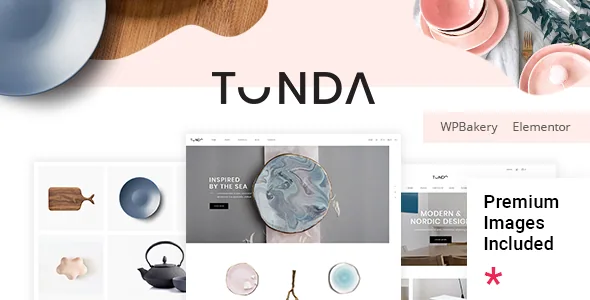
Shop pages built from product shortcodes
Select-Themes describes Tonda's shop as something you compose rather than switch on. The vendor feature list names six separate product-level shortcodes: Product List, Product List – Simple, Product List – Carousel, Product Info, Product Category List and Product Banner. Those are different blocks for different jobs — a carousel for a featured strip, a category list for navigation into departments, a banner to tie a promotion to a product.
Underneath them sit the listing layouts: Standard and Masonry, described as multiple shop list layouts with filter functionality for the shop lists. In practice that means the grid style and the filtering are not a package deal you accept or reject wholesale; you pick the listing treatment per view and place product blocks on top of it.
If your merchandising plan is mostly "one shop grid and product pages," the extra shortcodes are optional. They earn their keep when the homepage, category landings and campaign pages each need products presented differently. These are vendor claims from the marketplace description, not the result of building a store with the theme.
Which product types the theme says it handles
The feature list states support for variable, grouped, downloadable, external, virtual, and new and on-sale products. That sentence matters in proportion to what you actually sell. A ceramics studio running one-off pieces with a few size options needs variable products and sale badges. A shop selling patterns or recipes alongside physical goods needs downloadable products to work cleanly.
Treat the list as a statement of intent rather than a guarantee about your configuration. The changelog shows the vendor maintaining this layer over time — WooCommerce compatibility entries run from 3.x era versions through 10.x in the January 2026 release — and WooCommerce 9.x and 10.x appear in the compatibility attributes as observed on 4 November 2026. None of that tells you how a grouped product behaves inside your specific checkout extensions.
Quick view, wishlist and colour swatches come from named plugins
Tonda's shopper conveniences are mostly compatibility with third-party plugins rather than features written into the theme. The vendor names YITH WooCommerce Quick View, YITH WooCommerce Wishlist and YITH WooCommerce Color and Label Variations. The changelog adds Wishlist for WooCommerce and QODE Quick View for WooCommerce support in version 2.4.
That distinction has practical weight. Compatibility means the theme accounts for the plugin's markup and styling; it does not mean the plugin is bundled, and you still install and license it on its own terms. The two plugins the vendor does say are included are WPBakery Page Builder and Slider Revolution, both described with their standalone values — a point worth separating mentally from the YITH entries.
If quick view and a wishlist are requirements, plan them as plugin decisions you make deliberately, then check that the theme's product templates render them where you want them.
Four headers, three scroll behaviours, and logo slots for each state
The header system is the part of Tonda most likely to be decided in the first hour and lived with for years. The vendor lists Header Centered, Header Minimal, Header Standard and Header Vertical, plus a fullscreen menu, a customizable mega menu and a side area. Behaviour is a separate choice: sticky, fixed, or sticky only on scroll up. Anchors in the menu can jump to sections on the same or another page.
The detail that saves work later is the logo handling. Tonda provides separate logo versions for normal, sticky and mobile states, and separate versions for dark and light header skins. On a shop with a tall branded lockup, an unreplaced sticky logo is one of the most common visual faults after launch; here the theme has a dedicated slot for it.
Because header choice affects every page rather than one template, review the demo's header variants before you build content. Swapping a vertical header for a minimal one after the catalogue is populated means re-checking navigation, the cart widget placement and mobile spacing.
Page furniture: transitions, parallax, video and split sliders
Tonda leans on presentation effects, and the vendor names them plainly: smooth page transitions, smooth scroll, parallax sections, video background sections, plus shortcodes for full screen sections, a vertical split slider, a text marquee, frame video and a swap-images section. These are aesthetic choices with costs — page transitions in particular interact with other scripts, and the changelog records a fix in version 2.5 for an Elementor masonry gallery lightbox not opening when smooth page transitions were enabled.
The vendor also lists Eleven-style breadth in shortcodes and widget areas: multiple header and footer widget areas, an optional header top area, a footer configurable from one to four columns, custom sidebars, and 800+ Google Fonts across four icon packs. A disable-Google-Fonts option was added in version 2.5, which matters for sites with privacy or performance constraints.
For an elegant shop aimed at ceramics, beauty products or handicrafts, the effects carry more of the brand impression than any single layout. Use them where they support the product photography, and avoid stacking several on the same page.
Blog, portfolio and multilingual context
Stores that publish around their products get two content layers here. The blog offers Standard, Masonry and Masonry Gallery layouts with a blog list shortcode and post formats for standard, gallery, link, quote, video and audio. Portfolio work has its own set: list, slider, project info and category list shortcodes with multiple single-project layouts — useful if the shop doubles as a studio portfolio.
Translation is stated as ready, with WPML listed among compatible plugins and a WPML config file added in version 2.6. A child theme is included, which is the sane place for customisations you want to keep across updates. Contact Form 7 is named for forms.
Where the feed widgets stand, and why to verify
One inconsistency deserves attention before you count on social feeds. The vendor's feature list still names a Twitter Feed Widget and an Instagram Feed Widget. The changelog for version 2.5 (October 2025) records removing Tonda's own Twitter and Instagram feed plugins because of API changes, and adding Custom Twitter Feeds and Instagram Feed to the plugin activation list instead.
A fair reading is that feed support moved from theme-bundled plugins to third-party ones. Whether the two widgets in the current build still render anything, and what they depend on, is a question to answer on a live install rather than from the description. The same version added a Google social login feature and options, and removed Google+ login.
The demo is described as 6 home pages and 9 inner pages with one-click demo content import. Elementor compatibility is claimed alongside the bundled WPBakery, so the page layer is genuinely a choice — the imported layouts will follow whichever builder the demo was built in.
Questions & answers
Do I need Elementor or WPBakery to use Tonda?
The vendor lists Elementor Page Builder compatibility and separately ships WPBakery Page Builder as an included plugin, and the changelog dates the Elementor support to version 2.0 in January 2020. The demo layouts are built in one of them, so expect to edit pages in the builder used for the demo you import. Neither is required to run WooCommerce itself.
Are the quick view and wishlist features part of the theme?
The vendor describes them as compatibility with YITH WooCommerce Quick View, YITH WooCommerce Wishlist and YITH WooCommerce Color and Label Variations, and the changelog adds Wishlist for WooCommerce and QODE Quick View support. These are plugin integrations you install separately, not features written into the theme.
How many pages does the demo include?
The vendor states 6 home pages and 9 inner pages, imported through one-click demo content import. That count describes the demo composition, not a limit on how many pages you can build.