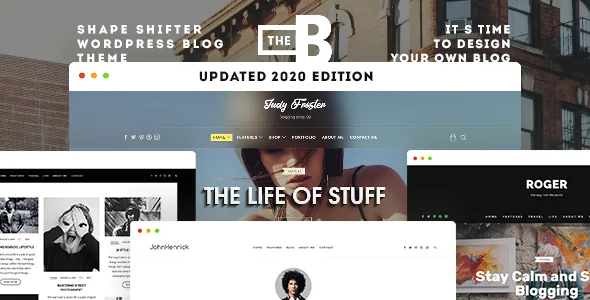
A different layout for every kind of archive
Most blog themes let you pick one list style and live with it. TheBlogger's feature list treats layout as something you assign per archive: categories, tags, authors, dates and search results can each display posts differently. The layout roster the vendor gives includes Regular, Circles, Grid, Masonry, List and "1st full" variants, and each of those comes with or without a sidebar.
That combination is the practical point of the theme. A category collecting long essays can use a wider treatment, while a tag page full of short notes and images can run as a grid. Search results are a separate case again, since the visitor arriving there is looking for one specific post rather than browsing.
The number of combinations matters for planning: five archive types against several layouts and two sidebar states. Decide the scheme before you import a demo, because the choices live in theme settings rather than in template files you would rewrite by hand.
The featured area is a composition, not a hero image
The vendor describes the featured area as customizable and built from three parts: a post slider, link boxes and intro widgets. Read together, that is a front-page band where a rotating set of posts sits beside or alongside small promotional blocks and an intro text region.
The slider carries touch gestures according to the feature list, which matters because a featured slider is the first thing a phone visitor meets. Link boxes give you somewhere to point at a section, a page or an external destination without writing markup into a page.
Because these are widgets and theme elements rather than a page-builder canvas, rearranging the featured area means working through the customizer and widget areas. If you expect to drag components freely, that is a different authoring model from the one described here.
Widgets that try to keep readers on the page
Several listed features belong to the same job. The built-in Related Posts module sits below an article; the Trending Posts widget is a custom-styled block for popular entries; the Mailchimp newsletter form arrives styled and ready to collect addresses; and custom widgets exist for Flickr, Instagram and Pinterest.
Unlimited sidebars is the enabler for all of this. You can give a category template its own widget set, or keep a narrow column on single posts and drop it on archives, without those decisions colliding. The theme also lists a trending widget and related posts as built in, so they do not depend on a separate plugin for their styling.
One caveat worth knowing before you subscribe to the idea: a trending list is only as useful as the data behind it, and the theme description does not explain how popularity is ranked. Treat the widget as a display layer and check how it behaves with your own post volume.
Galleries and video without extra plugins
The vendor states that gallery collages with a lightbox, or gallery sliders, are built from WordPress's own galleries, with no plugin or shortcode required. For a photo-heavy personal blog that removes a dependency you would otherwise carry for years.
Video is described as flexible by default, with responsive embeds in various aspect ratios. That is the quieter but more common need: a post with a vertical clip and another with a widescreen embed should both fit their column, including inside a masonry or grid archive.
Both claims come from the vendor's feature list and describe intended behaviour. They tell you the theme is designed for image- and video-led posts; they do not tell you how a specific embed from a specific provider will render on your install.
Where the design changes happen
The theme's editing model is the customizer plus an options panel. A Live Customizer is listed for designing the blog, and an advanced Theme Options panel holds on/off switches for many features. Four header variations are named, and the font list runs to 800+ Google Fonts.
The marketplace attributes record "Gutenberg Optimized: No". That is a statement about the vendor's block-editor optimisation claim, not proof that the block editor is unusable; it does mean the theme does not present itself as a block-first design. Elementor appears in the compatible-with list at the same level as Contact Form 7 and WPML — a listed integration, not a bundled builder that the description treats as required.
So the layout decisions described above live in theme settings and widget areas. Plan the site around that, rather than expecting to assemble it on a canvas.
Declared compatibility and what the package holds
The listing declares WordPress 6.5.x through 7.0.x, WooCommerce 9.x.x and 10.x.x, WPML, Contact Form 7 and Elementor, across Chrome, Firefox, Safari, Opera and Edge. These were observed on the marketplace on 4 November 2026 and are vendor declarations made at the time of the item update — worth checking against your own versions rather than reading as tested support.
The ThemeForest file list is PHP, CSS and JS files, and documentation is marked well documented. The marketplace also records 11 demos and a one-click demo import, translation readiness with a .po file included, and NinjaForms compatibility.
Separately, the vendor description advertises bundled premium plugins, naming Easy Social Share Buttons and ConvertPlug, as a saving of $40. That is a vendor bundle claim about the theme offer; it says nothing about which files you will actually receive, so confirm the current contents yourself if those two plugins are part of your decision. The marketplace's latest recorded version is 2.3.3.
Questions & answers
Can I set a different layout for a category page than for search results?
The vendor's feature list says layouts can be selected separately for category, tag, author, date archives and search results, so yes — that separation is one of the theme's stated design points. The available layouts named are Regular, Circles, Grid, Masonry, List and first-full variants, each with or without a sidebar.
Does TheBlogger require a page builder?
No builder is named as required. The vendor describes a Live Customizer and an advanced Theme Options panel for design changes, with a featured area built from a slider, link boxes and intro widgets. Elementor is listed among compatible plugins, which is not the same as a bundled or required builder.
Do I need a gallery plugin for collage or slider galleries?
According to the feature list, galleries are built from WordPress's default gallery feature, with lightbox or slider presentation and no plugin or shortcode needed. That is a vendor description of intended behaviour rather than a tested result.


