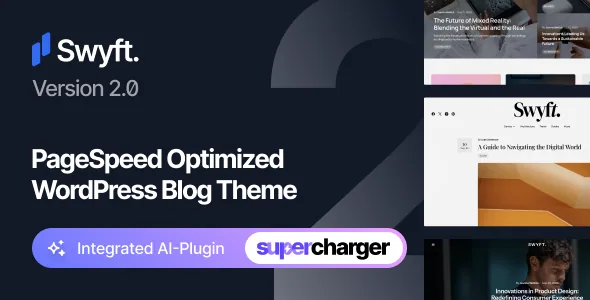
Speed is in the product name, and the vendor qualifies it
Swyft's marketplace title calls it a "PageSpeed Optimized WordPress Blog Theme", and the theme's own short description reads "Performance Optimized WordPress Theme". That is the vendor's positioning, not a measured result. What makes it usable as a buying signal is that the same listing states the limits: the page speed score shown on the item page is for reference only and depends on the selected demo, the theme, the server configuration and the content itself. The vendor adds that some theme features may work against the score.
So treat the number as a starting condition rather than an outcome. A blog running Swyft on shared hosting with large unoptimised images and several embedded feeds is a different measurement from the demo the vendor tested. If page speed is the reason you are considering this theme, the honest question is whether your own stack and content can hold up, and that is answered after you build, not from the listing.
A wide, widget-driven blog listing edited in blocks
The marketplace attributes describe a listing surface built for more than a single column of posts: Columns is marked 4+, Widget Ready is Yes, and layout is responsive. Read together, that points to a magazine-style front page where categories, recent posts and secondary blocks sit side by side in widget areas rather than one long feed.
Editing runs through WordPress's own block editor. Compatible With names Block Editor, and Gutenberg Optimized is marked Yes, so posts and pages are assembled with core blocks instead of a separate page-builder interface. For a blog where several people publish, that keeps the writing environment familiar and avoids teaching contributors a second editor. Swyft is sold in the personal blog and magazine category, and nothing in the listing suggests the theme leans on a large bundled plugin suite to produce its layouts.
Site-specific settings are part of the launch work
The vendor's own notes say the demo content looks close to their demos but is not identical: a few settings have to be configured manually for your site, with social account links and widgets given as examples. That is a small point with a practical consequence. Importing the demo gets you structure, not a finished site; the links, the widget placements and similar site-level options still need your input.
Plan for that pass before launch rather than during it. A blog whose sidebar widgets or social links were never wired up looks unfinished in exactly the places readers use most.
What the demo shows is not everything you get
Two clarifications in the vendor's notes matter more than their length. First, sample images in the live preview are for demonstration only and are not included with the purchase. Your posts will need your own photography or licensed stock; the theme does not supply a photo library.
Second, the page the live preview opens on is a landing page promoting the product and showcasing its demos — it is not part of the theme. Do not expect to import that promotional front page and have it appear as your homepage. The demos behind it are the reference points for layout. Files included are listed as PHP, CSS and JS, which matches a theme-only package rather than a bundle of extra plugins.
Features that depend on services you don't control
Some Swyft features rely on outside services, and the vendor names them: social follower counts, share counts and Instagram feeds. These call third-party providers, and the vendor states plainly that those providers are beyond their control and that a purchase decision should not rest on them alone. That matters for a blog that plans to display a live follower number or an embedded Instagram strip as part of its design. Those blocks can break or change behaviour for reasons the theme cannot fix.
Typography has a similar dependency. Some demos use Adobe Fonts (formerly Typekit), and the vendor says that if those fonts are unavailable they fall back to default fonts or Google Fonts. If a demo's type is central to the look you want, check what the fallback looks like before committing, and note that web font licensing with Adobe is a separate arrangement.
Contact forms, translation and translation-adjacent work
Compatible With also lists Contact Form 7 and WPML. Contact Form 7 is the practical route for a contact page: you install the plugin, build the form there, and place it in the theme. WPML support means the theme is declared ready for a multilingual setup, which suits a blog publishing in more than one language.
Both are compatibility declarations from the vendor rather than a record of testing against your exact WordPress and plugin versions. If you plan a bilingual blog or a form with custom fields, confirm the behaviour on a staging copy before you publish.
Declared platform range, and what the listing does not specify
As observed on the marketplace listing on 5 November 2026, the software version attribute spans WordPress 6.6.x through 7.0.x, and compatible browsers are listed as Firefox, Safari and Chrome. High Resolution is marked Yes, and documentation is described as well documented. The vendor's support runs through a ticket system at their own site, with a stated target of roughly 24 hours and up to 48 on weekends and holidays — a vendor claim, not a measurement.
Beyond those attributes the listing is silent on a few things buyers often want: there is no PHP version range, no stated number of demo layouts, and no changelog detail in the supplied material. Gutenberg Optimized being Yes describes the prepared editing path; it is a positive declaration about the block editor rather than information about anything the theme lacks.
Questions & answers
Does Swyft guarantee the page speed score shown on its marketplace page?
No. The vendor states that the score is for reference only and depends on the selected demo, the theme, the server configuration and the content, and that some theme features may negatively affect it. Treat it as a description of the theme's starting design, not a result you are promised on your hosting.
Can I import the landing page that the live preview opens on?
The vendor says that starting preview is a landing page promoting the product and showcasing the demos, and it is not included in the theme. The demo layouts behind it are the reference material.
Do the demo photos come with the theme?
The vendor states that sample images in the live preview are for demonstration purposes only and are not included with the purchase. You will need your own photography or correctly licensed stock imagery.
Which editor does Swyft use for posts and pages?
The marketplace listing names Block Editor under Compatible With and marks Gutenberg Optimized as Yes, so content is assembled with WordPress core blocks rather than a separate page builder.


