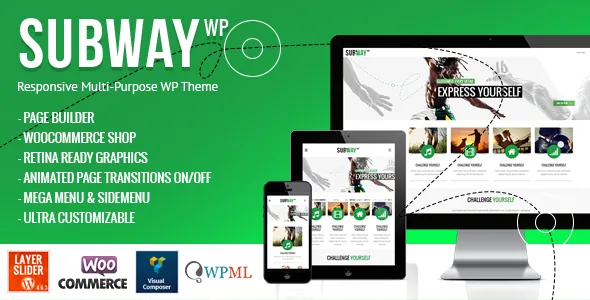
The transition between pages is a setting you can switch
Most themes move a visitor from one page to the next without asking you anything. QODE's description of Subway treats that gap as content: you pick from four fluid AJAX transitions, turn AJAX off entirely for a conventional reload-based site, or assign an animation type to an individual page.
The structure is what matters, not the count. A studio can animate the work pages and leave the blog and shop static, because the per-page choice sits on top of the site-wide switch. If you would rather have no choreography at all, you are not fighting the theme to remove it.
The vendor's own changelog shows this area has needed care. Version 1.2 fixed page-transition behaviour around menu items set not to link, clicks made with the Ctrl key held, and page-loading registration with Google Analytics. That history is worth knowing when you test navigation paths where visitors open links in new tabs.
Each page carries its own header
Headers in Subway are assigned page by page, and each can have a different height plus its own background image or slider. There is no single site-wide banner to rework whenever one page needs something different.
The practical consequence is a planning task: map out which pages deserve a tall slider treatment and which should open compactly. Presentation pages with a strong image suit the slider variant; dense inner pages usually read better with a short header and no background media competing with the copy.
Navigation has its own hardware. The mega menu can hold wide and normal sub-menus at once, with icons or without, and the theme includes a side menu widget area for a vertical arrangement. Widget logic follows the same pattern: unlimited custom sidebars can be created and then applied globally or to a single post or page.
Portfolio and parallax as content structures
Subway's portfolio is its most variable content type. The vendor lists six portfolio single layouts and four list layouts, each combinable with different column counts. That is useful the moment your projects are not all the same shape — a video-led case study and a text-heavy one can share the post type but not the template.
Parallax is offered twice in the description. There are bonus parallax pages aimed at presentations, microsites or a replacement homepage, and separately the admin panel accepts unlimited parallax sections on any page. The second statement is the more useful one: a band of parallax becomes a section inside an ordinary page rather than a different page format.
For editorial content, the theme supports standard, gallery, link, quote, video and audio post formats and a masonry blog index. Counters, pie charts and horizontal and icon progress bars are included as interactive elements — elements that make sense on a one-page pitch rather than a shop.
Bundled builders, a core plugin and demo images you cannot reuse
QODE describes Subway as including WPBakery Page Builder, which the vendor values at $46, and LayerSlider at $25, inside the theme purchase. Those figures are the vendor's valuations, not a measured discount. The marketplace file attribute lists PHP, CSS and JS files.
The description also names a Subway Core plugin, a dummy child theme to start your own child theme from, a modular contact page where Google Maps, a contact form and ordinary content can be combined, retina icon assets, and a smooth-scroll switch.
One vendor note should shape your launch plan. The images in the demo are licensed for presentation only and cannot be used on your site, so the photography has to be replaced with work you own or have licensed. Version 3.3 also changed the Envato Market installation source and added a Google Maps callback function, which affects how the map on a contact page is wired up.
Declared support versus the last release note
The release notes for version 3.3, dated 24 May 2023, record compatibility additions for WordPress 6.2.2, WooCommerce 7.7.0 and PHP 8.2, bundled updates to WPBakery Page Builder 6.11.0 and LayerSlider 7.7.5, styling for the core search block and tag cloud block, and fixes to the WooCommerce drop-down cart widget, custom sidebars and shop sidebar display on shop archives.
The marketplace attributes observed on 4 November 2026 declare WordPress 6.0.x through 6.9.x, WooCommerce 6.x and 7.x, WPBakery Page Builder and WPML. Those are listing declarations, not results from running Subway against your stack — and the vendor's own latest recorded change remains the 2023 release. If you build on a WordPress or WooCommerce version newer than the 2023 notes, validate it on a staging copy with your plugins in place.
WPML readiness and the po/mo translation files are both listed for multilingual sites, though the description does not say whether theme option strings themselves are translated.
Questions & answers
Can animated and static pages coexist on one Subway site?
The vendor says AJAX transitions can be turned off site-wide and that an animation type can be selected for any page individually. Read together, that suggests per-page control, but the description does not name an explicit per-page off switch, so verify the exact behaviour in the theme options before you plan a mixed setup.
Do I have to use WPBakery Page Builder?
The vendor describes WPBakery as bundled with the theme rather than sold separately, and tracks WPBakery updates in the changelog. The description does not state how much of Subway's own layout depends on the builder, so test a page without it if that matters to your team.
Is Subway tested against current WordPress versions?
The listing declares WordPress 6.0.x through 6.9.x, but the vendor's last published release notes are from May 2023. Treat those as declarations and release history rather than test results, and check your WordPress, WooCommerce and PHP versions on staging.


