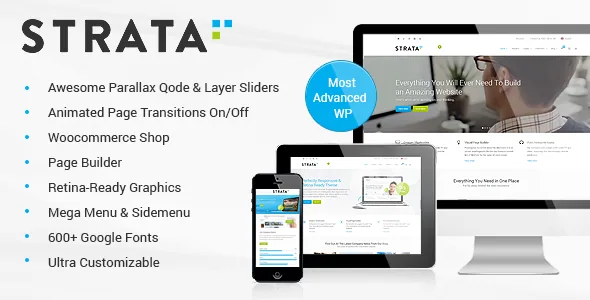
The header is configured per page, not per site
Most themes hand you one header and a few overrides. Strata's vendor description goes the other way: each page can carry its own header with a dark or light colour scheme, its own height, and its own background image using parallax or a parallax zoom-out effect. The page title can sit left or right, subtitles and breadcrumbs switch on or off individually, and the title animation is chosen per page — title text sliding in from left to right, or the title area dropping from top to bottom. Font size, title colour and title hover colour are page-level settings too.
That changes what an editor actually spends time on. Instead of bending one global header to suit a homepage, a service page and a case study, you configure three headers. The cost is drift: nothing stops two pages from falling out of step, so deciding a palette and type scale before you start saves rework.
Three header behaviours and a logo slot for each
The vendor describes a fixed header that shrinks as you scroll, a sticky header that appears after a scroll amount you set, and a third sticky variant that keeps the menu at the bottom of the header in a different layout. When a slider sits on the page, the slider's height can serve as the trigger point for the sticky appearance.
Separate logo fields make those behaviours workable. There are distinct logos for the initial and sticky header, plus further fields for the dark and light colour schemes. A dark wordmark over a hero photograph needs a light counterpart once the header sticks; the theme gives you a place to put it instead of asking for a CSS filter.
Two sliders, and slides that set their own header tone
Two slider systems ship with the theme. The Qode Slider handles full-screen or fixed-height image and video slides with parallax and fade-in/fade-out element animation. Per slide, you choose whether the header is dark or light, position the graphic and text independently, pick a flip or fade animation for the graphic, control title and text typography (size, colour, font, line-height, weight, shadow), set the navigation colour, and attach a different overlay pattern image to video slides.
The slide-level header choice is the detail worth keeping: a dark hero photograph does not force a light header across the whole page. LayerSlider, a separate responsive slider plugin, is bundled as well. Which one to standardise on is a maintenance decision rather than a design one — the bundled plugin versions move with theme releases, as the changelog histories show.
Page transitions with an off switch
The AJAX setting is not simply on or off. The vendor lists four animated page transitions, and beyond the presets you can assign an animation type to an individual page, so a landing page can open differently from the rest of the site. Turning AJAX off returns the site to standard page loads.
That last option matters for more than taste. Animated transitions sit between a click and your content, so on a site where pages need to appear quickly the off switch is a legitimate configuration rather than a fallback. The four presets are vendor-described behaviour; transitions depend on the visitor's device and connection, so try them on a phone before enabling them site-wide.
Section menus for one-page sites, mega menus for depth
A content/section menu is built from page rows and sections, which is how the vendor supports one-page sites: navigation points at anchors rather than separate URLs. The mega menu covers the opposite case — wide or normal sub-menus side by side, with or without icons, and widget areas inside columns so a menu can hold a small layout of its own.
Both are configured in the theme's admin screens rather than the block editor, which is where the theme's age shows in a useful way. The vendor also describes adding sliders, slides, portfolio images and parallax sections without a fixed limit while editing a page, plus multiple custom sidebars assignable globally or per post and page.
Portfolio and blog presentation
Portfolio work gets the widest set of options: six single-project layouts and three list layouts, combinable with different column counts. These are presentation choices for the same project entries, so switching layout re-renders what you have rather than requiring new content.
Blog layouts include masonry alongside standard listings, and the theme supports six post formats — standard, gallery, link, quote, video and audio. Each format needs its own display treatment, so if you publish mostly video or quotes, the format is a real feature rather than a checkbox. Shortcodes cover the usual editorial pieces: counters, pie charts, progress bars, graph charts and animated elements.
The editing model: WPBakery, shortcodes and a child theme
Page content is assembled in WPBakery Page Builder, which the vendor bundles with a stated $46 value, alongside modular shortcodes and one-click demo import. A dummy child theme is included, which matters if you intend to change templates rather than only style them through options. The vendor also describes WPML compatibility and translation readiness through po and mo files, and lists PHP, CSS and JS files as part of the package.
Two planning notes belong here rather than in a disclaimer. The vendor states that the demo images are presentational only and cannot be used on your site without buying a stock licence yourself, so any design decision resting on the demo photography assumes you will source your own imagery. And the newest changelog entry in the supplied material is version 3.4, dated 13 December 2021, which added WordPress 5.8.2 and PHP 8 compatibility and updated WPBakery and LayerSlider. The listing's compatibility field, observed on 4 November 2026, claims support up to WordPress 6.9.x — a range far wider than that release date suggests. Those two facts need not contradict each other, but the description alone cannot reconcile them, so confirm behaviour on a staging install before you commit a project.
Questions & answers
Can I use a different header on each page?
According to the vendor, yes. Each page can have its own colour scheme, height, parallax background, title alignment, subtitle and breadcrumb visibility, title animation and title colours, all set from the theme's admin options rather than through template edits.
Do I have to use AJAX page transitions?
No. AJAX animations can be switched off for classic page loads, and you can assign an animation type to an individual page instead of relying on one of the four presets site-wide.
Does Strata rely on the block editor for page content?
The vendor documents WPBakery Page Builder and the theme's shortcodes as the content workflow, with header, menu and title settings in the theme's own admin screens. The listing does not present Gutenberg blocks as the editing route.
Can I use the demo photographs on my site?
No. The vendor states that the images in the demos are for presentation only and cannot be used on your website unless you purchase a licence from a stock image provider yourself.


