One theme, two builder stacks to choose between
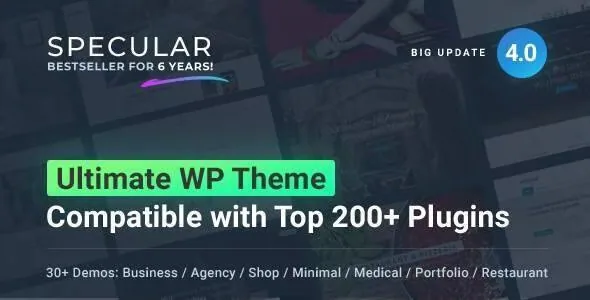
Most multi-purpose themes pick a page builder and build the demos around it. Specular, sold by Codeless in the corporate/business category, has accumulated two. The version 4.0 changelog entry adds Ultimate Addons for WPBakery and, in the same release, Cowidgets Elementor Addons described as more than 100 Elementor widgets and styles. The marketplace attributes also list Elementor and Elementor Pro as compatible plugins.
That matters before anything else, because which builder you open determines how you edit pages, which addons you can lean on, and how much of a demo layout you can reuse. Everything below is drawn from the vendor's description and changelog plus the marketplace attribute list observed on 3 November 2026. It is not a record of anyone running the theme on a live server.
The WPBakery path and its older vocabulary
The vendor copy still calls the builder Visual Composer, the name WPBakery used before its rebrand, and describes it as available in front-end and back-end versions. Alongside it sits a custom Codeless Slider (fullscreen, with parallax and animation), Slider Revolution and Layer Slider named as bundled premium sliders, plus FlexSlider. Later changelog entries keep updating WPBakery, Slider Revolution and Unlimited Addons for WPBakery, and version 4.0 added a set of 100-plus Slider Revolution templates.
On this path, expect the demo sites and the element library to feel like they were designed together. The theme also includes a megamenu with two- to five-column layouts and background images, CSS3 animation settings with delay options, and a filterable portfolio and staff post set. Those are builder-era features and sit naturally beside the WPBakery elements.
There is also an important distinction worth knowing: a supported integration does not prove every demo depends on it. If you plan to keep WPBakery on a long-lived project, confirm that the addons you need remain available in your install rather than assuming a specific demo requires them.
The Elementor path is newer, and it shows
The Elementor side is a later addition. Version 4.0.1 shipped two fixes that describe its state of maturity: disabling Elementor's default stylings, and correcting the Elementor Container on default Specular pages. In plain terms, the theme's own page templates were built before Elementor's container model arrived, and the vendor patched the conflict.
What you gain on this path is the Cowidgets widget library and per-page header and footer building. The same 4.0 release added the ability to build custom headers and footers for each page, and the layout options list already supported many header positions. If you want a sales page with no footer, no sidebars and a narrow centred container, or a landing page with a header type different from the rest of the site, Elementor plus these controls gives you that per-page.
What you do not get is parity. Widgets and elements do not transfer between the two builders, and a demo laid out in WPBakery does not become an Elementor page by installing Cowidgets. Choose your path early, ideally before importing anything.
The layout controls that work whichever builder you choose
Some of Specular's structure is independent of the page editor. The vendor lists boxed or wide page layout, header position (top, left, right, fixed, static), inner-page placement of a left sidebar, right sidebar or full width, an extra side navigation area on either side, container width and boxed container width adjustable in pixels or percentages, and footer and copyright visibility toggles.
The vendor's own example is the sharpest illustration: for a marketing or product page, set a custom header, remove the footer, drop the sidebars and centre the container at 500 or 600 pixels. Those settings also feed a large part of the demo variety, which is why two demos built on the same underlying layout can read as distinct brands.
Two features sit outside the builders in the same way. The side navigation is a widgetised area that expands from a button, useful when a client needs contacts or opening hours always within reach. And WPML compatibility is claimed alongside .po/.mo files, so menu and body copy can be translated without touching templates.
Demos arrive over the network, and the customiser is separate
The vendor describes one-click demo data that installs a full site in seconds, plus a backup and restore route so you can import a different demo and bring your content back afterwards. Version 4.0 changed how this works underneath: the theme package was made lighter, with all demos loaded from the cloud.
That has a practical consequence. The demo import is a network operation tied to the vendor's servers, not a local file in the theme zip. If the remote catalogue changes, what you can install changes with it, and the theme's own site-set count may not match what is offered on a given day.
Separately, the vendor advertises an online template builder with export: a browser tool where you configure layout options and export a starting point before purchase. Treat that as an external planning aid, not a WordPress feature. It is the demos you import that set up the actual site.
Portfolio, blog and the smaller pieces around them
Portfolio output is the largest number in the feature list: 30-plus layouts built on masonry, grid, fullwidth or boxed framing, each with three styles and column counts from two to five. Custom post types cover staff, portfolio and FAQ, and blog content gets eight listing styles with two single-post variants, a fullscreen blog presentation, post formats for quote, video, audio, standard and gallery, and infinite scroll.
The rest of the useful surface is quieter. A top header widgetised area and footer widget columns from one to four let you place contact details without building a template for them. The vendor lists a built-in 404 page and a coming-soon page. Compatible With also names Events Calendar, which fits a business site running workshops or dates alongside its service pages.
WooCommerce support is claimed and styled, but nothing in the record describes a product page or catalogue layout in detail, so treat shop setup as something to verify against your own products.
What the record does and does not establish
The marketplace listing shows version 4.5.0 with a last vendor update in November 2025, and the vendor's compatibility attributes run from WordPress 4.9 through 6.7. Those declarations come from the listing, not from testing, and they move. The changelog itself stops earlier in the quoted text, with a note about WordPress 6.6 compatibility, so the most recent entries are worth reading in the current record rather than assumed.
The files listed are PHP, CSS and JavaScript. Gutenberg Optimized is marked yes, which tells you the block editor is accounted for; it does not mean the WPBakery and Elementor element libraries are available as blocks.
Two questions remain genuinely open: how closely a cloud demo reproduces once your own media replaces the placeholder images, and whether the two builder paths receive equal attention in future updates. The changelog pattern suggests WPBakery remains the more actively maintained side, but that is an inference from dated entries, not a vendor commitment.
Questions & answers
Does Specular include both WPBakery and Elementor?
The vendor's version 4.0 changelog adds Ultimate Addons for WPBakery and Cowidgets Elementor Addons in the same release, and the marketplace attributes list Elementor and Elementor Pro as compatible. What the record does not state is whether every demo is available in both builders, so decide on one path before importing.
Can I import a demo without an internet connection?
Version 4.0 changed the package to load all demos from the cloud, so the one-click import depends on reaching the vendor's servers. The theme files themselves are local, but the demo content is not.
Is the online template builder part of the theme?
No. It is a browser-based configurator the vendor offers for planning a layout and exporting settings before you commit. The site itself is built in WordPress with whichever builder you choose.