Your catalogue points at other people's servers
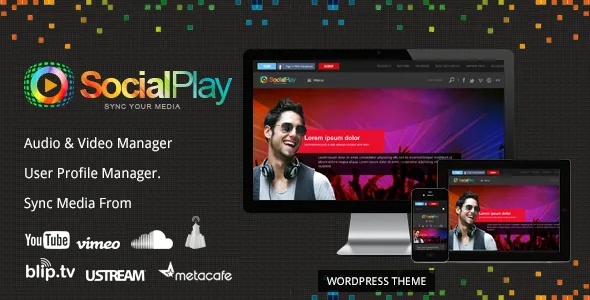
SocialPlay's defining decision is that it does not ask you to store video or audio files on your own hosting. The seller's description is explicit: rather than uploading media to your website, you upload it to large media sites — YouTube, Vimeo, DailyMotion, Blip.tv, uStream, MetaCafe and SoundCloud are the ones named — and the theme plays it on your own domain.
That choice shapes everything else about the project. Bandwidth and disk space stay with the platform instead of your host, which is what makes a sizeable catalogue affordable on ordinary shared hosting. The trade is dependency. Every entry in your catalogue is a reference to something stored elsewhere, so it lasts as long as that source stays available on whatever terms the theme uses.
The changelog points at where maintenance effort lands in a site like this. Version 1.2.0 fixed SoundCloud track fetching by correcting the regex, and the vendor documentation includes a how-to for creating a YouTube API key. These are third-party integrations that break on their own schedule.
If your plan is to sell or protect video files, this theme works against you by design. If your plan is to curate and play media that already lives on public platforms, the model is the point.
Members submit, the admin queue decides
The seller describes SocialPlay as a community catalogue rather than a publishing tool for a single editor. "User Profile Manager" is a headline feature, and the description states that any registered user can upload and manage their own videos or playlists, publishing live only after admin approval.
Approval is the setting that controls how open the site is. Theme options recorded in version 1.2.0 include the default status of user-uploaded audio and video, so you can decide whether a member submission arrives pending or live. Version 1.2.1 added toggles for showing or hiding the upload and add-video buttons on user profile pages. Together those two controls let you open submissions gradually rather than switching the whole workflow on at once; 1.2.0 also fixed admin-added media so it approves by default.
Facebook login is listed as a sign-in route alongside the ordinary account form, which lowers friction for casual contributors. The 1.2.1 changelog records fixes to signup links on both the login and forgot-password screens, so that path has been revisited at least once.
Channels, playlists and the metadata that makes them browsable
Organisation is the other half of the media-sharing job. The seller names management of video channels, audio albums, user profiles and video playlists, and says playlists can be managed for video and for audio through SoundCloud.
Changelog entries fill in what those containers actually hold. Version 1.2.0 added a views counter on audio and video detail pages, and added description content for each channel, playlist, album, video category and audio category — the kind of text that makes a category page worth landing on rather than a bare grid. The same release records a homepage filter by duration, plus a theme option to change the homepage video sort order and one letting visitors either open a video detail page or play it in place.
One entry deserves reading carefully. Version 1.2.1 records a fix so private channels and playlists are no longer publicly visible. That tells you the concept of a private channel exists in the product; it does not tell you how the permission model behaves against today's WordPress user roles. If privacy matters to your project, confirm the behaviour with a test member account before you rely on it.
The theme's own page builder, not the block editor
The marketplace marks Gutenberg Optimized as No, and the seller's copy points elsewhere: a top-notch theme options panel, custom page templates with per-page options, and a page builder that version 1.2.0 made switchable on and off from theme options. Treat the Gutenberg flag as a statement about what the theme was built around, not proof that the block editor is unusable. Plan on the theme options panel and its templates as the main editing route, with the bundled builder handling composed pages.
Layout is a fixed two-column arrangement, with the sidebar set left or right from theme options. Unlimited sidebars are advertised so you can give different sections of the site their own widget areas, and the theme is widget-ready with a set of built-in custom widgets to drag into them. Fonts, colours, background patterns and a favicon upload are all handled from the same panel, and the seller lists a toggle to turn the responsive behaviour on or off.
Design files, a bundled slider and other package claims
The marketplace file field lists Layered PSD, PHP files, CSS files and JS files. The seller markets the PSDs as the reason customisation is straightforward, which is true for the narrow case it describes: if an in-house designer works from layered source in a graphics editor rather than inspecting the browser, the PSDs save real time. Otherwise they are weight you will not open.
The seller's feature list also claims the Revolution Slider plugin is included. That is a vendor statement about how the theme was packaged rather than a promise about any particular copy you end up with, so confirm it in the archive you actually have before you design a homepage around a slider.
Smaller listing claims are quickest checked against the vendor's demo, which uses placeholder images rather than licensed photography: a multi-level dropdown menu, a contact page template and a 404 template.
Two eras of compatibility in one listing
The seller's prose says the theme is optimised for WordPress 3.6 and compatible with 3.2 and later, names IE9 and IE10 among supported browsers, and calls the design a 2015 theme. The marketplace attributes observed on 5 November 2026 list WordPress 5.8.x and 5.9.x, browsers including IE11, Firefox, Safari, Opera and Chrome, and a latest marketplace version of 3.0.0, with the vendor record showing a last update in January 2022.
Those are listing declarations, not results from running the theme on a server with your plugins. The gap matters more here than in a blog theme, because so much of what SocialPlay does runs through platform APIs that change independently — YouTube keys, SoundCloud track fetching — and its own changelog shows those integrations being repaired repeatedly rather than once.
The question worth answering before you commit is not whether the WordPress version number looks recent enough, but whether the media sources your project depends on still respond on the theme's current code. That gets settled in a staging install with real links from the platforms you intend to use.
Questions & answers
Do I need to host video or audio files on my own server?
No. The theme is designed around the opposite approach: you add media that is hosted on YouTube, Vimeo, DailyMotion, Blip.tv, uStream, MetaCafe or SoundCloud, and the theme plays it on your site. Bandwidth and storage stay with the platform, but your catalogue then depends on those platforms continuing to serve the material.
Can members submit their own videos without me reviewing everything first?
The seller states that registered users can upload and manage their own videos and playlists, going live after admin approval, and that theme options control the default status of member submissions plus whether upload buttons appear on profile pages. Those options let you choose a moderated queue or a more open one without editing code.
Does SocialPlay work with the block editor?
The marketplace marks Gutenberg Optimized as No. That flag describes what the theme was built around, and the seller's copy points to a theme options panel and its own page builder instead. It does not establish that the block editor is unusable, so test the editing experience against your plans if block-based building is a requirement.
Which file is the design customisation done in?
The marketplace file list names Layered PSD alongside PHP, CSS and JS files. The layered PSDs are for working on the visual design in a graphics editor; they are not a front-end tool and do not change how pages are assembled inside WordPress, which happens through the theme options panel and templates.