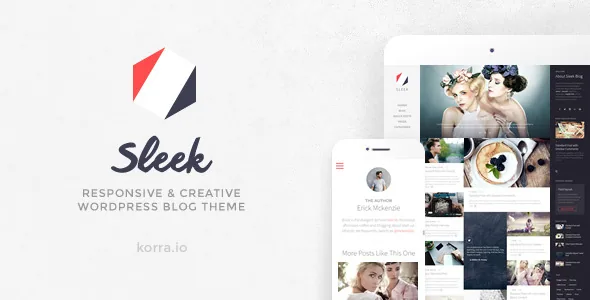
A fixed sidebar, and the option to scroll it independently
Sleek's organising idea is stated plainly in the vendor description: the layout fills the screen and keeps a sidebar fixed while that sidebar scrolls independently of the reading column. The feature list turns this into a switch rather than a fixed rule, listing "Independent-scrolling Sidebar ON/OFF."
That choice decides how the whole site feels. With the sidebar pinned, someone reading a long post keeps a persistent column beside the text — widgets, profile blocks, whatever you place there — and only the article moves. Turn the behaviour off and the page becomes a conventional single scroll where the column travels with the content.
The vendor pairs this with a mobile-first layout and retina support, claiming the fluid layout adapts across screen sizes. The practical question is narrower: does your content live in a wide reading column beside a slim rail, or do you want the article to own the full width on narrow screens and leave the rail behind? The toggle is worth testing with your own longest post rather than a demo's tidy sample.
Comments promoted into the column beside the post
Most blogs put comments below the article, where many readers never reach them. Sleek moves them into the sidebar and describes the result as making commenting a "much more prominent and substantial part of a blog." A separate setting, "Sidebar Comments ON/OFF," lets you keep or drop that arrangement.
If discussion is part of why the site exists, this is a real structural difference — replies sit next to the argument instead of after it. If your posts rarely attract comments, the sidebar comment block becomes empty furniture, and the switch lets you remove it without touching templates.
AJAX comments are listed separately, so replies can post without a full page reload. The vendor does not state which comment system the AJAX handling covers, and the feature list also names Disqus as ready, so if you rely on a third-party comment platform, confirm the two work together before committing.
AJAX navigation you can turn back off
The vendor describes AJAX navigation as bringing speed, animation and interactivity by loading new content without rebuilding the page. In this layout the fixed sidebar is the part not being replaced — the reading column swaps while the rail stays where it is, which is exactly what a persistent sidebar needs in order to feel persistent.
The same feature appears in the list as "AJAX Navigation ON/OFF." That toggle matters more than the marketing line. Loaded-fragment navigation has to keep plugins, scripts and analytics behaving, and when something in your stack objects, you can return to normal page loads without abandoning the theme. Treat the switch as an escape hatch you hope not to use.
Because the vendor gives no detail on how the swap is implemented, test the specific things your site depends on — forms, embeds, share buttons, any tracking that fires on page load — by clicking through several posts rather than reading the description.
Archive pages that carry their own headings
Category and tag archives can be given custom headings plus a featured image and description, so a category page reads as a designed section rather than a bare list labelled with its name. For a blog that splits coverage across clear topics, that is the cheapest way to make an archive look intentional.
Post headings inside listings are a separate choice, listed as Minimal, Author Badge, and Featured Image/Media. Minimal puts the weight on the type; the author badge adds attribution to each entry; the media heading lets the image or media lead. On a mixed feed, the media heading suits photo-heavy entries while the minimal style keeps text posts from looking padded.
Post formats, including a tweet-style status
Sleek's vendor describes post formats as "distinctively designed" in both single views and listings, and calls out a Tweet post format as its specific addition to that set. In practice, the theme gives short status-style posts their own treatment instead of squeezing them into the article template.
That changes the rhythm of a listing. A stream of full-width article cards reads as a publication; interleaved short-form entries read as a running notebook. If you publish a mix of essays and quick links or observations, the format work is doing the organising for you. If every post is a long read, the distinctive formats will rarely show.
The vendor says the format brings "tweeting into a blog" but gives no detail on how a post connects to a Twitter account, so treat that connection as something to check in a staging install rather than assume.
Five blog layouts, three pagination modes
The feature list separates two decisions that are often bundled together. Layout options are List, Masonry, Newspaper, Carousel and Slider. Pagination options are classic numbered pages, a Load More button, and automatic infinite load.
These interact. Masonry paired with infinite load gives a browsing feed; the newspaper layout with numbered pages gives an issue-like archive a reader can navigate deliberately. The vendor also offers custom blog lists on any page, which means these choices are not confined to the main blog index.
Automatic infinite loading deserves its own check. It removes a stopping point and can complicate reaching the footer, so if your sidebar or footer carries links you want people to use, the Load More button keeps a boundary in place.
Page building with a grid and shortcodes, not a builder
There is no bundled page builder in the vendor's description. Instead it offers a grid system, shortcoded elements and custom blog lists "to support custom page building." Alongside those sit a Sleek slider with custom content, an image slider, a masonry gallery with lightbox, a social links element, Google Maps, and readiness for Contact Form 7 and Disqus.
That is an older way of composing a front page: you arrange columns and drop in shortcodes, with theme options controlling colour, background and typography in a live preview. It is quick if you are comfortable with shortcode syntax and fiddly if you expect to drag sections around a canvas. The description also names 800+ font icons across several sets and Google Fonts with character sets, which is where most of the visual variation will come from.
The update date and version range you should weigh
The marketplace attributes observed on 4 November 2026 record a vendor update on 6 February 2019, marketplace version 1.5.2, and declared WordPress compatibility running from 4.0 through 4.9.x. The attribute for Gutenberg Optimized reads No — which says the vendor does not describe the theme as tuned for the block editor, and nothing more; it is not proof the editor is unusable.
Read the date alongside the version ceiling. The vendor updated the theme through the WordPress 4.9 era, and the declared list stops there, so a site on a current WordPress release is untested territory as far as the listing shows. Also listed: WPML compatibility with RTL support, translation readiness, widget-ready areas, child-theme readiness, and browser support reaching back to IE9.
The vendor's credits section states that photos and media used in the preview are not part of the item, so plan on supplying your own imagery. PHP, CSS and JS files are the recorded package contents.
None of this makes the theme unusable — a mature blog theme with a fixed sidebar and quiet admin settings still does a specific job well. It does mean you should run a staging copy against your current WordPress and plugins, and check the things the description cannot: the independent sidebar on small screens, AJAX navigation with your active plugins, and whether the sidebar comment area behaves with the comment system you use.
Questions & answers
Can I use Sleek without the fixed sidebar behaviour?
Yes. The feature list includes an Independent-scrolling Sidebar ON/OFF setting, so the sidebar can be made to scroll with the page rather than stay pinned. Sidebar comments have their own ON/OFF switch, so the comment block is independently controlled.
Does Sleek require a page builder?
The vendor does not list one. Custom page building is described as a grid system, shortcoded elements and custom blog lists, with colour and typography handled in a live-preview customiser.
Is the Tweet post format a live Twitter integration?
The vendor lists "Tweet Post (status post format)" as part of its post format set and describes it as bringing tweeting into a blog, but gives no detail on how a post is connected to a Twitter account. Check that behaviour in a staging install before relying on it.
Does the theme include the images shown in its preview?
No. The vendor's credits state that any photo or media used in the preview is not included, so you will need to source and licence your own imagery.


