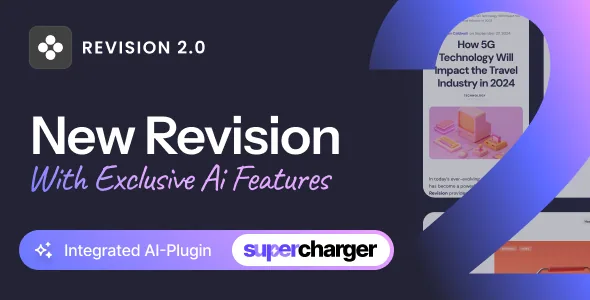
A personal blog theme that keeps WordPress's own editor
The marketplace listing marks Gutenberg Optimized as Yes and names the Block Editor as compatible. For a personal blog, that is the decision that shapes your writing week: posts are composed as blocks in the editor WordPress already has, and no separate page builder appears in the listing or in the declared file types.
That does not mean the theme stays out of the way entirely. A blog theme still decides layouts through its templates, and the listing marks the theme as widget ready and responsive with a four-plus column layout. Gutenberg Optimized describes compatibility grading, not a guarantee about how every template is composed.
What the vendor says is not in the package
Revision's own notes read like a scope statement, and they are specific. The sample images in the live preview are for demonstration only and are not included with the theme; the vendor says those images were bought at Shutterstock or licensed under GPL and Creative Commons terms. The photographs you see in the demo are placeholders you replace.
The starting preview is also excluded. The vendor describes that page as a landing page built to promote the product and show its demos, and states plainly that it is not part of the theme. If you planned to reproduce the preview page as your homepage, you would be building it rather than importing it.
The import is close but unfinished. Demo content is described as looking as close to the demos as possible, with a set of site-specific settings left for manual configuration, naming links to your social accounts and widgets among them.
Sidebar elements that borrow data from elsewhere
The vendor singles out features that rely on communication with external service providers: follower counts, share counts and Instagram feeds. Their stated position is that these providers are beyond their control and that a purchase decision should not rest on them alone.
Design accordingly. A follower counter or a live Instagram strip in a blog sidebar is pulling numbers from a system you do not administer, so keep a fallback in the layout: a profile link, a button, or an image you host yourself. A demo showing those modules full tells you about placement and styling, not about whether the feed behind them will keep working.
Widgets, forms and multilingual posts
The listing marks the theme as widget ready, and widgets are named in the vendor's manual-configuration note, so the sidebar arrangement is yours to build rather than one inherited from a demo.
Contact Form 7 appears in the compatible-with list, which covers a contact page without a theme-specific form module. WPML is listed too, giving multilingual publishing a vendor-declared path. Neither entry describes which parts of the theme's own interface are translated, so treat it as a compatibility claim rather than a promise of a fully localised theme.
High-resolution support is declared as well, which matters if the portraits and feature images you publish are large and you want them rendered sharply on dense displays.
Declared WordPress range, browsers and file types
The marketplace record, observed on 5 November 2026, declares support for WordPress 6.6.x through 7.0.x, with Chrome, Safari and Firefox listed as compatible browsers. The vendor's own update date in that record is 24 August 2026. These are declarations from the vendor and marketplace, not results from running the theme against your PHP version, your caching setup or your plugin stack.
The file list is the theme alone: PHP, CSS and JavaScript files. No bundled plugin archive appears in the record, and no builder licence arrives with it. If your project assumes one comes along, Revision is not that purchase.
Why the demo's speed score is not your score
The vendor states that any page speed score shown on the item page is for reference only and depends on the selected demo, the theme, the server configuration and the content itself, adding that some theme features can negatively affect scores. That is a plain description of how a measurement works, not a promise you can transfer.
If speed matters to your decision, the figure to trust is the one you produce. Build a representative post on your hosting, with a full-size feature image, an embedded video and the sidebar as it will actually run, and measure that page.
Support and documentation
Support runs through the vendor's ticket system, and the vendor says email and item-page comments are not the usual channel. Their stated response time is generally within 24 hours, extending to 48 across holidays and weekends.
The listing also marks the theme as well documented, with online documentation referenced. For a block-editor blog, that documentation carries most of its weight early: menu and widget setup, how demo content is imported, and where the settings that need manual configuration live.
Questions & answers
Does Revision include a page builder?
No page builder is named as included or compatible in the supplied listing, and the declared file types are PHP, CSS and JavaScript only. Editing is described through the Block Editor, with Gutenberg Optimized marked Yes.
Does an imported demo look exactly like the preview?
Close, not identical. The vendor says demo content looks as close to the demos as possible, but some site-specific settings need manual configuration, including social account links and widgets. Images from the preview are not included at all.
Can I translate Revision with WPML?
WPML is listed among the theme's compatible plugins, so the vendor declares it as a supported path for multilingual publishing. The listing does not say how much of the theme's own interface text is translated.
How current is the declared WordPress support?
The marketplace record observed on 5 November 2026 declares WordPress 6.6.x through 7.0.x, with the vendor's last update date given as 24 August 2026. Treat that as a declared range to check against your install, not as tested behaviour on your hosting.


