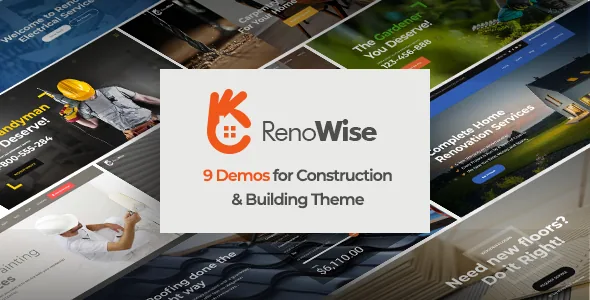
A before-and-after element is the theme's clearest signal
BoldThemes markets RenoWise to builders, electricians, handymen, flooring and roofing crews, carpenters, painters and general renovation contractors. Among the elements the vendor lists for the theme is a Before & After Image block. For work sold on visible change, that element is the one that carries the argument: two states of the same doorway, kitchen or facade, with a control that lets a visitor drag between them.
It is a builder element, not a project module. You add it to a page, supply the two images and set it up where you want it. Nothing in the vendor's list suggests it pulls from a gallery automatically, so plan to prepare matched before-and-after shots at a consistent angle for each job you want to show.
The same element list has a Service element, Steps with icon, a Price list, counters and progress bars — the pieces of a proof-and-process section a trade site usually needs.
The Cost Calculator ships with the theme, but its pricing logic is yours
The vendor's included-plugin list names three entries: Bold Builder, the Bold Themes WordPress Importer, and Bold Themes' Cost Calculator, which the description links to its own marketplace page. The framing in the description is that the calculator "comes free with this theme", so it is treated as part of the purchase rather than a separate licence you arrange yourself.
What the evidence does not cover is the calculator's out-of-the-box configuration — job types, quantity fields, unit prices, deposit rules. Those are settings inside the plugin, and the demo's structure may not fit your trade. A roofer pricing by roof area, a painter pricing by room count and a general contractor pricing a multi-stage job all need different fields, so budget build time for that structure rather than expecting to switch it on unchanged.
Supported integrations are listed separately from included plugins: Contact Form 7, WPML, WooCommerce, W3 Total Cache, Yoast and RTL. Those are declared as working companions, not bundled code, and a listing that names Contact Form 7 does not guarantee the calculator submits through it.
One page is the exception among nine demos
Nine demos with separate designs and designed inner pages are listed, and the vendor states that two of the nine are built as one-page sites. Read that proportion as guidance: the standard build here is a multi-page site with individual inner pages, and the single scrolling page is the variant.
That split suits the trade categories the theme names. A specialist — a flooring installer, an electrician — can put the whole pitch into one scrolling page with anchor navigation. A contractor covering several trades is better served by the multi-page demos, where each service can have its own page and each finished job can carry its own write-up.
The importer is bundled, and the vendor describes the workflow as importing a demo to get a fully featured site, then replacing demo content with your own through the theme options panel.
Global settings, page overrides, and a clipboard that copies rather than links
Theme options run through the native WordPress Customizer rather than a third-party panel, so colour schemes, colour picker values, Google Fonts, headers with a sticky variant, boxed or full-width layout, sidebars and the custom footer all sit in a screen WordPress users already know. An SVG logo is supported, which keeps a mark sharp in the sticky header and on retina displays.
The override global settings option lets a single page break from the theme-wide header, footer or colour choices. It is useful for a campaign landing page; apply it widely and the global settings stop meaning much, because every page becomes its own decision.
Bold Builder's clipboard is the feature with the longest tail. It supports copying and pasting content between pages and between separate websites, which saves rebuilding the same service card or call-to-action block across a site. The paste is a duplicate, though: edit the original later and the copies stay as they were. Two other builder options are time-limited content appearance, which shows a section only within a set window, and hide/appear rules by screen resolution for showing or hiding elements at specific breakpoints.
Trade pages are built from elements, not records
The element list reads like a contractor's page plan: Service, Steps with icon, Price list, Table, Accordion & tabs, Counter with icon, Google Maps and Open Street Maps, Contact Form 7, plus a single WooCommerce product block and a countdown. Contact forms, service descriptions, process steps and a rate table can each be dropped where they belong.
The structure behind them is flat. These are page elements, not custom post types with their own archives and taxonomies, as far as the vendor's description goes. A rate change or a new service means editing the pages where the element sits. That is fine for a small site with a stable list of services, and it becomes recurring maintenance for a business with a long catalogue of jobs or frequently changing prices.
Testimonials do not appear as a named element. If you want a review section, you assemble it from what is listed rather than expecting a supplied testimonial module.
Demo photography is not licensed for your site
The vendor states that images on the theme's demo sites are not licensed for third-party use on production sites and that anyone intending to use them must license them separately. For this theme that note matters more than usual, because the demos lean on photographs of finished rooms, exteriors and crews.
Import a demo and the site looks complete; launch it and you are publishing imagery you have no right to use. Your own job photographs are the substitute, and for a renovation business they are also the most convincing content the site can carry. Allow time and budget for a shoot, or arrange licensed stock, and treat the imported images as layout placeholders.
Included files are listed as PHP, CSS and JavaScript. No PSD or design-source entry appears in that list, so a designer expecting layered files for a rebrand should not count on them.
What the listing declares, and why it is not a test result
Attributes observed on the marketplace listing on 4 November 2026 name WordPress software versions from 6.0.x through 7.0.x and WooCommerce 6.x.x through 9.x.x, with the theme marked responsive, widget ready, high resolution and Gutenberg optimised. Browsers listed are IE10, IE11, Firefox, Safari, Opera, Chrome and Edge. The vendor's feature list also names WordPress Multisite as tested, child theme readiness, translation readiness and WPML support.
These are the vendor's declarations attached to the product, not outcomes on your server. PHP version, caching, the plugin stack and the calculator's own configuration all affect how it behaves, and the WooCommerce range is worth checking against the version you run before planning a shop section. Child theme readiness is the practical one to note if you expect to customise templates: edits belong in a child theme rather than in files that theme updates will overwrite.
Questions & answers
Do I have to buy the Cost Calculator separately?
The vendor's included-plugin list names Bold Themes' Cost Calculator alongside Bold Builder and the demo importer, and the description says it comes free with the theme. That reads as part of the purchase. The pricing fields, job types and unit rates inside it are yours to configure; the demo's setup is not a template for every trade.
Can I use the RenoWise demo photos on a live site?
No. The vendor states that demo images are not licensed for third-party use on production sites and must be licensed separately. Replace them with your own project photography or licensed stock before launch.
Will editing the theme's global design settings change every page?
Not always. Individual pages can override the global settings, so a page that has been given its own header, footer or colour choices keeps them when the theme-wide options change. Pages without an override follow the Customizer settings.