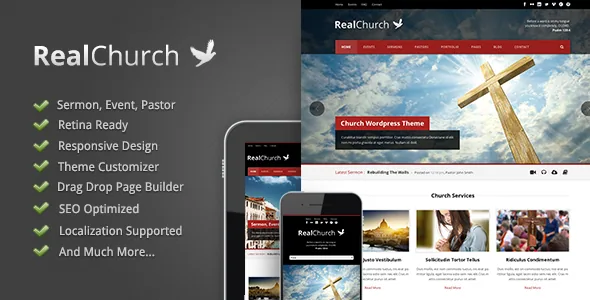
A sermon is one entry, not a page of embeds
The seller's description picks out the Sermon post type as the piece a church theme has to get right, and the detail given is that a sermon supports video, audio, an attachment and also a PDF. Read that as one admin entry holding several media fields, instead of a page where you paste an embed and hope the rest fits around it.
For a weekly rhythm this changes the upload job. Whoever posts Sunday's recording adds it to the same sermon entry as the notes file and any handout, so a visitor browsing the sermon archive finds one series in one place. The description stops at the field list. It does not say whether the audio gets its own player, whether the PDF opens in the browser or downloads, or how several formats stack on a phone. Open the sermon pages in the demo for those answers.
Events carry their own schedule and map
The Event type is described with a start date and time, an end date and time, and a Google map placed inside the post. That keeps when-it-starts, when-it-ends and where-it-is on the event itself rather than in a paragraph rewritten by hand each time.
What the description does not claim is a booking layer. RSVP, ticketing, capacity limits and attendee lists are all absent, so treat the event entry as a published notice. If your calendar needs sign-ups, that is a separate plugin decision, and nothing in the vendor text says how such a plugin would interact with this post type.
Pastor works the same way structurally: staff profiles are their own entries with a dedicated type rather than ordinary posts filed under a category. Whether that type carries fields for role, service times or contact details is not stated.
Four of the seven types are outside the church set
Seven custom post types are listed in total. Alongside Event, Sermon, Pastor and Gallery sit Portfolio, Testimonial and Price, and the description says the blog and portfolio types let you use the theme “as other purpose too.” A Price Table feature sits in the same list as the Price type.
That is the vendor's framing, not an argument that this is a general-purpose business theme. The narrower reading is the useful one: a congregation that also runs a bookshop, a school or a community project gets listing types for those items without installing anything extra. Gallery and Testimonial are the two most likely to sit beside church content.
Styling happens in theme panels, not template files
The feature list names a Live Color Changer, unlimited colour, 450+ fonts, a font uploader and a logo uploader, which puts palette and typography in an admin panel rather than in CSS edits.
The layout numbers are more specific than the design language. Six footer layouts are listed, and three blog styles where each style offers a left sidebar, a right sidebar, both or none. That last part is the figure worth noticing: the sidebar decision is made per blog style rather than once for the whole site. Unlimited sidebars appear in the same list, pointing to widget areas you register yourself.
A drag-and-drop page builder and a drag-and-drop slider manager are both listed, with Flex, Nivo and Anything sliders named. The description gives no detail on how builder sections behave, so the demo is where to judge whether the arrangement suits the person who will actually maintain the site.
Three language jobs that are easy to confuse
A .pot file is included for translating into .mo files — the standard route for carrying the theme's own interface strings into another language. A built-in Translator is listed separately, and WPML appears in the Compatible With attribute.
Keep the three apart. The .pot file covers the theme's text. WPML runs a site in more than one language, with translated content living beside the original. The Translator is a theme tool for its own strings. None of these translates your sermons or event descriptions, which is content work you do inside your own setup.
The description says nothing about how translated sermon or event entries behave, or whether the custom types are covered by a WPML setup beyond the compatibility declaration.
What the listing settles, and what only the demo will
The declared files are PHP, CSS and JS. There is no PSD or other layered source in that list, which matters if someone planned to rebuild banner artwork from originals rather than recreate it. Documentation is marked well documented, the layout is declared responsive, High Resolution is marked Yes and Widget Ready is marked Yes.
The declared WordPress range runs from 6.1.x through 7.0.x, with a browser list that still includes IE11. Those are declarations, not results from running the theme on your install. The marketplace records version 1.3.0 as the latest release; the copy you receive may not be that one.
Two gaps are worth knowing before you commit. Nothing in the description covers how the theme behaves in the block editor, and no Gutenberg attribute is listed, so the demo is the honest way to find out. There is also a single demo site rather than a library of variations — the vendor walks through importing it in a video tutorial — so you are judging one arrangement of the sermon, event and pastor content rather than several.
Questions & answers
Can a single sermon hold both a video and an audio file?
Per the vendor description, yes: the Sermon post type is described as supporting video, audio, an attachment and also a PDF. How those formats are presented on the front end is not described, so check the sermon pages in the demo.
Does the Event post type handle registrations?
The description lists start date and time, end date and time, and a Google map inside the event post. It says nothing about RSVP, tickets or attendee limits, so it reads as a published notice rather than a booking system.
Is a layered PSD included?
No. The declared files are PHP, CSS and JS. If you need editable source artwork, that is not part of the package as listed.