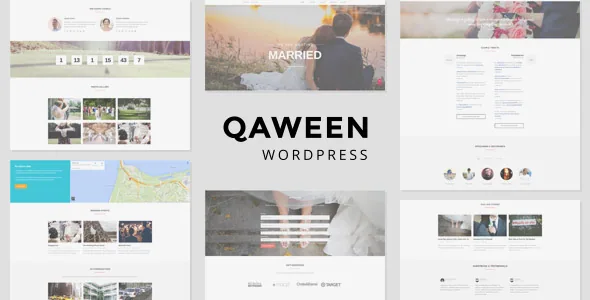
A timer that keeps counting after the wedding
Most of Qaween's feature list reads like other wedding themes until you reach the timers. The vendor describes a countdown and count-up pair working as one element: it counts down to the wedding date, and once that date is reached it counts how long the couple has been married.
That single behaviour decides something about how you run the site. A wedding site that goes quiet after the ceremony has no use for it. One that stays live as a record — anniversary notes, photos added later, a page relatives return to — gets a header that stays truthful instead of a permanent zero. If you plan to archive the site or hand it over and forget it, the feature is harmless but inert.
The theme name, incidentally, comes from the Indonesian word "kawin", which the vendor says means married or getting married.
Five post types that do the organising
Qaween registers five custom post types, and they map to the parts of a wedding people actually look up: Events, Gallery, Bridesmaid & Groomsmen, History and Accommodations. Each is its own content type rather than a page of pasted text, which is what lets a shortcode or a listing pull from it.
In practice that means the schedule is a set of event entries you can add to and reorder, the wedding party is a roster of people with their roles, and the couple's story sits as its own chaptered sequence. Accommodations is the one with practical value for out-of-town guests: a hotel or lodging entry can carry the detail a guest needs instead of existing as a paragraph on an information page.
The gallery is filterable, and the version 2.5.0 changelog records a simpler model behind it — one gallery now equals one image. Treat the gallery as a large set of single images sorted by filter, not as a small number of albums each holding many photos.
RSVP, guestbook and gift registry
The vendor lists a built-in AJAX RSVP form as a core feature. The word AJAX describes how the form submits — without a page reload — but the source description stops there. It does not say which fields the form carries, where responses are stored, or whether guests receive an email confirmation. Those are the questions to settle before you print a link to the RSVP page anywhere, particularly if you expect meal choices or plus-one counts.
The changelog adds two neighbouring pieces that the feature list does not mention: a Gift Registry and a Guestbook, both added in the April 2015 version 2.0.2 release. A guestbook gives guests somewhere to leave a message, which suits the keep-the-site-alive scenario the count-up timer implies. If your planning depends on either one, note that they are documented in release history rather than described in the vendor's feature summary.
Layouts come from Visual Composer, slideshows from Slider Revolution
Pages are assembled with Visual Composer, and the homepage slideshow with Slider Revolution. The vendor's changelog is explicit that this was a redesign rather than the original approach: from version 2.5.0 onward, layouts are built with Visual Composer and slideshows with Slider Revolution, and the earlier slideshow post type was removed.
That history has a practical consequence when you read older guidance about the theme. The 2.6.0 release notes, dated March 2019, refer to "WP Bakery Page Builder" at version 5.7 and "Revolution Slider" at 5.4.8.3 — the same page builder under its later name. Older tutorials that talk about homepage widgets or a slideshow content type describe a version that no longer exists, because home widgets were replaced by custom Visual Composer elements in 2.5.0.
Custom page templates and a set of shortcodes sit alongside the builder for the pages you would rather not compose from scratch.
Styling through the Redux panel
Colour and type are handled in a Redux Framework options panel rather than in the builder. The vendor claims unlimited colour control over nearly every element, plus a choice of fonts from 500+ Google web fonts, with typography subsets configurable — that last detail comes from the version 1.0.4 changelog and matters if you need characters outside the Latin default.
Two other options earn their place on a wedding site: translation readiness, with localized translations and RTL support added in 1.0.3, and share buttons that can be switched on or off per post or page. Share toggles sound trivial until you want a private page of family details that should not be passed around.
For anything beyond the options panel, child theme support is the modification route, so your changes survive theme updates instead of being overwritten.
What the listing declares, and what it does not
The marketplace attributes recorded on 3 November 2026 list support for WordPress 6.0.x through 6.3.x and browsers IE11, Firefox, Safari, Opera and Chrome, with files limited to PHP, CSS and JS. Gutenberg Optimized is marked No — which describes the vendor's declared position on block-editor styling, not a statement that the block editor refuses to run.
The vendor update date on the listing is 26 March 2019, and the latest marketplace version recorded is 2.6.0. That date is worth weighing against the declared WordPress range: the compatibility list was written later than the theme's own last release, so treat the two as separate declarations rather than evidence that the theme was tested against those WordPress lines. Running it on a current WordPress install is a question for your own staging site, not something the listing answers.
The documentation is marked well documented, the theme is widget ready and responsive, and high resolution is marked No. Stock images in the demo are explicitly excluded from the package, so the preview's photography is not something you receive — plan on your own engagement and venue images before judging the layout.
Questions & answers
Does the countdown timer keep running after the wedding date?
Yes. The vendor describes a paired countdown and count-up: it counts down to the date you set, and after that date is reached it counts how long the couple has been married.
Can I use the block editor with Qaween?
The marketplace marks Gutenberg Optimized as No, which reflects the vendor's declared level of block-editor styling. Page layouts are built with Visual Composer instead, so composing in the block editor would leave you outside the theme's intended editing workflow.
Are the demo photographs included?
No. The vendor states that all stock images used in the demo are not included in the theme package. The included files are PHP, CSS and JS, so you supply your own photography.
How are RSVP responses stored?
The listing only says there is a built-in AJAX RSVP form and does not describe its fields, storage or email handling. Confirm those details against the theme documentation before you send the link to guests.