The timetable is a content type, not a table you type into a page
Many gym themes treat a class schedule as a styled table: you fill in times, then rebuild it when the season changes. Prowess takes a different route. The vendor lists the Timetable Responsive Schedule For WordPress plugin as part of the package and credits it with making events and fitness, yoga or gym classes simple to create.
Two shortcodes are named for it specifically, Timetable Event Hours and Timetable Event Info. That split matters more than it first appears: weekly hours and a single class's details are separate pieces you place in a layout, so a schedule page can pair a full week's grid with a description of one session, and each piece moves like any other content element.
The arrangement also gives you a WordPress content type to manage. The changelog records a 2.2 fix for the Event List failing when a custom slug was set under Timetable > Event Post Type, which confirms events have their own permalink structure you can change. A multi-room gym with rotating instructors gains from that; a studio running four recurring classes may find the plugin involved for the amount of content it holds.
A BMI calculator that ships as its own plugin
The second fitness-specific element is a BMI calculator. The vendor describes it as something you set up on your site and describes as fully intuitive, which places it on the visitor side of the site rather than in the admin dashboard.
The packaging is the detail worth knowing. The Prowess BMI Calculator plugin carries its own version history in the changelog, from 1.1 in April 2018 through 2.1 in the 2.4 release. Separate releases usually mean a separate plugin you can activate, update or switch off on its own, rather than a feature welded into the theme's core files.
One older entry shows the flip side. Version 1.6 fixed a fatal error that occurred when the BMI plugin was inactive and the Tabs element was used. If you intend to leave the calculator off, that is the kind of interaction worth watching when you combine elements on a page.
Portfolio layouts for coaches, programmes and transformations
Prowess lists a fine-grained set of portfolio options, and for a fitness site they have a specific job: presenting trainers, training programmes or before-and-after results without composing those pages by hand.
On the list side the vendor names masonry and gallery layouts, several hover types, entry animations, a category filter and three pagination modes: standard, Load More and Infinite Scroll. The pagination choice has visible consequences. Load More and Infinite Scroll keep visitors inside one continuous grid. Standard pagination gives each page a stable, linkable address, which behaves better when you want to send someone a link to a particular page of a coach directory.
The single-project options are more granular still: Small Images, Small Slider, Standard Images, Standard Slider and Gallery, plus custom layout variants. The image-versus-slider split comes down to how many photographs each entry carries. A single portrait looks thin inside a slider; a six-shot training sequence wastes the space in a one-image layout.
Headers, per-page logos and the geometry a vertical menu creates
The vendor lists three header types, Minimal, Standard and Vertical, each with its own customisation options, plus three header behaviour types. Of those, Vertical is the one that changes how a page is planned: the menu takes a column, so content narrows and wide Timetable grids lose horizontal room. On a schedule-heavy site that trade deserves a look before you commit.
The logo handling is more specific than most themes bother with. Separate versions exist for normal, sticky and mobile headers, and separate versions for dark and light header skins. A logo can also be assigned differently per page, which suits a gym with several locations: each location page carries its own mark while the site-wide header stays consistent.
The same feature list includes a side menu area, a customisable mega menu, anchor links that jump to a section on the same or a different page, and an optional Header Top area. Anchor links are useful when the front page is a stack of promotional sections rather than a set of separate pages.
The social feeds the listing still advertises and the changelog has removed
The feature list names an Instagram feed widget and a Twitter feed widget, alongside Social Icon and Social Icons Group widgets. The release log tells you what happened to the two feed plugins.
Version 2.2 removed the Twitter plugin, citing Twitter API changes, and version 2.4 removed the Instagram plugin, citing Instagram API changes. Both removals sit in the changelog of a theme whose feature list still advertises the widgets, so treat those two feeds as historical rather than something the current release delivers. The static social icon widgets are not affected by either removal.
If social proof is part of the plan, the dependable route is embedding posts yourself or adding a third-party feed plugin, and then deciding which pages carry it. A feed that loads sitewide costs differently from one that loads on a single gallery page.
WPBakery in the package, Elementor added later
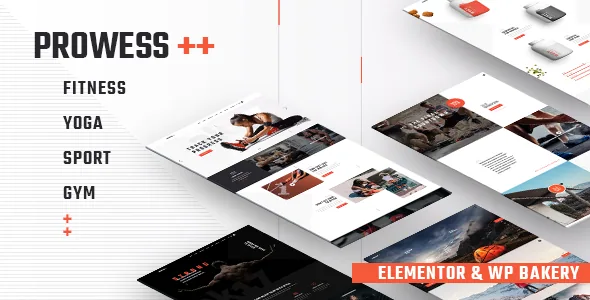
Page building centres on WPBakery: the vendor describes the WPBakery Page Builder plugin as included, with a stated $64 value, alongside Slider Revolution at a stated $85 and the Timetable plugin at $35. Those are the vendor's claims about the theme package, not a description of any particular archive you may end up with.
Elementor compatibility is listed too, and the changelog dates it. Version 2.0 in July 2021 added Elementor support together with Qi Addons for Elementor. That makes Elementor the newer of the two routes here and the one with the shorter shared history, which is worth knowing if you expect the demo layouts to carry over into an Elementor rebuild.
The marketplace compatibility attributes recorded on 4 November 2026 name Contact Form 7, Elementor, WPBakery Page Builder, WPML and WooCommerce 9.x.x and 10.x.x, with WordPress 6.5.x through 7.0.x. Those are vendor and marketplace declarations, not the result of running the theme against your own server and plugin set.
One vendor statement shapes any launch plan. The demo photographs are not covered by the theme licence: they appear for presentation only and must be licensed separately before you publish them. Importing demo content therefore gives you placeholders to replace, so budget for a photo set or build pages without the import.
Questions & answers
Can Prowess run without the Timetable plugin?
The theme installs without it, but the class schedule described in the vendor feature set comes from that plugin and its two event shortcodes. Without it you would build a schedule from ordinary content elements instead. Nothing in the vendor material says the theme refuses to run when the Timetable plugin is inactive.
Is the BMI calculator part of the theme or a separate plugin?
It is a separate plugin. The changelog versions the Prowess BMI Calculator independently of the theme, reaching 2.1 in the 2.4 theme release.
Do the Instagram and Twitter feed widgets still work?
The feature list still names both, but the changelog records the Twitter plugin removed in version 2.2 and the Instagram plugin removed in version 2.4, each citing API changes. Plan on replacing those feeds rather than relying on the listed widgets.


