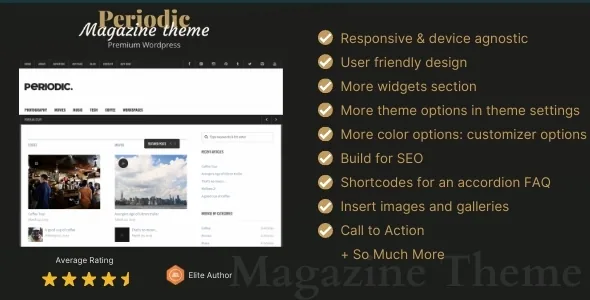
A magazine front page assembled from widget slots, not a canvas
The marketplace description of Periodic is unusually specific about where content goes: six widgetized areas named as the home sidebar, left sidebar, right sidebar and three footer regions, alongside three custom menus, eleven custom widgets and four page templates. That list is the theme's actual editing model. There is no page-builder canvas or demo-homepage library in the supplied material.
So the front page and the article pages are shaped by which modules you drop into which named region. A site whose editors already talk about "the home sidebar" and "the footer row" will slot into this without translation. If you expect to compose a homepage block by block, that gap is worth settling in the live preview before you build anything.
One dated detail from the vendor text: Periodic became fully responsive as of version 4.0. Older write-ups and screenshots may predate that, so judge the layout from the current demo rather than a description written before the release.
What eleven custom widgets give you that three sidebars do not
Three sidebar regions plus a footer row is a lot of slots to fill, and the widget count is what makes that workable. Only two of the eleven are named in the vendor text: a Flickr widget and an advertising widget. A set this size means the home sidebar, the two article sidebars and the footer can each carry a different module instead of repeating the same recent-posts list four times.
The advertising widget deserves first thought on a commercial magazine. Banner inventory usually needs a fixed slot, and having it as a widget lets the ad block move with the column arrangement instead of sitting in a hard-coded template region. The Flickr widget is the same idea at smaller scale, a self-contained photo strip you place wherever it fits.
When a widget's default output does not match the design, the Customizer and the theme options are the next lever. The vendor also ships a starter child theme with the parent, which is where CSS tweaks to widget markup belong if you want them to survive an update.
Video post formats, an HTML5 audio player and lightbox images
Media handling is treated as a publishing format rather than decoration. Video embeds work with any service that supports oEmbed, which the vendor names as Vimeo, YouTube and similar, so a pasted video URL renders as a player instead of a bare link. The vendor also describes surfacing your most recent Video Post Format post, playable, in a sidebar. That is a specific behaviour worth checking in the demo, because it depends on a widget reading your post formats.
Audio gets a dedicated treatment: a custom-designed HTML5 media player for streaming. For a magazine running podcasts or audio versions of articles, that removes the need to paste a third-party player embed into every post.
Images linked in your content are described as opening in a lightbox, which mainly affects galleries and in-article photography where a reader wants to enlarge a shot without leaving the page. One qualification from the marketplace attributes, observed on 4 November 2026: High Resolution is marked No. That describes the item listing rather than the images you upload, but it is a fair reason to test your own photography at full size in the preview instead of assuming a retina-grade result.
Logo, background and palette without touching a stylesheet
The Customizer section of the vendor description covers three jobs with real-time previews: uploading your own logo image, uploading your own background image, and setting a colour palette for the site. For a magazine that refreshes its masthead or seasonal look, that is a short settings change rather than a template edit.
The rest of the feature list is quiet but relevant to a news site. Drop-down menu support means a three-menu structure can carry sections and subsections without another plugin. Threaded comments with avatars give long comment threads a readable shape. Paginated archives keep a deep back catalogue browsable rather than loading everything at once. Social and contact icons come from a custom icon font the vendor counts at 18 glyphs, so the header or footer contact strip stays consistent instead of mixing icon styles.
Note a limit: the vendor describes no per-page layout overrides, so a campaign page that should break from the site's standard layout is not an evidenced option here. Confirm in the demo if you need one.
Translation files, the block editor, and the version ceiling
The theme includes .po and .mo files according to the vendor, which is what a translator needs to localise the theme's own strings: labels, navigation text, button wording. That covers theme text, not your articles, and it does not by itself make the site multilingual; it just removes one obstacle from that work.
The marketplace file list names PHP, CSS and JS, and the attributes separately mark Gutenberg Optimized as No. Read that narrowly: the vendor makes no claim about block patterns, block styles or layouts designed around the block editor. It does not mean the block editor is switched off, and it says nothing about how existing block content will render inside Periodic's templates. If your writers work in blocks today, build a post and an archive page in the demo before committing.
The declared software range runs from WordPress 6.0.x back to 5.2.x. The vendor's recorded update is December 2022, and the marketplace listing carries version 4.2. Those facts set expectations rather than a verdict: this is a classic PHP, CSS and JS theme whose declared ceiling is WordPress 6.0.x, so test it against the WordPress and PHP versions you actually run before making it the base of a new publication.
Questions & answers
Does Periodic use a page builder?
The supplied vendor description names no page builder and no demo-homepage library. Its customisation story is widgetized areas, custom widgets, theme options and the WordPress Customizer. If block-by-block visual composition is a requirement, check how the theme behaves in the live preview first.
Can readers watch video and listen to audio inside an article?
According to the vendor, video from any oEmbed-compatible service renders as an embed, and audio streams through a custom-designed HTML5 player. The vendor also describes a sidebar module showing your most recent Video Post Format post as a playable video, which is worth testing if you rely on post formats.
Which WordPress versions does Periodic declare support for?
The marketplace attributes, observed on 4 November 2026, list WordPress 6.0.x at the top of the declared range, going back to 5.2.x. The vendor's last recorded update is December 2022. Treat that as the seller's declaration rather than a record of testing on your stack, and verify against your own WordPress and PHP versions.


