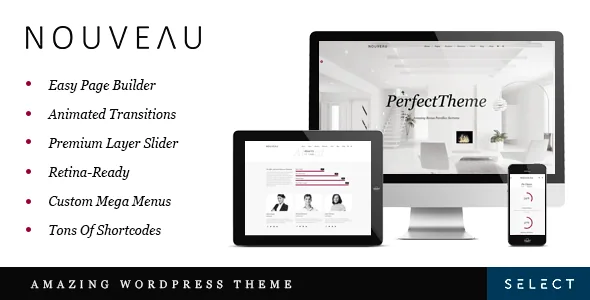
A left-menu example is the part of Nouveau worth choosing first
Select Themes ships Nouveau with two layout examples: one with the header across the top, one built around a left menu. That second example is the design decision the rest of the theme hangs on. A left rail changes how much horizontal room page content gets, how a logo reads, and whether a long navigation list can be scanned without a dropdown. The vendor's feature list supports it with a "Left Menu Version" and a "Side Menu" alongside "Unlimited Header Layouts" and a "Customizable Mega Menu".
If your menu is short and your pages are wide, the top header example is the simpler starting point. If you run a studio, gallery or shop with categories and campaign sections, the left rail is the version that stops every page from opening the same way. Custom sidebars are listed too, so a left-menu layout can host a widget column beside the main rail instead of leaving that space idle.
Title areas are configured separately from the header, under "Unlimited Title Area Layouts". An inner page can therefore carry a different visual weight from the home page without a second template.
Fixed, sticky, and a logo that swaps on scroll
The feature list separates three behaviours that are often sold as one. A fixed header stays in place while content scrolls under it; a sticky header appears or remains as you move down the page; and normal and sticky logo versions let a tall, detailed mark shrink to a compact one once the top of the page is behind you.
The sticky content menu is the quieter item and the more useful one on long pages. It keeps a menu visible while readers move through sections, which suits a lengthy services page or a documentation-style layout where anchors need to stay reachable. Paired with the expandable search field, the header becomes a working navigation surface rather than a decorative band.
Because these are separate settings, expect to test them together. A fixed header plus a swapped logo plus AJAX transitions is a combination worth checking at small viewport widths before launch.
AJAX page transitions change how much needs testing
AJAX page transitions load new pages without a full refresh, keeping the header in place as visitors move around. The vendor's release history shows this feature being tuned over time: version 1.5 improved page transitions to register page loading with Google Analytics, and version 2.0 fixed interaction bugs between page transitions and Yoast SEO.
That history is a fair warning. Anything that hooks into page load, counts page views, or expects a fresh DOM may behave differently when navigation stops being a page request. The 1.5 note about analytics registration suggests the vendor treated measurement as a real concern rather than a detail. If traffic reporting or third-party scripts matter to your site, treat transitions as a feature to verify on staging with your actual plugin set.
The visual layer around it is conventional but complete: a parallax image and video slider, parallax sections, video background sections, a carousel slider and interactive infographics. LayerSlider is named in the vendor's feature list as included, and the version 4.5 log shows it updated to 8.1.2, so sliders sit inside the packaged workflow.
Where your content lives: WPBakery rows and shortcodes
Page content is composed in WPBakery Page Builder, which the vendor lists as included with a stated $46 value. Around it sit 30+ custom shortcodes, 600+ Google Fonts, Font Awesome icons, custom post formats, multiple portfolio and blog list and single layouts, and a masonry blog layout. A one-click demo import fills those structures with sample content so you can see them before replacing anything.
The practical consequence is a split editing model. Page-level layout lives in WPBakery rows and the shortcodes inside them; fonts, colours and header behaviour live in the theme options panel the vendor calls a powerful admin interface. Neither view tells the whole story of a page's look, which matters if more than one person edits the site.
The marketplace records Gutenberg Optimized as "No", captured on 4 November 2026. Read that as a statement about the vendor's editing target rather than a block on WordPress itself. The theme's own layouts assume WPBakery, so block-based composition is not the supported route to the demo designs.
The performance change buried in the 4.0 release notes
Version 4.0 from March 2019 is more informative than its date suggests. It records a change from PHP-rendered dynamic styles to static CSS and JS files, specifically replacing style_dynamic.php, style_dynamic_responsive.php and default_dynamic.php. On a large site, that is a more consequential entry than any new option, because it moves style generation out of the request path.
The same release added the Nouveau Core plugin, escaped variables and text domains, renamed functions and templates with unique names, and removed custom_css.php and custom_js.php in favour of inline custom code. Later logs record PHP 8 improvements in 4.3 and 4.4, then improved PHP 8.3 compatibility in 4.5. None of that is a performance guarantee for your content, but it tells you the theme has had maintenance attention beyond visual additions.
Version 4.5, dated 13 February 2026, also updated WPBakery to 8.7.2, bumped Nouveau Core to 1.1, fixed a portfolio list column option that failed in some cases, and stopped the WooCommerce dropdown cart loading on the cart page itself.
Commerce, translation and the declared ranges
WooCommerce integration is listed, and the compatibility attributes captured on 4 November 2026 name WooCommerce 9.x.x and 10.x.x, WPBakery Page Builder and WPML, with WordPress versions from 6.3.x through 7.0.x. The 4.5 log adds WooCommerce 10.x compatibility alongside the PHP 8.3 work. Those are vendor and marketplace declarations, not results from an install against your server, plugin set or child theme.
WPML integration and translation-ready po/mo files are listed, and a child theme is explicitly supported, with the 4.0.1 log noting a child theme update. A listed integration does not imply that every demo requires that plugin, and a compatibility range does not promise that WooCommerce, WPML and a caching layer will behave together on your host.
Worth noting as context: version 3.1 in 2018 added compatibility with the Gutenberg plugin. The current marketplace attribute still reads "No" for Gutenberg Optimized, so the older note should not be read as a current block-editor workflow.
Demo images are licensed to the vendor, not to you
The vendor states plainly that the images in the demos are not covered by the theme licence. They appear for presentation only and must be licensed from a stock image site before you use them on your own site. Import the demo content and you get placeholder photography you cannot legally ship.
That shapes the practical plan. Either budget for a replacement image set before launch, or build your pages without the demo import and skip the swap. The second route is cheaper but slower, since the demo import is also how you see the portfolio and blog layouts populated.
The listed package contents are PHP, CSS and JS files. No design source is named, so you cannot rebuild the demo's layered artwork outside the browser. If your handover workflow assumes a layered mock, plan for that gap.
Questions & answers
Does Nouveau offer more than one header layout?
The vendor's feature list says "unlimited header layouts" and separately names a left-menu version and a side menu, and two layout examples ship — one with the header at the top, one with a left menu. The listing does not enumerate individual header styles beyond that.
Can I use the images shown in the Nouveau demos?
No. The vendor states that demo images are presentational only and must be licensed from a stock image site before you use them on your own site.
Is AJAX page transitions something I need to test before launch?
Yes. The release history records fixes for how transitions interact with Google Analytics registration and with Yoast SEO, so scripts that depend on a fresh page load are the ones to check on staging.


