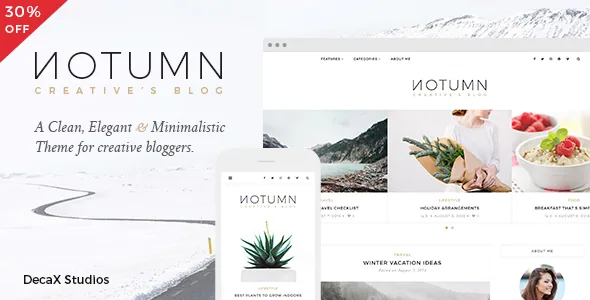
One archive, several post layouts
The feature that separates Notumn from a standard minimal blog theme is the "Layout Selector for every post". The vendor lists three post and page layouts alongside six home layouts and six archive layouts, and the selector is the mechanism that connects them: a post can be given a layout of its own instead of inheriting whatever the archive uses.
That matters on a site where the publishing is uneven. A photo essay wants a wide visual treatment, a text-heavy essay reads better in a narrow column, and a short link post can sit in a compact card. With a per-post switch you make that call per entry rather than per section, so one category can hold all three without a separate template.
The counts are the vendor's own inventory. Nothing in the listing describes how the layouts differ from each other visually, so the practical way to judge them is the demo, which the marketplace lists at decaxstudios.com/notumn.
Light and dark, plus the Customizer's colour layer
Notumn ships two theme styles, Lite and Dark. These are whole-site styles rather than a toggle the reader controls; the vendor does not describe a front-end switch, so treat the choice as a design decision you make once for everyone.
The rest of the visual control sits in the WordPress Customizer, which the vendor describes as live — you see changes before publishing them. Available settings named in the description are custom colours, custom CSS and a font choice from 700+ Google Fonts. Theme options include two page preloader styles, different header and footer logos, and a sticky navigation bar.
Because the Customizer is where these live, a child theme is less essential than it would be on a theme that expects template edits. Notumn includes one anyway, which matters if you plan to change markup rather than just colours and type.
Featured slider and the widget set
The homepage gets a Featured Posts Slider in two layouts. The vendor's own description adds a useful detail: the slider can pull either featured or popular posts. That distinction determines what appears on the front page over time — a hand-picked set stays where you put it, while a popularity-driven feed shifts as traffic moves.
Around the slider, Notumn adds five widgets the vendor built for it: Popular Posts, Latest Posts, About, Social Icons and a Banner. A three-column footer widget area gives you a second place to arrange them. Since the listing marks the theme widget ready, the standard WordPress widget workflow applies; the five custom ones are additions, not replacements.
The social side is bundled into that same area: a Facebook like box, an Instagram widget and a full-width Instagram gallery in the footer. These depend on Meta and Instagram's own services, so expect them to break or change independently of the theme.
Post formats, and where gallery posts go
Four post formats are listed: Standard, Gallery, Audio and Video. For a photography or travel blog the gallery format is the one that earns its place, because Notumn pairs it with a fullscreen lightbox the vendor calls Light Gallery, with slideshow, zoom and animation.
The changelog is worth reading here. Version 1.0.6 added Light Gallery support for Jetpack galleries, and version 1.1.1 — the most recent entry, dated 7 September 2020 — updated the Vafpress Post Formats UI plugin. That last detail tells you the post format interface is supplied by a bundled third-party plugin rather than by the theme alone, so the format controls you see in the editor come from that component.
The lightbox also belongs to the theme's efficiency story: the vendor says images are lazyloaded, and that responsive images were a recurring development thread, with processing improvements logged in 1.0.1, 1.0.2 and 1.0.5.
Where the listing's age shows
The marketplace attributes declare compatibility from WordPress 4.9.x through 5.9.x, and the changelog stops at September 2020. Both are vendor and marketplace statements rather than results of anyone running the theme on a current install.
That gap has concrete consequences for a new project. WordPress has changed substantially since 5.9, and a theme last maintained in 2020 has not declared support for any of it. WordPress 5.9 is also the release that introduced full site editing, so this is a classic Customizer-and-widgets theme rather than a block theme — which is fine if that is the workflow you want, and a mismatch if you are building around block templates.
One claim needs care. The vendor lists "100/100 User Experience – Google Insights". That is a vendor statement about a past audit, not a performance measurement you can rely on for your own site, your own images or your own plugins. The same applies to the SEO-ready and speed-optimised lines: they describe intent, not a test result.
What the package contains
The marketplace file list names PHP, CSS and JavaScript files plus PSD artwork. The vendor's note explains the PSDs: two generator files for building a logo and a profile picture. They are design source files for those two assets, not page templates.
The vendor also states plainly that none of the stock images used in the demo are included. You will need your own photography or licensed stock; the demo's look is not something you can reproduce from the package alone.
Elsewhere the theme declares WPML compatibility, meaning a translation-ready setup rather than supplied translations, and names MailPoet and Contact Form 7 as supported companions. It is Bootstrap-based, which is relevant mainly if a developer is extending the markup. On the buying question: the per-post layout selector is the one feature here you would miss in a generic blog theme, and it is the reason to look past the age — provided you accept a theme whose declared support ends at WordPress 5.9.x.
Questions & answers
Can I use different layouts on different posts in the same category?
The vendor lists a layout selector for every post along with three post and page layouts. That points to per-post assignment rather than a category-wide setting, so posts in one category can carry different layouts. The listing does not spell out each layout's appearance, so confirm the specific combinations you need in the demo.
Does Notumn work with the WordPress block editor?
The changelog for version 1.0.9 (January 2019) records that Gutenberg support was added, and version 1.1.0 added WordPress editor styles. The theme is nonetheless a Customizer-and-widgets theme from the pre-block-template era, not a block theme, and declared support stops at WordPress 5.9.x.
Are the demo images part of the theme?
No. The vendor states that all stock images used in the demos are not included. The PSD files in the package are generator files for a logo and a profile picture, not page designs.


