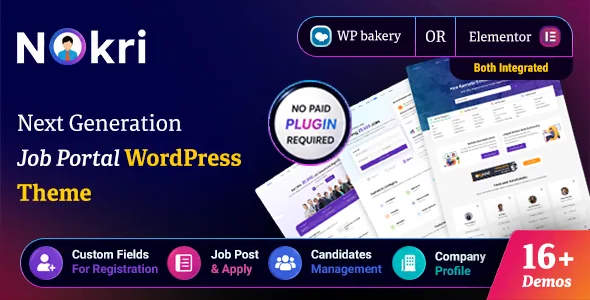
Two account types, two panels, one site
The vendor describes Nokri around separate panels for employers and candidates rather than one shared dashboard. That split drives much of the feature list: registration, profile fields, contact visibility and application records all depend on which account is acting.
The per-role controls are listed separately. There are custom fields for the registration form, the candidate profile and the employer profile, plus hide/show/required toggles for each role's default fields and their own custom labels and placeholders. So you decide what a candidate supplies before applying, and separately what an employer supplies before posting.
Two other settings sit on top of that division: candidate and employer profiles can be public or private, and the admin can hide or show contact details such as phone, email and the contact form. Together they set how much of the directory a signed-out visitor can read.
Where listings come from: employer posts and outside feeds
The feature list offers two supply routes. Jobs can be posted from the front end by employers or added by an admin, and a posting can point to an external link instead of taking an on-site application.
The second route is aggregation. The vendor lists integrations with Indeed, Jooble Jobs, CareerJet, Reed.co.uk, Adzuna, Muse Jobs and GitHub Jobs APIs, plus an Indeed jobs importer with filters and bulk import through WP All Import. Those feeds widen a catalogue without an employer registering, but they run outside your approval settings, so the moderation mode you pick for native postings does not describe what visitors see from a feed. The listing does not explain how imported and native jobs mix in search results, which is the sort of thing worth checking on the demo before you build a plan around aggregation.
Packages, approval and the listing lifecycle
The monetisation controls are where a board owner will spend most of their time in the admin. Free and paid packages are under admin control, alongside recurring payment, candidate packages that gate applying, featured profile packages for candidates, and paid email alerts. That last one turns the job alert widget into something you can charge for.
Moderation is a separate set of switches: automatic or manual job approval, job expiry with limits, and bump-up for pushing a listing back to the top. Featured jobs and featured candidates each get their own treatment, including a shortcode for featured candidates and colour options for the premium jobs section added in a later release.
One gap matters before you design pricing: the feature list names multi-currency front-end support but does not name the payment gateway behind these packages. Gateway configuration sits in the documentation rather than the sales copy.
What employers get to screen applicants
Alongside accepting a CV, the vendor lists CV scoring, video resume, job attachments and a questionnaire that can be switched on or off per job post. Version 1.5.8 of the changelog adds a cover letter to the candidate profile and a make-default option for choosing which CV applies, and 1.6.6 adds a portfolio gallery, working hours and a video section to candidate profiles.
The application itself is deliberately loose. Applying without login is supported, as is applying through WhatsApp and emailing a job using an email template, so a visitor can act before creating an account. Employers get an email notification when someone applies, and candidates can retract and reapply to a job.
There is scheduling context on the candidate side too: candidates can record available hours or working days, which suits shift-based hiring more than salaried roles.
Search filters, schema and ad inventory
Search covers the filters a job board normally needs: location, category, title, featured-only, radius from a location and nearby jobs. Custom fields set on job posts are searchable as well, and the vendor mentions SEO-friendly search page URLs. The jobs search page can show a map using Google Maps or OpenStreetMap.
The vendor also lists Google Job Schema compatibility. That claim deserves attention rather than a checklist tick, because structured data on job detail pages is what makes listings eligible for search surfaces that read jobs directly. The feature list describes support, not verified output, so check what your own job pages emit once the site is live.
On the revenue side, Google AdSense slots and targeted ad spots give a listings site somewhere to put inventory where traffic is the asset.
Editing surface and a changelog that names security fixes
Nokri is edited mainly through page builders. The marketplace attributes Elementor and Elementor Pro as compatible, and the vendor lists an Elementor header and footer. Gutenberg Optimized is marked Yes, and WPBakery appears in the feature list next to a Bootstrap 5 attribute. The changelog shows Elementor and WPBakery shortcode rendering both being corrected in 1.6.6, so both remain live surfaces.
The release notes are unusually specific about security for a commercial theme. Version 1.6.8, dated 4 September 2026, records a fix for an account verification flaw that could allow role changes through crafted verification links, hardening of phone/OTP verification and chat access controls, and restriction of chat user search to authenticated users. Version 1.6.7 strengthened access control over resumes, applicant details and portfolio images. If you hold real candidate data, run the most recent release the vendor publishes.
The vendor also excludes support for adult or dating sites. Marketplace attributes observed on 4 November 2026 declare WordPress 5.6.x to 7.0.x and WooCommerce 7.x to 9.x. Those are vendor and marketplace declarations, not the result of running the theme against your PHP version or plugin stack.
Questions & answers
Can a visitor apply for a job without creating a candidate account?
Yes. Applying without login is listed among the theme's features, along with applying through WhatsApp. Whether that route is switched on by default, and what the employer receives in place of an account record, is not described in the listing.
How many jobs can one employer post?
The feature list does not state a default limit. It lists free and paid packages under admin control, job expiry limits and recurring payment, so posting volume is something you configure through packages rather than a fixed number the theme imposes.
Which payment gateway processes paid job packages and recurring payments?
The feature list names free and paid packages, recurring payment and multi-currency front-end support but does not name the gateway. Check the vendor documentation for the supported payment integration before you design pricing.