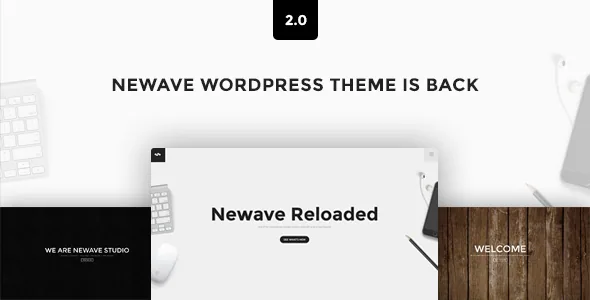
Five opening screens, one scroll
Newave's vendor description treats the first screen of a one-page site as a choice list, not a fixed hero. Five home section versions are named: a background pattern with a text slider, a fullscreen slider with animated captions, a parallax slider with animated captions, a parallax image alongside a text slider, and a background video with a text slider.
Three of the five rotate a slider; two pair a still pattern or image with rotating text. The animated captions belong to the two slider variants that carry them, so a page built on the parallax image version moves differently from one built on the fullscreen slider.
Read the list as a content decision. A short set of strong photographs suits the fullscreen slider. If the wording does more work than the imagery, the pattern-plus-text version keeps the focus there. The video hero is the heaviest option, and the changelog ties that feature to a YouTube embed: version 2.7 updated the MB YTPlayer library and 2.9.1 stripped deprecated jQuery calls out of the same file. The vendor does not describe self-hosted video.
One thing the description leaves open is whether the five types can be mixed across a page or whether one is selected for the whole site. Check that on a staging install before planning section-by-section.
Two project behaviours behind the same portfolio grid
The portfolio is the second place Newave asks for a choice rather than a colour value. The vendor lists a Project Ajax Normal Expander that opens with a slider and HTML content and accepts media such as YouTube and Vimeo, and a Project Ajax FullScreen Expander that opens a fullscreen slider with slide captions.
The split follows two kinds of project. The normal expander carries HTML, so a project can hold a written description beside the images and an embedded video. The fullscreen expander is described by the vendor as suited to photography, and the absence of an HTML field in that description reads as a captioned image sequence rather than a case study page.
Both sit inside an Isotope portfolio the vendor calls fullwidth with four columns and says never breaks rows. Treat that as a design claim to test against your own item counts and narrow viewports, since a four-column grid at desktop width has to behave differently on a phone and the description does not say how.
The changelog shows where this area has needed repair: 2.1 fixed a portfolio item slide hover effect, 2.9.3 fixed fullscreen project slider navigation, and the much earlier 1.2 added a separate pop-up gallery per project. Another entry, 2.4, fixed inline expander scrolling. Those are past fixes rather than a statement about current behaviour, but they point to the parts that carry the most load.
Backgrounds, headers and where the settings sit
Each section can take its own background — a colour, an image or a pattern — and the theme ships five colour skins that the vendor says can be adjusted or replaced in the admin theme options. On a single long scroll, that per-section ground is what keeps the layout from reading as one uniform stretch.
Four header versions are listed, each described as customisable, and navigation styles belong to the same styling set. The listing declares four or more columns, widget-ready sidebars and high-resolution assets.
The editing surface is worth knowing before you buy. Marketplace attributes name WPBakery Page Builder as the compatible builder, and the changelog records WPBakery being updated alongside releases from 2.0 through 2.9.5. Gutenberg Optimized is marked No, which describes where the vendor concentrated its shortcode and module work rather than ruling out the block editor. Icons come through a Font Awesome integration the vendor says provides 240+ icons usable by shortcode with adjustable size, colour and type.
How old the declarations are
The listing declares WordPress compatibility from 5.7.x through 6.2.x, with PHP 8.0 support fixed in 2.9.4 (25 October 2022). The most recent changelog entry the vendor published is 2.9.5, dated 28 June 2023, and its three items are maintenance: a fix for the theme options Save All Changes button, a fix for slide editing in theme options, and an updated WPBakery bundle.
The pattern before it was similar. Version 2.9.2 replaced the jquery.easing library to match the jQuery version WordPress ships, 2.9.1 removed deprecated jQuery calls, and 2.8 fixed HTTPS handling in the Vimeo and YouTube shortcodes. Nothing in that record suggests abandonment, and nothing in it reaches past mid-2023 either.
What that means in practice: the WordPress versions and browser list are listing declarations, not a record of testing against whatever you run. The browser field still names IE10 and IE11, which dates the feature set more than it describes anything you should support. If your site is on a later WordPress release, plan to confirm the theme on a staging copy rather than assuming the declaration covers you.
Where the maintenance record matters for a one-page site
Newave's risk profile is different from a brochure site's because so much of the page depends on continuous JavaScript. Parallax is built with JavaScript by the vendor's own account, several home sections are sliders, and the video hero relies on an embed player. Every one of those is a moving part that a WordPress jQuery update can disturb — which is exactly the kind of problem versions 2.6, 2.9.1 and 2.9.2 were written to solve.
So test weight first. A fullscreen slider, a parallax slider and a video hero are all image-heavy experiences, and the description does not offer guidance on how many a visitor should meet before the first line of body copy. That pacing decision is yours.
Then test the project behaviour against your content. Written case studies need the normal expander's HTML field; image-led work fits the fullscreen captioned version, where you write captions instead of paragraphs.
The rest of the listing fills in the support picture: the theme is marked well documented, the vendor runs a help desk for tickets, and the package file list names PHP, CSS and JS files. ClaPat has kept the theme patched, but the last patch is a few years behind the current WordPress release, so a build that leans on the classic editor and WPBakery is a more comfortable fit than one expecting block-based editing to carry the page.
Questions & answers
Is the background video hero self-hosted?
The vendor describes background video support, and the changelog records updates to the MB YTPlayer library, which is a YouTube player. Plan on a YouTube-hosted video for that home section rather than a file uploaded to the media library.
Can I use the block editor with Newave?
Gutenberg Optimized is marked No and WPBakery Page Builder is the declared compatible builder. That marking describes where the vendor focused its editing tools; it does not state that the block editor is unavailable. If block-based editing is central to your workflow, confirm on a staging install first.
Do the four-column portfolio rows really never break?
The vendor states the fullwidth four-column Isotope portfolio never breaks rows and calls that a guarantee. Treat it as a design claim to verify against your item counts and screen widths rather than a tested result.