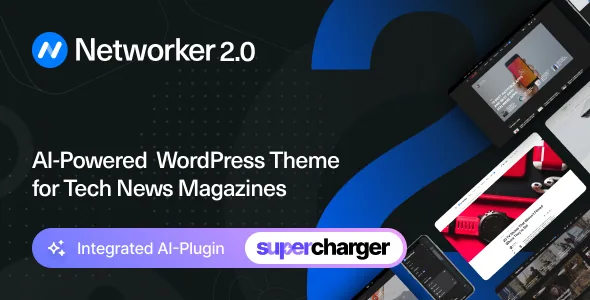
Two features the vendor leads with, and what they actually change
Networker's description spends its first pages on two things. The Demo Switcher applies one of six demos "any time without affecting your content", and the vendor is explicit that doing so does not leave you with duplicate copies of demo posts and pages. Dark Mode activates from the browser's preferred settings or from a manual toggle.
Read the switcher claim narrowly. It says appearance changes while your posts stay in place; it does not promise that custom template edits, customizer work or hand-built page layouts survive a swap. Read the dark mode claim the same way: the vendor describes two activation paths but says nothing about whether a visitor's manual choice is remembered on a later visit.
Those two gaps are the things to look at on the live demo rather than assume. What follows is the part of the description that is more concrete — how the archive, menu and author systems behave.
Featured posts can be excluded from the archive with one click
A homepage usually pins a few featured posts at the top and then lists the category underneath, so the same article appears twice on one page. The vendor's answer is a single-click option that excludes featured posts from the main archive. That is a content rule rather than a style setting, and it saves you maintaining an offset that breaks every time you publish.
Around it sit the layout choices. Homepage and archive pages can use grid, list or full post layouts, and page layout is a separate decision: sidebar left, sidebar right or full width. Because the two are independent, a grid homepage can sit beside a list-style category archive, and the description also offers three header types for posts and pages, including a featured-image overlay.
Pagination comes in three forms — numbered pages, a Load More button and infinite load — and the vendor says the dynamic modes fetch posts through the WordPress REST API.
The mega menu requests post thumbnails only on hover
The menu dropdown can show recent posts with thumbnails, and the vendor addresses the obvious cost directly: content is requested dynamically, only when someone hovers the parent item. That avoids firing a batch of post queries on every page view, though it also means the dropdown depends on that request finishing.
The description adds unlimited menu depth, a dropdown that flips to the opposite side when the viewport runs out of room, and touch support. On phones, a slide-out menu opens from the hamburger icon and takes widgets — social links, a subscription form, a Facebook page box, or anything else a sidebar would hold. Sticky navigation has three settings: show the bar only when scrolling up, keep it sticky always, or switch the behaviour off.
Additional Content is the other structural feature. The vendor lets you insert content into different template parts — its own examples are an ad under the header, an intro before the featured posts, and a subscribe form below post content — without editing template files or building a child theme. Treat it as a set of named slots the theme provides, not a free-form layout tool; the description does not list how many slots exist.
Co-authors, ad positions and a sticky sidebar you can stop
A publication usually has more bylines than user accounts. Co-Authors Plus support lets a post carry several authors and credit guest writers without creating accounts for them, and the vendor says every author type — contributors and guests included — can have a bio and social links.
Monetisation runs through the Customizer, which the vendor says holds all theme options with live preview. Ad and banner spots are predefined template positions with AdSense support, so a snippet goes into a slot rather than into template code. Post views (synchronised with Google Analytics according to the vendor) and an automatically calculated reading time are listed among the post meta.
The sticky sidebar offers two behaviours: widgets stick to the bottom edge of the sidebar, or the last widget sticks to the top edge. The second exists for ads — the sidebar scrolls normally and your final ad widget stays in view. The vendor says it uses native browser sticky positioning and works on tablets and phones.
Powerkit supplies the blog components
Share buttons, social links with counters, author and about widgets, newsletter opt-in forms, a slider, tiled galleries, a lightbox and lazy image loading come from Powerkit, Code Supply Co.'s own plugin rather than from the theme itself. The vendor describes it as modular, so individual modules can be switched off instead of accepting the whole set.
Share buttons can be placed before the post, after it, or in a floating post sidebar, with share counts for some networks and the order of buttons under your control. Because Powerkit is a separate component, plan for it as one: it has its own behaviour and its own update path, and the description does not say which modules the theme expects to be active.
The same description lists built-in RTL support for right-to-left languages and .pot translation files for use with POEdit or Loco Translate, with WPML and Polylang named as supported multilingual plugins.
Declared compatibility is a claim to check, not a test result
The marketplace attributes observed on 4 November 2026 mark Gutenberg Optimized as Yes and list the block editor, Contact Form 7 and WPML under compatible with, with declared WordPress support spanning 6.6.x to 7.0.x. Browsers listed are Chrome, Firefox, Safari and Edge. Separately, the description says AMP styles are included for use with the official AMP plugin, and that theme options sit in the native Customizer.
None of that is a test result. Confirm your WordPress version falls inside the stated range, and if your team writes in the block editor, judge the editing experience on a staging copy rather than from the Gutenberg Optimized label — that attribute says the vendor describes the theme as tuned for the editor, and nothing beyond it.
Questions & answers
Does switching demos remove posts I have already published?
The vendor says a new demo can be applied without affecting your content and without creating duplicate copies of demo posts and pages. The description does not say how hand-built page layouts or template edits behave through a switch, so try it on a copy of the site first.
Is dark mode automatic, or does the reader choose?
Both paths are described: automatic activation from the browser's preferred settings, and a manual toggle on the site. The description does not say whether a manual choice is remembered between visits.
Can several people be credited on one article?
Yes. Co-Authors Plus support lets a post carry multiple authors and credit guest writers without separate user accounts, and the vendor says each author type can have a bio and social links.


