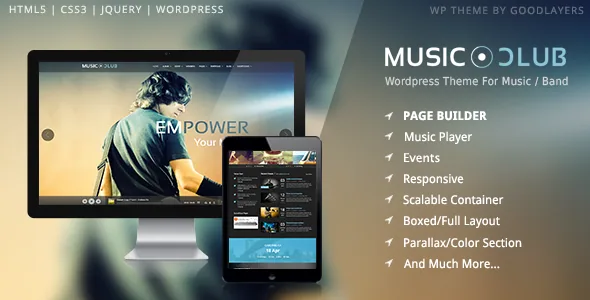
An album is the play button, not a page
Most music themes give you an audio player and leave the queue to the visitor. GoodLayers describes Music Club the other way round: clicking the play button on an album fetches all of that album's songs into the floating player at the bottom of the page. Nobody picks a track until the album has run its course.
That single behaviour decides how you build the site. Albums stop being cover-art galleries and become the unit of playback, which means each one needs its track list entered in order before it is worth publishing. Get that right and a visitor lands on a discography, presses one button and hears the record. If you release loose singles with no album around them, you would be maintaining an extra content type for very little.
A player that stays put while people browse
The bottom-anchored player is described as being outside the page content, so it continues while someone reads an event entry or a post. For a label or a club site that is the difference between background audio and a player that restarts every time the page changes. The vendor gives no technical detail beyond that, so treat continuity as the design intent rather than a guarantee on every device.
The same tracks can also appear in a traditional boxed player inside a page layout, for a press page or an album detail view where the music belongs next to the description rather than in the persistent bar.
Three buttons on every song
Each song carries a download button plus Apple and Amazon purchase buttons, per the vendor's feature list. For a band that is a compact way to run promotion and sales side by side: a free MP3 for the track you want people to share, then store links on the ones that are for sale.
These are values you attach to each song, not an integration that queries a storefront. Nothing in the description suggests the buttons pull pricing or stock; a large catalogue means real data-entry work, and the links will need maintaining whenever a release moves.
Events where the ticket state is visible in the listing
Music Club ships a dedicated event post type with a ticket button that the vendor describes as carrying five ticket statuses. That is what makes a date list useful at a glance: a visitor can tell whether a show is on sale, sold out or still unannounced without opening the entry.
Three event list styles are listed, including a month-based view for the listing itself. The ticket button is a status display, and the description makes no claim about checkout, seat allocation or a booking engine behind it. If you sell through an outside box office, the button is the handoff; if you sell through WooCommerce on the same site, that is a separate piece of work.
Album layouts: dense grid or carousel
Albums come in two list styles plus a carousel variant, and the marketplace attributes record a design built for four or more columns. The difference matters less aesthetically than you might expect, because both read from the same album entries.
A static multi-column wall of covers suits a discography page where someone is hunting for one release. The carousel suits a homepage where the next show is the headline and the records are a secondary row people swipe through. Either way you are changing presentation, not duplicating content.
The builder's shortcut button and the landing page template
The theme includes a page builder, and the useful part for planning is the setting shortcut: one click applies a named configuration — Homepage 1 through 7, About Us 1 and 2, Service, Contact Us 1 and 2. It gets you past the empty canvas with a section order someone already decided, which you then refill with your own media and copy. If a preset's structure fights your ideas, building manually is the alternative.
The Landing Page Template addresses something a band site actually needs: it can disable the header, the footer or both. A ticket push, a pre-save announcement or a mailing-list signup can then stand alone without navigation pulling people elsewhere. The vendor also documents a GoodLayers importer with a walkthrough video for reproducing the demo.
Parallax sections with their own colour skin
Parallax and colour sections accept background images, with the vendor listing adjustable parallax speed or a fixed background. The feature worth noting is the per-section skin: you build a skin in the admin panel and assign it to a parallax section, so text and link colours change over that section only.
That handles the usual problem of a dark hero image followed by a pale content block without restyling the page. It sits alongside the vendor's unlimited colour options, described as reaching almost every colour element in the theme.
Settings that apply to the whole site
Sidebar width is an admin setting with five values — 16%, 25%, 33%, 41% and 50% — with 25% and 33% also available when you run two sidebars. Container width takes any pixel value, so the site can be wide or narrow without a stylesheet edit.
Layout can be boxed or full width. The vendor also lists floating navigation, a built-in mega menu that removes the need for a separate menu plugin, post formats, unlimited sidebars, a font uploader alongside Google Fonts, Font Awesome icons, four blog styles and four portfolio styles. Those last items are what carry the non-music side of a band site: tour diaries, press clippings, photo sets.
Declarations, and what the package does not contain
Marketplace attributes recorded on 4 November 2026 declare compatibility with WooCommerce 6.x through 10.x, WPML, WordPress 6.1.x through 7.0.x, and Firefox, Safari, Chrome, Edge and IE11, with a responsive, widget-ready, high-resolution package of PHP, CSS and JavaScript files. Those are vendor and marketplace declarations. They are not a record of the theme running against your plugin stack, PHP version or host.
One caveat comes from the vendor's own text and affects the look of the site immediately: preview images are not included in the theme package, and the demo music is credited to separate AudioJungle items. Your own artwork, photography and audio are required before the theme resembles anything you will have seen on the demo.
What the album model costs you
Music Club is built for a site whose content is listening and dates: a band or label with records to queue, shows to announce and downloadable tracks. The floating player paired with the album type is the core of that, and the five ticket statuses cover the question fans ask most about a gig.
The ongoing work is the same work that makes the theme useful: ordered track lists, working download and store links per song, and a media library you have rights to. If your site is mostly written features with the occasional release, the event and album machinery still functions, but you are paying the setup cost of two content types for modest returns.
Questions & answers
Does playback continue when a visitor moves to another page?
GoodLayers describes the player as fixed at the bottom of the page and separate from page content, which is the arrangement that allows playback to continue while someone browses. The vendor does not explain the mechanism, so treat it as the intended behaviour rather than a guarantee on every browser.
What happens when someone presses play on an album?
According to the vendor, all songs in that album are fetched into the floating player automatically. You need each album's track list entered in order for that to work as described.
Do the ticket buttons process payments?
The description covers an event post type, a ticket button with five ticket statuses and three event list styles. Nothing in it describes a ticketing engine, checkout or seat management inside the theme, so expect a status display and a link.
Are the demo photographs and songs in the package?
No. The vendor states that preview images are not included in the theme package, and the demo tracks are credited to individual AudioJungle items. You will need licensed artwork and audio of your own.