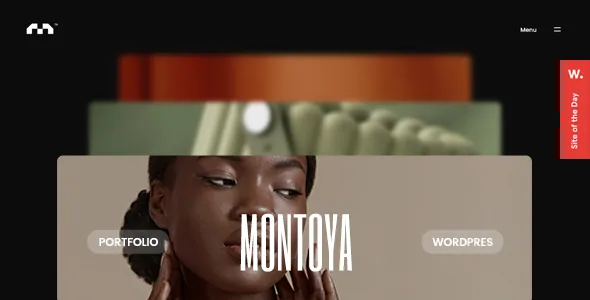
One gallery component, three ways to place it
Version 1.3 of Montoya's changelog records one feature added three times: the Portfolio Parallax Gallery arrived as a theme shortcode, a Gutenberg block and an Elementor widget in the same release. The package files back that up — the theme carriers separate bundles for the core plugin, the Elementor blocks and the Gutenberg blocks.
Which route you take changes what you maintain, not what you see. Building the gallery with the Elementor widget relies on the theme's Elementor blocks package; the same gallery through the shortcode relies on the core plugin. If a site already runs Elementor, the widget keeps that work in a familiar panel. If editors write in the block editor, the block route avoids dropping shortcodes into post content. The vendor lists Elementor and Elementor Pro under compatible-with and marks the theme Gutenberg Optimized, so both are declared surfaces rather than something tolerated.
The older route still exists alongside them: the description names a graphically intuitive shortcode generator with a set of custom shortcodes and per-element options, and it remains the only way to reach theme elements that never got a block or widget equivalent.
The showcase decides how visitors move through your work
The vendor names three showcase slider types: a Showcase Carousel Slider, a Showcase Portfolio Grid and a Showcase Gallery Slider. They are three arrangements of the same project material, and the difference shows in how a visitor gets from one piece to the next.
A carousel presents a curated run in an order you set. A grid is a surface to scan, which suits a studio with a long project list. A gallery slider puts scale and sequence first, so it favours photography and image-led work over thumbnails. Showcase and Portfolio each get their own option group in the theme panel, so you configure the arrangement once rather than rebuilding it per page.
The changelog shows these arrangements sharing animation code with the shop. Version 2.1 fixed a curtain-effect overlap affecting both product pages and the portfolio grid, and version 1.1 fixed the showcase gallery when Ajax and the grid preview were both disabled — a reminder that turning transitions off is a configuration the theme has had to support explicitly.
Ajax transitions, and the class you style against
The vendor's headline is "super-fast Ajax page load and page transition features," described as silky smooth. Whatever the speed claim is worth, the transitions change a practical detail: with Ajax enabled, the body element's classes are not a reliable way to target a single page.
Version 1.4 addressed exactly that by outputting each post's unique id as clapat-class-id-NNNN on the #clapat-page-content div, described in the changelog as useful when customising a specific page or portfolio item while Ajax transitions are on. If you plan per-project layout tweaks, that is the selector your CSS should hang on.
The same release fixed the parallax effect when used through Elementor, and version 1.2 fixed a hero video that would not autoplay when the logo link was pressed and portfolio links that sometimes failed to trigger. Those are the kinds of faults interaction-heavy themes produce, and the record shows them being worked through across releases rather than in one pass.
Dark and light schemes, and motion you can turn down
Montoya's dark and light colour options cover background and text colours, which is the practical pair for a portfolio that alternates between near-black and near-white pages. The changelog shows the schemes interacting with the animated components: version 1.5 fixed the parallax gallery inverting the header colour on light-background pages.
Motion has its own switches too. Version 1.2 added an option to enable or disable the hero title flip effect when a hero image is set, which lets a client keep the page transitions while losing the flourish on the hero. The theme panel gathers these controls under header, footer, showcase, portfolio, blog, styling, typography, contact map and error page groups, with import and export for settings — enough to move a configuration between a staging site and the live one.
Retina readiness is declared throughout, and the description counts 550+ retina-ready icons. That matters most on the gallery route, where high-resolution images do the persuading.
The shop is a later addition, and the changelog says so
WooCommerce support is listed as a new feature in version 2.0, dated 3 December 2024, roughly seven months after the initial release. Two more releases touched it: version 2.1 fixed info text on shop pages and a curtain-effect overlap on product pages, and version 2.2 enabled a WooCommerce sidebar in product archives.
So a shop built on Montoya is plausible for selling prints or editions next to the portfolio, and the product pages share the theme's transition behaviour. It is not a commerce-first design, and the supplied description names no WooCommerce version. If selling is the main purpose of the site, a theme built around the shop is the better starting point.
One label deserves a note: the marketplace marks Widget Ready as No. That does not mean widgets are unusable — version 2.2 added a WooCommerce sidebar to product archives. Read it as a statement that sidebars and widget areas are not how this theme arranges its pages.
What the package holds, and which images are not in it
The ThemeForest file list names PHP, CSS and JS files. The vendor's feature list adds demo content as XML, translation-ready .po and .mo files, and child theme readiness. The child theme is the one to plan around: overrides to parallax behaviour and header colour on light pages are likely CSS work, and keeping them out of the parent theme means they survive updates.
Two points from the description itself. Demo images come from Unsplash and are for demonstration only — they are not in the package, so budget for your own photography or licensing. And the older body copy still says "WordPress 5.1.x + Ready" while the marketplace compatibility attributes list WordPress 6.5.x through 7.0.x; the newer attribute list is the range to plan against, observed on 4 November 2026. WPML compatibility is declared and a wpml-config.xml file appears in changelog file lists.
Montoya suits a studio, photographer or illustrator whose site is a run of project pages worth animating, and who is comfortable choosing between the theme's own shortcodes, Elementor and Gutenberg blocks. It is a weaker match when sidebars need to carry layout across the site, or when a shop has to be the centre of it.
Questions & answers
Can I style a single page differently while Ajax transitions are on?
Yes. Version 1.4 outputs a unique post id as clapat-class-id-NNNN on the #clapat-page-content div, added specifically because body classes are unreliable with Ajax transitions enabled. Target that class for page-level styling.
Do I need Elementor to build a Montoya portfolio?
No. The Portfolio Parallax Gallery ships as a theme shortcode, a Gutenberg block and an Elementor widget, each in its own bundle. Elementor is one supported route, and the block editor is another.
Are the demo photographs part of the package?
No. The vendor states the demo images come from Unsplash and are used for demonstration only; they are not included. Demo content itself ships as XML.