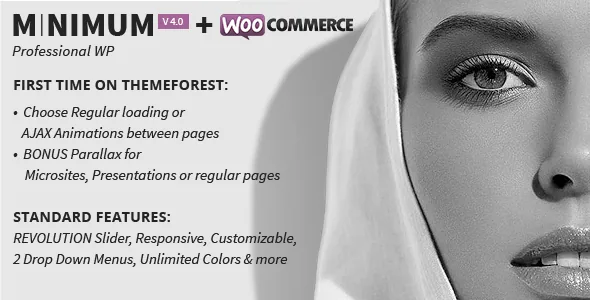
AJAX transitions you can disable globally or page by page
QODE describes MINIMUM for business or interactive creative use, and the setting that decides how the site feels is the transition layer. The vendor lists three fluid AJAX animations between pages, a global on/off control, and the option to pick an animation type for an individual page or post.
That last part is the useful bit. You can keep transitions across a portfolio and let a checkout or contact flow load as a normal page, without rebuilding templates. Turning AJAX off entirely gives you standard page loads, which matters if your project depends on third-party scripts that assume a fresh document. The changelog backs up the analytics angle: version 2.5 records improved page transitions so loading registers with Google Analytics, and version 2.9 fixed transitions on WooCommerce pages. Those entries describe past fixes, not a guarantee for your setup. Responsiveness is listed as a toggle in the same options panel.
Parallax as page sections, with the portfolio case named
The vendor calls parallax a bonus feature and describes it in terms of sections: unlimited parallax sections added to any page while editing, with a parallax speed control in the options.
The one concrete combination in the feature list is a parallax portfolio page built on Portfolio Style 4. That is more reliable to plan around than parallax as a generic effect, because it names both the layout and the single-project style it pairs with. Elsewhere, parallax means stacking backgrounds behind content you assemble from shortcodes. The parallax shortcode is in the same list as accordion, tabs, pricing table and progress bars, so it is a block you place rather than a page-wide mode.
Four built-in slider types, plus Revolution Slider in the package
Sliders here are layered. The vendor names two big sliders with customisable text position, colour, size and font, and two small carousels showing three or four images in a row. You add unlimited sliders and slides while editing a page, post or portfolio item, so nothing is capped by fixed slots in a template.
Timing is exposed rather than baked in: auto transitions on or off, transition effect set to fade or slide, and separate speed and timeout values. The vendor also states that the responsive Slider Revolution plugin is included, and the changelog shows it updated repeatedly, including to 6.7.18 in the September 2024 release. That is a vendor bundle claim about the product; check what your own copy contains rather than assuming a plugin version or licence arrangement.
The division of labour is straightforward. The built-in types handle banners and image rows with simple timing. Revolution Slider brings its own editing interface and is the route to layered animation sequences.
Portfolio and blog layouts are fixed combinations, not a builder
Portfolio settings read as a group of switches applied to a listing. Lists run two, three or four columns; single projects run Style 1 through Style 5. You can list every project or only those from a chosen category, turn the category filter on or off, include sub-categories in the filter, set how many projects appear, or restrict the list to selected projects. Each project takes unlimited images and supports YouTube or Vimeo video.
Blog layouts are counted as combinations: five list variations multiplied by four sidebar widths (a quarter or a third, left or right), which the vendor totals at 20. On a single post you can hide the featured image, substitute a slider for it, hide comments, and set pagination off or pick one of two styles. A latest-posts shortcode displays three, six or nine entries in two variants.
None of this is drag-and-drop. Layout choice happens through these options, and page content through modular shortcodes, so plan your editing workflow around configuration and shortcode placement.
The options panel: header, per-element type, footer and a modular contact page
A single options area holds the site-wide settings. Logo position is top, a pixel offset from the left, or centred, and header height is a field. The main menu comes in two styles, drop-down and push-down, both with a mouse-over animation the vendor describes as following the cursor.
Typography is granular: H1 to H6, body text, links, the page title, every menu level, slider titles and text, and portfolio titles each get colour, family, size, line height, style and weight. The vendor lists 500+ Google fonts, and version 4.3 in the changelog added an option to disable Google Fonts entirely — worth knowing if font loading from Google is a constraint on your project.
Footer controls are switches: a widget area on or off, an optional footer widget slider, and a setting to hide the footer logo. The contact page is assembled from three parts — Google map, contact form and regular content — with individual toggles for the form, the map and CAPTCHA.
Compatibility declarations and the demo image caveat
The most recent vendor update recorded in the changelog is version 4.4, dated 11 September 2024, which adds WordPress 6.6 and WooCommerce 9.2.3 compatibility and updates Revolution Slider. Earlier entries record PHP 8.2 compatibility and the Google Fonts toggle in version 4.3.
Separately, the marketplace attributes observed on 4 November 2026 declare WordPress 6.0.x through 6.9.x and WooCommerce 8.x.x and 9.x.x, with responsive layout, widget-ready and high-resolution flags, and PHP, CSS and JS files in the package. Those are vendor and marketplace declarations, not the result of running the theme against a particular WordPress, PHP or plugin combination. The browser list, which begins at Internet Explorer 8, says more about when the theme was built than about what to target now.
One vendor note is practical rather than technical: the photographs in the demos are presentational, and the vendor states it holds no copyright for them, so you need your own imagery or a stock licence.
Questions & answers
Can I turn AJAX page transitions off for part of the site?
According to the vendor, yes. There is a global setting covering the three animations and an off switch, and individual pages and posts can carry their own animation choice, so a creative section can keep transitions while standard page loads elsewhere stay conventional.
Does MINIMUM include Slider Revolution?
The vendor states that the responsive Slider Revolution plugin is included as part of the theme package. Treat that as a bundle claim and check what your own copy actually contains before relying on a specific plugin version or licence arrangement.
How does MINIMUM handle page building?
The vendor describes modular shortcodes and a theme options panel rather than a visual builder: layouts come from options such as blog list variations, sidebar widths and single-project styles, and content is composed by placing shortcodes on a page.
Can I use the demo photographs on my own site?
No. The vendor says the demo images are for presentation only and that it does not own their copyright, so you need your own photography or a stock licence.


