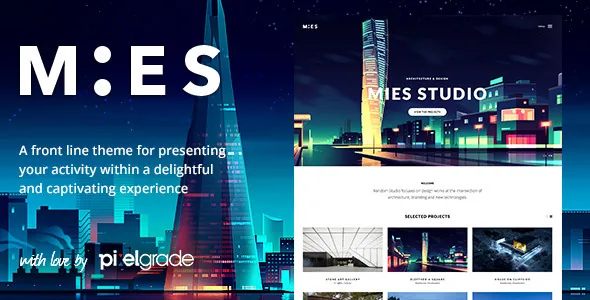
One project, three ways to tell it
The most useful sentence in the vendor's description is a choice rather than a feature. Pixelgrade says you can use a simple image-based layout with full-width photographs of your work, mix text sections in between those images, or go for what it calls a full narrative experience (a case study).
That is a decision about effort per project, not just appearance. An image-led page is a gallery with a title. A mixed page lets you break a long photo sequence with a paragraph about materials or site constraints. A case study asks you to write, and it assumes the page will be read top to bottom rather than skimmed.
Because the theme supports all three, an architecture studio with a mix of small commissions and two flagship buildings does not need two sites. The cost is that the discipline has to come from you: nothing in the theme decides which projects deserve the long treatment, and a site where every project is a case study will read as slowly as one where none is.
Project data you enter once, filters that follow
MIES ships its own PixFields plugin, which the vendor ties to the theme's advanced filtering system. The workflow the description describes is short: you define the project's information, and the theme handles the rest, with multiple filtering details and interactive filtering on the front end.
What that means in practice is a data model behind the portfolio grid. Instead of arranging a filter menu by hand each time the catalogue grows, you fill in fields per project, and the archive offers visitors ways to narrow the list. For an architect, those fields are exactly the attributes clients use to search: building type, location, year, programme.
The vendor does not document the field list or the number of filters in the description, so how granular the system can get is something to check against the eight demos rather than assume from the copy.
The scroll and the mobile menu
Parallax is central to the vendor's pitch: full-screen background images and video, and animations the description says are built to reach 60fps in the browser. Treat the frame rate as a vendor claim, not a measurement; it depends on the media you load and the device your visitor uses.
The theme also lists ultra smooth scrolling, which is a real editorial decision rather than a technical flourish. Scroll-jacked pages suit image-led portfolios, where the visitor is travelling through photographs. They suit reference sites less well, because someone hunting a phone number has to work through the animation first.
On phones the vendor describes an off-canvas multi-level push menu, so nested navigation opens in a sliding panel rather than a compressed dropdown. That matters on a portfolio with several levels of project categories.
Where the design is actually edited
Two editing surfaces do different jobs. Fonts, colours, layout sizes and your logo are set in the WordPress Live Customizer, with a preview before saving, and the vendor points to more than 600 Google Fonts for typography. Those are site-wide settings, so a change there reaches every template.
Individual page content is built from shortcodes delivered by the bundled PixCodes plugin inside the WordPress editor: columns, rows, sliders, icons, buttons, separators and meta fields. The vendor also ships a one-click demo import that creates projects, pages, blog posts, menus and widgets, though the description notes that demo images are swapped for placeholders on import.
The marketplace records Gutenberg Optimized as No. Read that as a statement about where the theme's layout tools live, not as a declaration that the block editor is switched off. If your editors expect to compose pages with blocks, this is a different working pattern, and it is worth testing a single project page before committing the team to it.
The vintage question you have to price in
The vendor's stored compatibility list names WordPress 5.9.x, 5.8.x and 5.7.x, and WooCommerce 6.x.x, 5.7.x and 3.6.x. The vendor record was last updated in March 2021, and the marketplace listing observed in November 2026 carries version 1.9.4.
Those are declared positions, not results from running the theme on your host. What matters for a decision is that the baseline is old relative to current WordPress releases, so plan for a staging install and a check of the pieces you depend on — the shortcode plugin, the PixFields filtering, and WooCommerce if you sell anything — before you build a client site on it.
The demo photography is a second practical constraint. The vendor credits named architecture photographers and studios and states plainly that the images are not included with purchase. Your own image library, and permission to use it, is part of the budget.
Questions & answers
Can I use MIES without the PixFields and PixCodes plugins?
Not comfortably. The vendor presents PixFields as the engine behind the project filtering and PixCodes as the source of the layout elements — columns, sliders, icons, buttons and meta fields — that you place in the editor. Both are part of how the theme is described as working, so removing them removes the workflow rather than an optional extra.
Does the theme include the architecture photos from the demos?
No. The description credits the photographers and studios behind the demo images and says they are not included with purchase, and the demo import replaces them with placeholders. You will need your own licensed photography.
Is MIES compatible with the block editor?
The marketplace marks Gutenberg Optimized as No, while the vendor's page building happens through PixCodes shortcodes in the WordPress editor. The block editor is still part of WordPress; what you should not expect is a set of block patterns or a block-based layout system designed for this theme.
How many demos are there, and what do they show?
The description lists eight demos, and the vendor's own demo page is linked from the listing. They exist to show the different portfolio treatments — image-led, mixed and case study — rather than to provide eight interchangeable homepages.