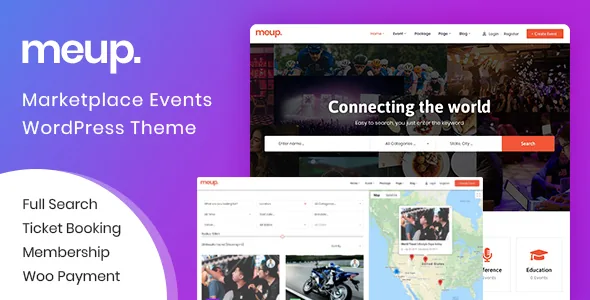
A platform that takes a cut, not a venue's brochure
Ovatheme frames Meup as a SaaS-style setup: other organisers publish events on your site and you earn from their activity. The vendor description names four earning mechanisms — a system fee paid by the customer per successful transaction, a package fee paid by the vendor at registration, a commission taken as a percentage of each sale, and a manually charged advertisement placement such as Featured.
That framing should decide your interest before any layout question. If you sell only your own events, most of this layer stands idle: you would configure packages, vendor approval and commission rules for an audience of one. If you intend to host a directory of organisers, those same screens are the product, and they are the ones to walk through in the vendor's demo before committing.
The package gate: what a vendor must buy before publishing
Registering a package is a precondition, not an upsell. A vendor cannot submit an event until a package is registered, and the site owner defines what each package grants: register fee, package duration, total events allowed, fee per paid ticket, whether attendees and tickets can be listed and exported, and whether tax can be changed per event. A default package can be assigned to new vendor accounts, which lets a newcomer in without a payment step.
Treat those options as the terms of the relationship you are offering. A generous event cap with a small per-ticket fee reads as an invitation to organisers; a tight cap plus per-ticket charge reads as a platform that supplies the demand. Access itself is moderated: the vendor says an admin approves a user's promotion to vendor, so nobody starts selling without a decision from you.
What organisers see after the sale
The vendor area is built around money. The wallet shows balance and profit, supports a bank withdrawal, keeps a payout history and records the chosen payout method. Per event, the vendor sees totals before and after tax, profit, tax collected, coupons used, booking and ticket counts, and a check-in total once the event has run. Sales can be reviewed at any time, remaining tickets can be inspected and changed for a specific date, and attendee and ticket lists — customer details and QR codes included — can be exported.
Site owners get comparable per-event figures plus a commission view for each event and site-wide sales figures, and can move an event's date and email everyone who booked. Admin-side reporting is also listed by year, month or period for sales and for registered user numbers.
One gap in the description is worth flagging: withdrawal is described as something the vendor initiates against a payout record. No automatic payout schedule is documented, so do not promise organisers a payout cycle until you have confirmed one exists.
Tickets leave the site as documents, then come back as codes
A completed booking triggers a confirmation email carrying order details, a PDF ticket with a QR code and a PDF invoice. From their account, customers can download the ticket, forward it by email, download the invoice or cancel the booking, and can transfer a ticket to another person. Vendors can create, download and send PDF tickets in bulk from the dashboard, which covers the case of someone who bought by phone or at a counter.
Admission has two documented routes. On the site, staff enter a few characters of the ticket's QR code into a search form to pull up the record. With the app, staff scan the code from a phone; Ovatheme calls the app free and says it is available in the theme. Staff can also be assigned per event for door check-in. Neither route has been tested by us, so how scanning behaves on a crowded entrance with poor signal stays a question for the vendor or the demo.
Reminders are a separate template sent some days before the event, and the changelog for version 2.2.2 records an "Email Reminders" option per event, so the reminder can be set for one event rather than the whole site.
Seat map, seat code or webinar link: the choice that shapes the booking form
Event format changes the buying experience more than any styling setting. For an online event, the vendor supplies a link and password so buyers join a webinar on a service such as Zoom or Google Meet. For a physical event there are three modes: no seat, meaning general admission; a seat code list; or a seat map where the customer picks a seat. Only the seat map turns checkout into a seating interface, and it is the path to test in depth if assigned seats are central to what you sell.
Alongside format sit the controls that decide what a ticket can cost and contain: single or recurring schedules, coupons configured per ticket type, direct and affiliate ticket types, a tax percentage set per event, and extra services sold with a ticket. Booking cancellation is turned on per event under a cancellation policy, and an admin can create a manual booking for a phone or in-person order. Custom checkout fields accept text, password, phone, email, textarea, radio, checkbox and file inputs.
Three search forms, filterable taxonomies and a renameable location tree
Discovery comes in three shapes. A quick form holds three configurable fields, such as event name, category and location. An advanced form adds venue, price, an object field, duration and start and end dates. An Ajax search returns results that can be displayed with Google Maps.
Form depth and filter depth are separate. The vendor supports unlimited custom taxonomies on events and says those taxonomies can drive search filters, so a field the defaults miss — language, age range, format — can become a filter rather than a note in the description. Locations are a two-level tree of state and city with both labels renameable, which is useful outside the US state model. Calendars display by day, week, month or list, so the same data can be read as a schedule or an agenda.
Elementor handles the surface; compatibility claims from the listing
Content and header/footer templates are built in Elementor, supported by custom elements for the builder. That is a conventional arrangement and not the reason to pick Meup; the marketplace system underneath is.
The marketplace attributes, observed on 4 November 2026, list Elementor, Contact Form 7, WooCommerce 7.x through 10.x and Bootstrap 4.x, with WordPress declared from 5.2.x upward and a latest marketplace version of 2.2.4. Gutenberg Optimized is marked No, which says the theme is not tuned for block-editor layouts; it does not prevent writing posts and pages in the block editor. Payments are described as working with any gateway built on PayPal, Stripe or WooCommerce, and the changelog records PayPal and Stripe webhooks arriving in 2.2.2. RTL is listed for Arabic-language sites. The changelog also records security updates in 2.2.2 and 2.2.3. These are vendor declarations, not results from testing on your host or plugin versions.
What settles the decision
Meup earns its complexity only if other people's events are the inventory. In that case you need the package gate, a per-ticket fee or commission, a vendor balance with withdrawals, and a door process that runs on QR codes — and you should open the package configuration and the payout history first, because they define what organisers are agreeing to.
For a single organiser selling one calendar, those screens are maintenance without return, and a ticketing theme built around one seller fits better. If assigned seating is the core of the venue, judge the seat map specifically instead of treating the format list as proof it suits your room layout. And if you plan to skip WooCommerce, confirm that the gateway you need is supported by the theme's own checkout rather than only by the WooCommerce route.
Questions & answers
Can Meup take payments without WooCommerce?
The description says any gateway supporting PayPal, Stripe or the WooCommerce plugin can be used, which reads as three parallel routes rather than WooCommerce being required. The 2.2.2 changelog adds PayPal and Stripe webhooks. Confirm your specific gateway against the theme's native checkout if you intend to leave WooCommerce out.
Does Meup support assigned seating?
Yes as a described option. Physical events can run with no seat, a seat code list, or a seat map where the buyer chooses a place. The seat map is the part worth testing against your venue layout, since the feature list does not describe how the map is configured.
Who lets a new organiser start selling?
An admin approves the promotion of a user to vendor. After that, a package is registered — manually or through a default package assigned to new accounts — and only then can the vendor submit events.
Is there an automatic payout schedule for vendors?
The description covers a wallet with balance, profit, bank withdrawal, payout method selection and payout history, but names no automated payout cycle. Ask the vendor how organisers actually get paid on a recurring basis before promising one.