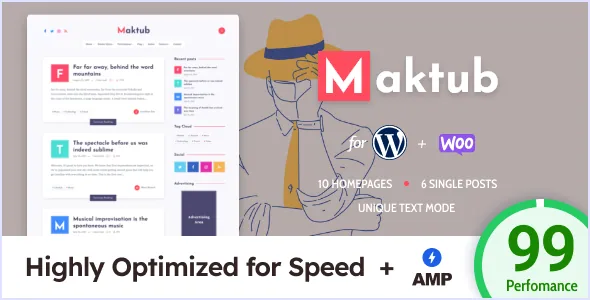
Text-mode is the idea the theme is organised around
EstudioPatagon describes Maktub as text-centric and built around a single mode the vendor calls "text-mode," which it says can "dramatically increase the rendering time" of a site. Read that as the theme's premise rather than an add-on: the design is meant to hold up when images are out of the picture and typography carries the page.
The mode is not a one-off toggle buried in a stylesheet. Theme Options places related controls under a Text Mode heading, and the changelog shows that set growing — version 1.1 added an author avatar mode there, and version 1.3 added control over dropcap vertical alignment. If you write long posts with drop caps and want them to sit correctly against a specific typeface, that setting is the one to look for first.
The changelog also shows the text-only treatment reaching further than single posts. Version 1.1 records the global text mode being applied directly to carousel and slider modules, and allowing those modules to mix posts with and without images. In practice that means a text-first homepage is a supported arrangement, not a workaround.
AMP in transitional mode is a second, separate rendering path
The vendor states AMP support in transitional mode, covering home, archive, author and single-post pages. Transitional mode is the useful choice for a blog that already has a design it likes: the standard pages stay canonical and the AMP versions are served alongside rather than replacing the site.
The changelog is more informative than the feature list here, because it shows what the vendor decided AMP pages should drop. Version 1.3 removed the sidebar from AMP articles and removed footer widgets from them, with the stated reason that this reduces CSS usage and neither is needed on mobile. A footer widget area you have filled with a newsletter form or an ad will therefore not appear on those AMP views.
AMP behaviour has its own Theme Options context, including a switch added in the same release to enable footer widgets on AMP pages. So the default is lean, and you opt back in if you need to.
Reading controls you actually adjust
Beyond text mode, the vendor lists lazy loading in three places: for post lists on homepages, archives and categories; for post content; and for embeds such as YouTube, Vimeo and SoundCloud iframes. Splitting these apart matters for a text-heavy blog, because it lets a long archive page stay responsive without delaying the first paragraph of an article.
Width and sidebar behaviour are configurable too. Version 1.3 added a content max-width setting under Styling, which is the control you reach for when the default measure produces lines longer or shorter than suits your body font. A sticky sidebar for posts is listed, so a sidebar column stays in view as a reader moves down an article.
Typography is handled through the theme rather than by hand. The vendor ships with Josefin Sans and Source Serif Pro as the named typefaces and includes a Theme Options panel for the rest, which is where you would expect font choices and colour to be managed. Version 1.3 also records an option to turn off the preloader, useful if you would rather not delay the first paint.
Where advertising can sit
Maktub names advertising positions rather than leaving you to inject code into templates: below the header, before post content, after post content, a custom advertising unit you place anywhere, and a slot between grid posts. For a blog that pays for itself with display ads, those five positions cover the conventional placements without a plugin.
The between-grid slot is the one worth thinking about, since it changes as a homepage layout changes. If you also use the posts-list modules for custom homepages, version 2.0.6 added an option to disable pagination on those modules — relevant when an ad block sits at a fixed point in a list and you want a finite run of posts above it.
Article layouts, widgets and custom pages
The vendor lists four single-post dispositions with two variations each: fullwidth with sidebar, fullwidth without, classic with sidebar, and classic without. There is also a no-sidebar style for posts and pages, plus custom Tag, Author and 404 pages. These are chosen through Theme Options rather than assembled in the editor, so the practical workflow is to decide your default article shape once and deviate only where you need to.
Eleven custom widgets are claimed, with the About me widget and a custom tag cloud widget named in the feature list. The About me widget is the natural home for a short author biography, and version 1.2 records a fix for its avatar when a site runs multiple authors. A table of contents for single posts was added in version 2.0.5 under Theme Options, which suits long essays more than short notes.
Editing itself stays in the block editor. The marketplace attributes list Block Editor compatibility and mark Gutenberg Optimized as yes, and version 2.0.6 fixed list alignment inside the Gutenberg editor — a reminder that post bodies are written in blocks while the page frame around them is set in the theme panel.
Compatibility and the limits of the vendor's claims
Maktub is declared compatible with WordPress 6.0.x through 7.0.x, WooCommerce 8.x.x and 9.x.x, and Contact Form 7, with PHP 8 support stated in the feature list. Translations for English, Spanish, French and Turkish are included. Those are the listing's declarations as observed on 4 November 2026, not results from testing on your server; the vendor's own speed language is careful to say the theme is "capable" of high PageSpeed scores and to point at factors that can affect them.
The lightweight claims are vendor statements about the package — a size around 1MB, low INODES usage on shared hosting, one required plugin for all features — and they describe the theme files, not the final weight of a site with your images and analytics added.
The best fit is a personal, travel, technology or biography blog where the writing is the product and you accept that layout and typography are configured from a settings panel. A site that needs per-post design freedom, or one that treats the sidebar as a structural part of every page including AMP views, will find the theme's reductions working against it.
Questions & answers
Does text-mode remove images entirely from a Maktub site?
The vendor presents text-mode as a mode that speeds up rendering by leaning on typography instead of imagery, and the changelog records it being applied to carousel and slider modules and supporting mixed posts with and without images. The evidence does not describe a global image-removal switch, so treat it as a styling and rendering approach rather than a guarantee that every image disappears.
Will my sidebar and footer widgets show on AMP pages?
By default, no. Version 1.3 of the changelog removed both the sidebar and footer widgets from AMP articles to reduce CSS usage, and added a Theme Options setting to enable footer widgets on AMP pages if you want them back. Sidebar removal is not described as reversible in the same way.
Can I write posts in the block editor with Maktub?
The marketplace attributes list Block Editor as compatible and mark the theme as Gutenberg Optimized. The theme's own page-level layout — article disposition, sidebar, content width, advertising positions — is configured in Theme Options rather than in blocks.


