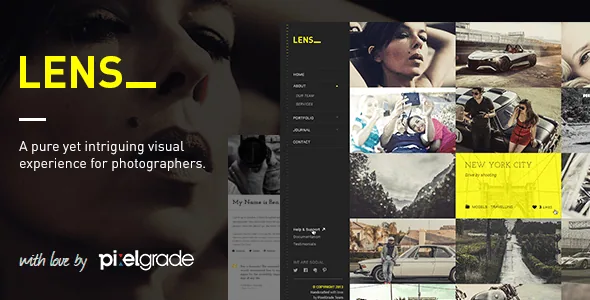
Twelve page templates, chosen per piece of work
Lens does not sell a canvas. The vendor's description counts twelve custom page layouts and then names them, which is a more useful starting point than a feature tick-list because each name describes a decision you make about your own photographs.
The homepage can be a full-width grid of photos, a full-width gallery slider, or a full-screen gallery slider. That is essentially a choice about how much of the first screen one image gets: a grid shows range immediately, while a full-screen slider commits the whole viewport to a single frame. Portfolio pages follow the same logic with a separate content type — the portfolio archive is a full-width grid where each thumbnail represents a project, and a single project can open with a full-width top slider, sit in a classic centred column, or run with a right sidebar for text.
Around those sit the supporting templates: a masonry blog archive, a single post, an About page written for a studio with team members and social presence, a personal About page for solo photographers, and a contact page the vendor says integrates Contact Form 7 and Google Maps. The pair of About templates is the distinction worth noting. One assumes several people; the other gives a single photographer the same space without the team scaffolding.
PixTypes is the content layer
Galleries and portfolio projects in Lens are created through a companion plugin called PixTypes, which the vendor describes alongside a specific argument: you should not lose that content if you later move to another theme. That is the vendor's stated intent, not a tested guarantee about any particular migration.
Still, the framing tells you something practical about where your work lives. Instead of composing gallery layouts into page markup, you create gallery and project records and the theme's templates display them. When you plan a build, the volume of images and projects is content you add in one place, and the layout choice is a display decision made on top. It also means PixTypes is part of the install rather than an optional extra — it is described as the tool used to create both content types the theme is built around.
A second Pixelgrade plugin, PixCodes, adds shortcodes inside the WordPress editor for columns, rows, icons, buttons, tabs, dividers, progress bars and quotes. That is a supporting tool for text-heavy pages rather than the photography workflow itself.
Video attached to an image, and post formats for the journal
If your work mixes stills and motion, the vendor says a YouTube or Vimeo video can be attached to any gallery slider or grid image. The video is not a separate embedded block you lay out — it hangs off the image, so the gallery keeps its own structure and one frame becomes playable.
The vendor also lists Standard and Video portfolio projects as distinct types, which is a different arrangement: a whole project can be built around motion rather than around a photo set with a video inside it. Together these cover the two common cases — a video inside a series, and a series that is the video.
The journal side carries multiple post formats, specifically video, audio and quote. For a photographer who writes short notes between shoots, a quote format is the one that changes how a post reads in the archive; a quote post does not have to pretend to be an article. Project images can also be opened in a lightbox, which the vendor calls a responsive, mobile-ready modal window, so a visitor can view a frame larger without leaving the project page.
The one-click demo import gives you structure, not photographs
The vendor offers one-click installation of content pages, blog articles, menus and sidebar widgets, and the same passage states that demo images are replaced with placeholders. The credits section is explicit that photographs in the live preview are licensed for demonstration only and are not included with the theme.
Read together, those two notes set the right expectation for a first build. The import saves you the work of assembling menus, page hierarchy and widget placement, and it hands you layouts with empty image slots. Filling those slots with your own work is where the time goes, so a demo that looks finished is showing you structure you have not yet filled.
If you compare the listing to the vendor's own page, the theme's changelog names version 2.6.3 from January 2022 while the marketplace attributes record 2.6.2 as the latest version. Treat the marketplace figure as the reference point for what is being distributed.
Translation scope: six language files, RTL, WPML
The vendor states WPML compatibility with .po file support, Right-To-Left layout support, and bundled language files for English, German, Spanish, Italian, Norwegian and Portuguese. That is the extent of what is documented — six ready translations plus the machinery for adding others, not a claim of unlimited localisation.
If your audience reads one of those six languages, the bundled files mean you start from finished strings instead of an empty translation. Otherwise you would build a translation from the .po files yourself, and the RTL support matters separately for Arabic, Hebrew or Persian audiences regardless of which strings you supply.
The typography controls sit in theme options rather than templates: the vendor lists over 600 Google Fonts and a single site-wide accent colour you can change. Keeping display type out of the template files matters when one series needs a different feel from the one before it.
What the dated compatibility declarations mean for a decision
The marketplace attributes observed on 3 November 2026 declare WordPress 5.9.x, 5.8.x and 5.7.x, WooCommerce 6.x.x and 5.7.x, WPML, and browsers from IE11 through Chrome, Firefox, Safari, Opera and Edge. The same record shows Gutenberg Optimized as "No", a vendor update date of 4 March 2021, and files consisting of PHP, CSS and JavaScript.
These are listing declarations, not the result of running the theme here. The WordPress band stops at 5.9, which is several major releases behind current WordPress, and the vendor update date is the more telling number: a photography theme whose last recorded vendor update was in early 2021 has not been through the block editor era. The "No" on Gutenberg optimisation does not mean the block editor is unusable, but it does tell you not to expect block-based templates or block styles designed for this theme.
WooCommerce compatibility is listed without any shop features in the vendor's own feature list, so if you plan to sell prints, treat that entry as a compatibility declaration and test product pages and checkout yourself on staging. For a portfolio-first site with no commerce, the attribute is simply unused weight.
Questions & answers
Does Lens use Elementor, WPBakery or the block editor to build pages?
None of those builders appear in the vendor's description. The layout variety comes from twelve named page templates plus theme options, and galleries and projects are created through the PixTypes plugin. The marketplace attributes record Gutenberg Optimized as "No", which says nothing about whether the block editor works, only that the theme does not offer block-specific templates or styles.
Can I mix stills and video in the same gallery?
The vendor says a YouTube or Vimeo video can be attached to any gallery slider or grid image, so individual frames within a gallery can play video. Video portfolio projects are also listed as a separate project type, for work that is primarily motion rather than a photo series containing a clip.
Do I need PixTypes for a gallery to display?
PixTypes is described as the plugin used to create Galleries and Portfolio Projects, so it is the source of the two content types the theme is arranged around. The vendor's argument for it is that gallery and project records are not written into theme markup, which they present as protection against losing that content if you switch themes later.


