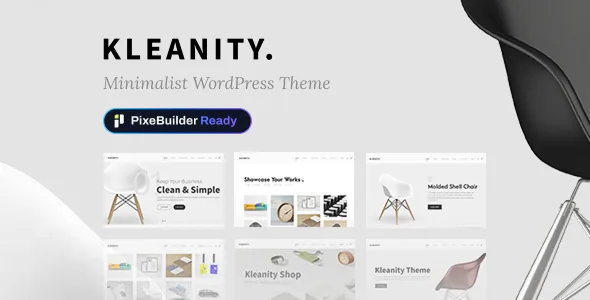
Two builders, and a migration path between them
Kleanity's listing leads with a fork that many themes keep quiet about: pages can be built in PixeBuilder, or kept in the classic GoodLayers page builder. The vendor also describes a "Migrate to PixeBuilder" option that converts existing pages whenever you decide to move.
That matters most if you already run classic GoodLayers pages somewhere. You are not told to rebuild them from scratch; the migration entry point is part of the theme's own feature list. If you are starting fresh with no legacy content, the choice is simply which editor you want to spend time in, and the answer is a preference about the editing surface rather than a difference in published output.
Treat the conversion as an editing operation with its own review step. Whether a migrated page keeps spacing, skins and element settings identical is not something the feature list states, so check the result on a copy of your content before switching a live site.
The demo importer mirrors the builder split
Because there are two builders, there are two demo sets. The vendor offers PixeBuilder demos, where every page is already built in PixeBuilder, and Classic demos, which are the original GoodLayers builder versions. Both are imported with the theme's demo importer, described as a single click from the admin side.
The vendor also says the importer uses a multi-threaded image import technique to speed up the process. That is a claim about import duration, not about what the import replaces, so read the documentation before running it on a site that already holds content.
Practically, choose your demo set with the builder decision already made. Importing a classic demo and then planning to migrate gives you an extra step; importing a PixeBuilder demo puts you directly into the editor the vendor now presents first.
Skins apply per wrapper section, not across the whole site
The custom skin colour feature is more specific than a global palette. The vendor describes creating a skin and applying it to individual page-builder wrapper sections — three wrapper sections on one page can each carry a different skin.
For a theme positioned as minimalist, that is how variation arrives without a large block library. You keep a restrained set of typographic and layout choices and let section-level colour do the work of separating one band of a page from the next. The same panel creates unlimited colour options globally if you would rather keep it simpler.
Adjacent to colour, the spacing controls sit at item level: the vendor says page item spacing can be set for each page item from the admin panel. Layout width is a separate decision again, with a full or boxed container and an option to set content width to 100% of the screen.
Headers, footers and navigation as option counts
Kleanity's listing gives numbers rather than adjectives for its structural furniture: 16 header layouts with controls for logo and navigation spacing, and 6 footer layouts, with the footer and copyright section switchable off on individual pages.
Navigation has more routes than a single menu. A top bar can be enabled above any header style and can carry social links. Secondary navigation is offered in slide or overlay style, and there is a floating navigation option. Sidebars are unlimited, created in the theme and assigned per page or post, with the sidebar layout selectable on individual pages and posts rather than fixed globally.
Read those counts as the size of the option set, not as a promise about how distinct each layout looks in practice.
Builder editing extends into single posts and portfolio items
The page builder is not confined to top-level pages. The vendor lists builder support inside single posts and inside single portfolio items, and in both cases you can set a header background for that individual entry.
That combination is what makes a creative portfolio plausible in this theme rather than just a clean blog. A project page can be composed section by section, with its own header image, instead of being forced through one shared single-project template. Posts get the same treatment, which suits a studio that writes long-form case notes alongside its work.
Supporting that, the theme lists 8 post formats — standard, aside, image, video, quote, link, gallery and audio — so short notes and media posts do not have to be dressed up as full articles.
Archive layouts and type controls
The vendor counts 16 blog layouts, 16 portfolio layouts and 7 gallery layouts. Those numbers describe presentation variants for archives and listings; they do not tell you how filtering or pagination behaves, which is the part of a portfolio archive most likely to need custom work.
Typography is handled in three ways: Google Fonts, a font uploader that accepts EOT or TTF files, and a custom thumbnail size creator so portfolio, blog and gallery images can be registered at the dimensions you actually need. The theme options panel is described as holding 500+ settings, and an additional CSS box is provided — including a separate one for mobile view — alongside a field for custom JavaScript.
If you intend to keep customisation inside the admin area, the mobile CSS box is worth noting early: responsive corrections usually arrive after the desktop design is settled, and having a dedicated place for them avoids editing stylesheets by hand.
Declared compatibility and what the package does not include
The marketplace attributes recorded on 4 November 2026 list WooCommerce 6.x through 10.x and WPML under compatible with, and WordPress 6.1.x through 7.0.x under software version. Browsers listed run from IE10 and IE11 through Firefox, Safari, Chrome and Edge, and the package files are given as PHP, CSS and JavaScript. These are vendor and marketplace declarations, not a record of the theme being tested on your hosting, your plugin set or your PHP version.
One package boundary is stated plainly in the description: images shown on the preview site are not included in the theme package. If a demo layout depends on those photographs, you will be sourcing your own replacements.
Automatic theme updates, live customizer support, import and export of theme options, widgets and custom page templates, and a one-click maintenance or coming-soon mode round out the admin-side features the listing names. Documentation is described as well documented, and the vendor points buyers to a separate support site. Kleanity's appeal is narrower than its option count suggests: it is for someone who wants a controlled minimalist frame, section-level colour control and builder editing inside portfolio and post content — and who is willing to make the PixeBuilder-or-classic decision deliberately rather than by accident.
Questions & answers
Can I keep using the classic GoodLayers builder instead of PixeBuilder?
Yes. The vendor's description presents both as supported paths: build in PixeBuilder or continue with the classic GoodLayers page builder, with a "Migrate to PixeBuilder" option available if you later want to convert existing pages. The matching Classic demo set exists for that workflow.
Does the theme convert my existing classic pages automatically?
The vendor names a migration entry point rather than promising automatic conversion. Since the listing does not describe how completely a page's settings survive the move, verify the result on a copy before converting anything you cannot easily rebuild.
Do the demo images come with the theme?
No. The description states that images from the preview site are not included in the theme package, so plan on supplying your own photography for any demo layout you import.


