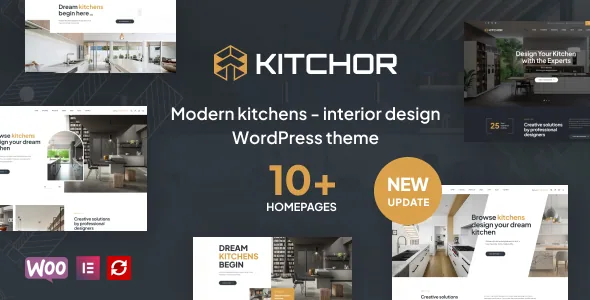
Showroom material, not just another interiors layout
The vendor's feature list for Kitchor names presentation pieces that read like they were written for a kitchen showroom rather than a generic design studio: a Kitchen Showroom Tour described as a walkthrough and panorama experience, a Before/After Interior Design comparison, and a Kitchen Interior Design Gallery for browsing photographs of finished rooms.
That is the part worth weighing first, because it describes how a visitor moves through kitchen work. A walkthrough with panoramas suits a showroom that wants people to picture themselves in a fitted space. A before/after pairing makes the argument a renovation page usually has to make in words. A gallery carries the detail shots that sell cabinetry and surfaces.
These are vendor feature-list entries, not demos we have run. How each is actually composed is a question for the landing demo the vendor publishes, and the answer will tell you whether the tour is a genuine panorama viewer or a styled image sequence.
Service pages built around earning an enquiry
Behind the showroom pieces, the description lists blocks for the parts of a services site that often get skipped in favour of galleries. Steps to Get Interior Design is described as a numbered workflow showing how a project proceeds from first contact. Schedule a Design Consultation is a booking block for a free consultation, which is the conversion point most interior firms depend on.
There is also a place for a video introduction, a client testimonials section, and a friendly-services block. Read together, that is a site structured to earn an enquiry rather than only display finished rooms, which is useful if your revenue depends on consultations and less relevant if you only need a portfolio.
The same description lists pre-built inner pages including About Us, Contact Us, FAQs and a 404 page, plus forms through Contact Form 7. Kitchor is declared widget-ready, and the vendor mentions premade widgets for assembling content outside the page canvas.
WooCommerce: a shop for furniture and fittings
Kitchor is built to sell as well as to showcase. The vendor describes using WooCommerce to sell kitchen products and furniture — sofas, drawer systems, tall units, pull-outs, cutlery trays, corner solutions, wicker baskets — with add to cart, wishlist, quick view and checkout named among the shop functions. The shop page is claimed with product zoom, quick product view, smart navigation, and search with filtering.
One changelog detail matters before you plan around quick view: version 1.3.8 records a change to the download and install URL for the woo-smart-quick-view plugin. That points to quick view being delivered by a companion plugin rather than a switch inside the theme, so it is a dependency to account for.
The changelog also shows where maintenance has gone. Entry after entry records refreshes of outdated WooCommerce templates — related products, up-sells, tabs, mini-cart, checkout form, quantity input, login form, product image — with later releases naming WooCommerce 9.9.x, 10.x and 11.x file updates. That is a vendor keeping pace with a fast-moving plugin, and a fair signal that a Kitchor shop needs the theme kept current alongside WooCommerce.
Project layouts and the project slug setting
The description claims multiple layouts for interior design projects, with the ability to switch among them without rewriting content. That is a per-project decision rather than a per-site one: a single-room job and a whole-house refurbishment can share the same project post type but present differently.
A changelog line from April 2024 adds a smaller practical detail. Version 1.2.9 added a setting to change the project slug in the theme's customisation options, which is where to look if your URLs or a client's existing link structure depend on the word before each project name.
The blog side is stated as three or more page layouts — modest, but enough for news, tips and project write-ups. The listing marks Gutenberg Optimized as No; that attribute says nothing about whether the block editor functions. Elementor is the builder the vendor describes and supports, so treat Elementor as the editing route you are choosing.
Demos, images and fonts you have to account for
The vendor ships ten-plus demos for kitchen and interior work, imported with a one-click demo importer. Because the demo carries the design, plan an image-replacement pass before launch: the vendor's disclaimer states that sample images in the live preview are for demonstration only and must be replaced with images you are licensed to use. On a theme whose value is largely photographic, that is real production work rather than a formality.
Fonts carry a similar caveat. Some demos use Adobe Fonts (formerly Typekit), and the vendor states those fall back to default or Google Fonts when unavailable — so a typographic look in the demo may need a font licence or a substitute to reproduce.
Compatibility attributes recorded from the listing on 4 November 2026 name WordPress 5.0.x through 7.0.x, WooCommerce 5.x through 10.x, Contact Form 7 and Elementor, with browsers including Chrome, Firefox, Safari, Opera and IE11, and PHP, CSS and JS files in the package. Those are vendor declarations, not results from installing the theme against your own plugin set, so test on a staging copy. The vendor also names Slider Revolution and Mailchimp among supported plugins, and describes WPML compatibility for multilingual sites.
Where Kitchor fits and where the work remains
Choose Kitchor if your site needs to sell kitchens or furniture and to present fitted work through walkthroughs, transformations and detail photography. A shop, a consultation booking block and showroom-specific display pieces in one theme is specific enough that a generic corporate theme would leave you assembling it from plugins.
Go elsewhere if you want block-editor-only editing, or if a demo-driven start is unacceptable because you cannot supply licensed interior photography at the quality the layouts assume. The theme also does not solve the copy problem: consultation booking, process steps and testimonials all need real content, and the design leans on them.
Questions & answers
Does Kitchor require the Elementor plugin?
The vendor describes Kitchor as built with the Elementor drag-and-drop page builder, and Elementor appears in the theme's declared compatibility list. The marketplace attribute for Gutenberg optimisation is marked No, which does not mean the block editor is unavailable — it means the vendor's documented editing route is Elementor. Confirm the plugin setup on the demo before committing.
Can I sell furniture and fittings with Kitchor?
The vendor describes WooCommerce integration for selling kitchen products and furniture, including add to cart, wishlist, quick view and checkout. Quick view appears to be delivered through the woo-smart-quick-view plugin, based on a changelog entry about its install URL. Testing a real product, cart and checkout flow on staging is the only way to confirm the shop meets your requirements.
Can I change the URL word used for project pages?
According to the changelog, version 1.2.9 added a setting to change the project slug in the theme customisation options. That lets you use a word such as "work" or "projects" in project URLs instead of the default.