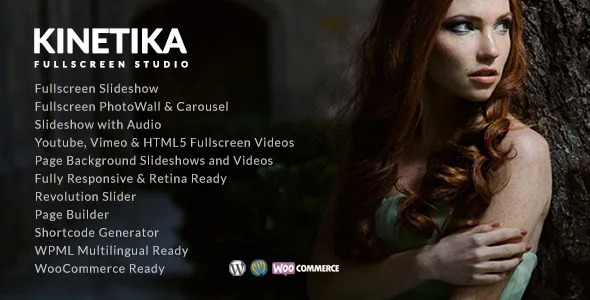
Per-page backgrounds, chosen one page at a time
Kinetika's vendor description sets aside a section for page backgrounds, and the list stays practical: a fullscreen slideshow, YouTube HD video, HTML5 video, a static image, or a plain background colour. The detail that turns this from a style option into a working method is the note attached to it — the theme has page transparency control per page.
That per-page setting changes how the theme gets used. You are not picking one background treatment for the whole site. A wedding gallery can run a slideshow behind it, a print-sales page can sit on a flat colour, and a single commission can hold a still image, each decided where that page is edited.
Add the layer above and the full model appears. Fullscreen slideshows and videos can display an information box, which the vendor says is populated with Events, Portfolios or Blog posts. The moving background carries a panel of text or content over it, and the per-page transparency setting governs how strongly the background reads underneath.
Fullscreen post types: sequences, photo walls and audio
Behind the background sits a set of fullscreen post types. The vendor lists a fullscreen slideshow with or without slideshow text plus static text, a fullscreen slideshow with audio, and a Ken Burns slideshow that can take audio or static text. Ken Burns means a slow pan and zoom across still frames — a way to make a sequence of photographs feel filmic without cutting video.
Two further options widen the range: a photo wall, which arranges images as a grid rather than a sequence, and video sources covering YouTube HD, HTML5 and Vimeo, plus Revolution Slider and a plain static image.
For a photographer these are different answers to the same question of how a body of work is shown. A slideshow with audio suits a scored sequence, Ken Burns suits slow portraiture, and a photo wall suits a large edit where you want viewers to scan rather than sit through. The choice lives in post settings, so different sets can be presented differently on one site.
Portfolio layouts built for showing and proofing
The portfolio list is the most granular part of the description. Individual work items can be presented as an image, a slideshow, a before-and-after comparison, a metro grid, vertical image sets, or with a video header. Before-and-after and vertical sets map onto particular clients: retouchers and restoration work on one side, editorial and lookbook spreads on the other.
Listing behaviour is chosen separately. Portfolios can run as Ajax or non-Ajax with filters, and image, video and slideshow items are all supported inside that filtering. Column counts run from one to four.
Password-protected portfolios are listed too, and the vendor's summary names photo proofing among the theme's showcase functions. That pairing is the useful part for client work: a private gallery a client reaches with a password, holding comparison or multi-image layouts. The Events post type in the same plugin set gives a second, dated content type alongside the galleries.
Six header arrangements, each in light and dark
A full-frame theme lives or dies on its chrome, and the demo list names six arrangements: a vertical menu, a border frame with the logo left, a border frame with the logo in the middle, logo middle, logo top centred, and logo left. Each comes in a light and a dark version.
The border-frame versions matter most here. A frame keeps navigation and branding at the edges and leaves the centre of the screen to the photograph, which is why the light and dark pairing earns its place — the same frame can sit over a bright still or a dark one without fighting the image.
The vendor also lists multiple sidebars, and posts, pages and portfolios can take a left sidebar, a right sidebar or no sidebar at full width. On a photography site the full-width option is what keeps the background layer intact; sidebars are there for blog and shop layouts where text needs a column.
Post types and shortcodes live in plugins, and demo photos do not come along
The bundled plugin list is worth reading closely because it sets expectations about what belongs to the theme. The iMaginem Fullscreen post type, Portfolio post type and Events post type ship as plugins, and the vendor states their post contents remain available without the theme. Shortcodes and the shortcode generator are likewise a plugin described as functional without the theme, and theme widgets load through their own plugin.
So content you create in those post types is not locked inside Kinetika's templates, and activation plus plugin setup are part of getting a site running.
One caveat comes straight from the vendor: images shown in the demo are not included in the download pack or the import data. A demo import gives you structure and settings, not the photography. The package file list does include layered PSDs, which helps if a designer needs an asset in its source format.
What the listing declares, and where to verify it yourself
Attributes observed on 3 November 2026 record WordPress 5.0.x through 6.6.x in the software version list, with older entries back to 4.9.x. WooCommerce is declared for 6.x through 9.x, WPML is named as a compatible plugin, and Gutenberg Optimized is marked Yes. A shortcode-based builder supplies staff, testimonials, tabs, accordions, counters, carousels and blog and portfolio grids, with colours and fonts set in theme options; the general feature list also mentions an XML demo data import.
Those ranges say where the vendor placed support. They do not describe what happens when slideshows, video backgrounds and Ajax portfolio filtering meet a particular plugin set on a particular host, and interactive front ends are where version drift shows up first. Treat the date on that observation as the more useful number.
Kinetika is an older, media-first theme built around one idea: the background is content, the frame is optional, and the work sits in post types that survive independently of the design. If your pages need to open full-bleed and your projects are photographic, that model holds together. If you want block-based composition to carry the design, the theme's own shortcode builder and post settings are where the work will actually happen.
Questions & answers
Can I set a different background for each page?
Yes, according to the vendor's description. Page backgrounds can be a fullscreen slideshow, YouTube HD video, HTML5 video, static image or background colour, and the theme includes page transparency control per page.
Does the theme include the photographs shown in the demo?
No. The vendor states that images seen in the demo are not included in the download pack or the demo import data. The package file list does name layered PSDs alongside PHP, CSS and JS files.
What happens to my fullscreen, portfolio and event content if I switch themes?
The iMaginem Fullscreen, Portfolio and Events post types ship as separate plugins, and the vendor says their post contents are available without the theme. Shortcodes are also packaged as a plugin described as functional without the theme.
Does Kinetika work with WooCommerce?
The marketplace listing declares WooCommerce compatibility for versions 6.x through 9.x, observed on 3 November 2026. That is a listing declaration rather than a record of testing on your install, so check it against your WooCommerce release before launch.


