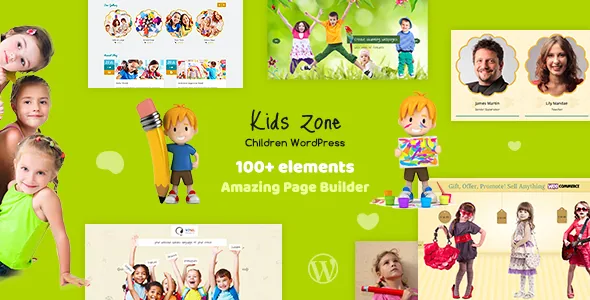
A gallery post type you keep adding to
designthemes builds Kids Zone around the gallery rather than around a homepage you refill by hand. The feature list names a Gallery custom post type, multiple gallery pages in one, two, three or four columns, multi-gallery entries holding photo and video, and four creative masks for gallery images.
For a nursery, playschool or kids club, that matches how the content actually arrives. Classroom days, art sessions, sports mornings and holiday programmes accumulate after launch, and a post type gives each set its own record instead of another page section to rebuild. The column range then lets the same gallery style sit as a four-across strip on a landing area and as a two-column display inside a page.
The listing does not say how the masks are applied — per gallery, per entry or site-wide — or whether a lightbox is part of the gallery output. Both are worth settling before you commit a term's photos to one arrangement.
Six homepages and three headers are early decisions
The theme offers six homepage layouts, three header options with sticky navigation, and three colour variations. These are start-of-project choices, because the header you pick fixes how much room the logo, menu and contact details take on every page, and the sticky behaviour follows that header throughout.
Six homepage layouts is not six visual systems; the vendor presents them as variations on one children's education brief. The useful question is narrower: which layout puts your enrolment call to action and your gallery where you want them. The vendor also lists easy colour management for backgrounds and fonts plus typography management, so a school with an existing brand can move past the three presets rather than living inside them.
Separate sidebars for Shop and Event pages
The vendor attribute record, observed on 4 November 2026, declares WooCommerce 5.x through 10.x and Events Calendar, including Events Calendar Pro. These are integrations, not requirements: a brochure site with a gallery runs without either. They matter if the school sells uniforms, trips or fundraising items, or publishes open days and term dates.
The feature that keeps those additions contained is the sidebar set: exclusive sidebars for Shop and Event pages, six custom widgets and unlimited custom-defined sidebars. A shop page can carry filters or a basket widget and an event page something else, without either appearing on classroom pages.
Those compatibility entries are declarations from the vendor rather than results from an install on your stack. Try them against your own WordPress and plugin versions before you load a term's content on top.
Demo import, PSD files and the photography you supply
One-click demo install runs from the admin panel with XML demo content, so you can start from something close to the live preview. PSD files are among the files the ThemeForest listing includes, which helps if a designer prepares banners or campaign graphics before they reach WordPress. The vendor points to documentation and HD video tutorials alongside the theme.
The exclusion to plan around is stated plainly: demo images are not included because they are copyrighted, and the vendor offers to point buyers toward licence links. For a children's site this is not a small omission — the children's photography is what makes the preview convincing. Budget for licensed images or your own shoot, and expect the imported layout to look unfinished until you have them.
Where the theme's job ends
Kids Zone is a presentation theme: pages for vision and mission, classes and staff, plus a gallery that grows. It is not a management system. Nothing in the feature list describes enrolment handling, fee collection or parent logins, and Events Calendar support means a dated calendar, not bookings.
If the site has to take registrations or payments, that layer comes from plugins or a separate service you choose yourself. Decide which of the two projects you are building before you start, because the theme answers the first convincingly and leaves the second to your stack.
Questions & answers
Can one gallery hold both photos and videos?
The vendor lists multi-gallery entries with photo and video, so a gallery is described as holding both media types. The listing does not name which video sources those entries accept inside galleries, so check the demo or documentation for the platforms you plan to use.
Do I need WooCommerce or Events Calendar for Kids Zone?
No. Both appear in the vendor compatibility record as supported integrations, and the theme's page, gallery, blog and widget features work without them. Add either when the school actually sells products or runs a dated events calendar.
Are the demo images part of the theme?
No. The vendor states that demo images are copyrighted and excluded, and offers to provide purchase links. If the finished look of the preview matters, plan for licensed stock photography or your own photo session.


