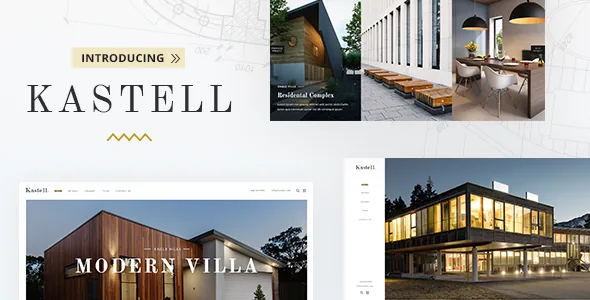
A property post type with its own display shortcodes
Mikado's feature list gives properties a content type separate from the blog, then adds a shortcode family written around it: Property List, Property Slider, Property Info, Property Info Text, Property Fullscreen Slider and Interactive Property Links.
That arrangement changes the editing job. When listings are ordinary posts, a directory plugin usually owns their fields, filtering and output. Here the theme supplies the listing elements itself, so the question is whether the built-in set covers what you want to publish. Interactive Property Links is the least self-explanatory of the group; the vendor's description names it without explaining what it links to, so the demo is the place to see it in use.
The description covers display, not management. It does not detail search logic, saved listings or enquiry routing beyond Contact Form 7 compatibility, so a portal with user accounts needs a closer look at the documentation before you commit.
Property Info, Property Fullscreen Slider, and the split they create
A single listing carries two kinds of content: hard facts such as area, rooms and price, and prose that argues for the place. Kastell's shortcodes follow that split. Property Info and Property Info Text take the fact side; Property Fullscreen Slider takes the imagery.
The fullscreen slider is the decision to weigh before you import demo content. A listing that opens with a viewport-filling image sequence puts photography first and reads as a showcase. A standard slider leaves space for a summary above the fold, which suits visitors comparing several places in one sitting. The choice can reasonably differ between a development's hero unit and a single resale listing.
The marketplace description does not list which attributes each info shortcode accepts, so confirm the available fields in the theme documentation before promising a client a specific layout.
Map Image Gallery: an interactive map tied to images
The Map Image Gallery shortcode and the Property Filter Opener widget are the two browsing aids named in the feature list. The gallery is the one with a paper trail. Version 2.0 of the changelog records improved compatibility between the Map Image Gallery shortcode and Image Map Pro 6.x, and earlier releases updated Image Map Pro repeatedly. That points to a map where hotspots or shapes are bound to images rather than a plain embedded map with pins.
For a building with several floors or a complex with several blocks, that is a different browsing model than a list of listings. It also means the map is a configured asset: someone has to draw the shapes and attach the images.
The filter opener works as a widget, so it lives in a widget area and reveals the property filter on demand. In a side column that keeps the filter out of the way until a visitor wants it; a permanent panel would crowd the listings beside it.
Google Maps is described as fully customizable, and the changelog shows API compatibility work across several releases. Map rendering still depends on your own API credentials; treat the map setup as configuration to verify rather than a service that arrives included.
Logos that change page by page
The header controls are where Kastell handles more than one brand. The vendor lists four header types (Standard, In the Box, Vertical Sliding, Vertical), multiple header behaviours, a header top bar area, and widget areas above and below the header.
The logo handling goes further. Regular, sticky and mobile headers take separate logos; there are dark and light variants for header skins; and a different logo can be uploaded per page. For an agency, or a developer running several apartment complexes under one installation, that lets a building's pages carry their own mark while the sticky and mobile versions stay legible on different backgrounds. The vendor also lists separate styling for the mobile header and an integrated Mikado search.
Smooth page transitions are a site-wide toggle, and the 2.0 changelog records a fix for WPBakery lightbox behaviour while transitions are enabled — a reminder that motion settings can interact with other elements rather than sitting inert.
Six homepages, a child theme, and photography you must license
The vendor states that full demo content imports in one click, with six homepage examples and a collection of inner pages. One-click import saves the assembly work of building pages section by section; it does not provide your copy, your photographs or your menu structure, and imported pages normally need pruning rather than extending.
WPBakery Page Builder and Slider Revolution are both listed as included, with dollar values attached in the description. Read that as a statement about what Mikado bundles with a purchase. Plugin versions move with theme releases, and the changelog shows both updated frequently, so plan how they will be maintained rather than updating them independently and assuming the theme's shortcodes still match.
One boundary is stated plainly: the demo images are used for presentation only and cannot be used on your site unless you license them from a stock provider yourself. Budget for photography, or start from your own listings' images.
A child theme is included, which matters once styling goes past the options panel. The marketplace file list names PHP, CSS and JS files — no layered design sources — so visual changes live in the builder, the options panel and custom CSS.
What the changelog says about upkeep
Marketplace attributes observed on 4 November 2026 declare WordPress 6.5.x through 7.0.x, WooCommerce 8.x, 9.x and 10.x, plus WPBakery Page Builder, WPML and Contact Form 7 as compatible. Those are vendor and marketplace declarations, not results from running Kastell against your PHP version, caching setup or plugin stack.
The changelog is the more useful signal. Releases through 2025 and 2026 record PHP 8.2 and 8.3 improvements, Google Maps API compatibility fixes, and security work. Version 2.0 removed the Instagram plugin and version 1.11 removed the Twitter plugin after those APIs changed, leaving an updated social share setup behind. Dropping broken integrations is a better maintenance sign than leaving them listed, and it explains why older tutorials about social feeds may not describe what the theme now does.
Both items in this section describe published history. The version numbers and dates above belong to the changelog, which is the right place to check them rather than carrying them into a project plan.
Questions & answers
Does Kastell need WPBakery Page Builder?
The vendor includes WPBakery Page Builder and lists it as compatible, and the theme's property and layout elements are presented as shortcodes, which is how pages are assembled in that builder. The description does not describe a scenario in which the theme runs without it.
Can I reuse the demo property photos?
No. Mikado states the demo images are for presentation only and must be licensed from a stock image provider before you publish them. The one-click import brings in structure and sample content; the photography is a separate purchase.