A school site's records come before its layout
LiveMesh describes Invent as the product of studying educational institution websites, and the structure follows that: the theme registers more than eight custom post types with their own backend fields for team members, sliders, gallery, pricing plans and testimonials. A course, a faculty member and a testimonial are records you fill in, not pages you design from scratch.
That order changes how you plan a build. Before choosing a homepage arrangement, you decide the fields and categories behind the course catalogue and the staff directory, because those drive the archives and the lists you later drop into pages. The vendor frames the benefit as avoiding custom HTML for routine data entry, and for a school with a rotating staff list or a term-by-term course schedule, that is the part of the theme that saves the most time.
Invent is also pitched at design agencies, corporate sites and small businesses in the same description. The education structure is what the theme is organised around; the extra audience is a claim about flexibility rather than a second content model.
SiteOrigin is the page builder, and the elements are the theme's own
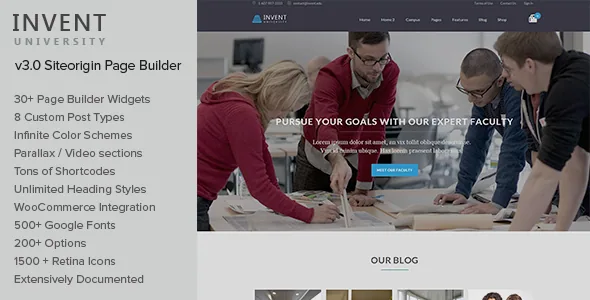
Pages are assembled in SiteOrigin Page Builder, which the vendor says the theme integrates with and which ships 30+ custom elements built for Invent. The changelog shows that integration being maintained in the latest release, version 5.8, alongside the Revolution Slider update.
The vendor adds a second set of 16+ premium SiteOrigin widgets through its own widgets plugin, with variations in style. Those extra widgets are a vendor convenience attached to the same builder rather than a separate editing system, so the practical picture is one drag-and-drop surface with a wide element library.
Because SiteOrigin is a general-purpose builder rather than a closed, theme-specific panel, layout work stays in a tool you can read about outside this theme's documentation. What you should verify before committing is how the custom elements behave on the WordPress version you run, since a builder integration is the piece most sensitive to environment changes.
Shortcodes, with a builder for their parameters
The second route to placement is shortcodes. The vendor counts 60+ of them and provides a GUI builder that gives each shortcode an input form plus inline documentation for every parameter it accepts. Parallax sections, video backgrounds, responsive sliders and animated statistics are all described as shortcodes.
The distinction from builder elements is worth holding onto: a shortcode can go inside content — a course listing inside a text block, a staff grid inside a page body — where a builder row is the wrapper rather than the insertion point. For editors who maintain department pages as regular content, the shortcode route is often quicker than rebuilding a layout.
One structural note from the changelog: with version 5.0 the shortcodes moved into a separate plugin, Livemesh Invent Shortcodes. If you have worked with an older copy of Invent, the placement tools no longer live inside the theme itself.
Sections you can open, and a single-page option
Invent is built on page sections. You construct a page from independent section blocks, and the vendor says those sections can be opened for editing from the frontend rather than only in the admin. The point is incremental work: adjust one band of the page without disturbing the rest.
The same section model supports a one-page site. The vendor documents smooth-scroll internal navigation for top-level menu links, so a landing page can use its menu to jump between sections instead of loading new URLs. A college that wants a single scrolling overview for a campaign or an open day can build it from sections without a different theme.
Worth testing on your own setup: how far frontend section editing reaches once you have added shortcode-driven content inside a section, and whether your menu structure still reads well when smooth scroll takes over the top level.
LearnDash is styled here, not included here
The vendor's wording on the learning management system is specific. Invent has been tested against LearnDash and adds custom styling for its components, custom sidebars and a page template for displaying LearnDash elements or custom posts. The same paragraph states that LearnDash is required to be purchased separately.
So the theme supplies presentation for course and lesson output; the course delivery, enrolment and progress logic belong to a plugin you license elsewhere. Budget and planning should treat those as two purchases and two update streams, and a LearnDash upgrade that changes markup can affect how the theme's styling looks.
Invent also lists compatibility with bbPress, BuddyPress, The Events Calendar and Events Calendar Pro, Gravity Forms, WooCommerce 6.x.x and Visual Composer in the marketplace attributes observed on 4 November 2026. A community forum, a calendar of open days and a small shop are therefore accommodated by third-party plugins rather than by features Invent provides on its own.
What the design controls actually change
The theme options panel is counted at 200+ settings. Among them: a boxed or stretched layout toggle with a custom colour, pattern or image behind the boxed version, unlimited colour schemes, and a choice from 500+ Google Fonts for headings, body and meta text. The bundled icon set is listed at 1500+ retina icons.
For a school whose brand is already fixed by a communications office, the useful settings here are the ones that let you apply an existing palette and typeface rather than invent one. Colour and font changes made in options avoid stylesheet edits, which keeps future theme updates cleaner.
When options run out, the vendor points to a child theme plus a custom.css file, a custom-functions.php file and a Custom CSS tab in theme options. Those are the places for changes the panel does not expose. Note that the changelog for version 5.0 describes a full rewrite of the backend framework and removed the earlier WP hooks — if you inherit a heavily customised older install, the vendor advises a development-environment test before upgrading.
Version and compatibility, as declared rather than tested
The marketplace listing recorded on 4 November 2026 shows version 5.8 with a vendor update dated 17 July 2024, and lists WordPress 6.0.x through 6.5.x under software version. The source description separately carries a "WordPress 6.6 Compatible" line. These are vendor declarations; nothing here reflects an install against a current WordPress release, a particular PHP build, or a plugin stack.
Two attributes are worth reading precisely. Gutenberg Optimized is marked No, which describes the theme as not built around the block editor; it does not remove the block editor from WordPress, but it does tell you that page composition is expected to happen in SiteOrigin and shortcodes. The included files are listed as PHP, CSS and JS.
The changelog is more informative than the version number. Releases from 5.5 onward address PHP 8 warnings, broken widgets pages, a JavaScript error that stopped pages loading on some sites, and SiteOrigin compatibility. That pattern suggests an actively patched theme, and it also tells you which problems existed in earlier builds if you are choosing between copies.
Questions & answers
Do I need to buy LearnDash to use Invent?
Only if you want the learning management features. Invent's own value is the education content structure and page building; LearnDash is required for course delivery and is purchased separately, as the vendor states. The theme adds styling, sidebars and a template for LearnDash output.
Should I build pages with SiteOrigin or with shortcodes?
Both work, and the choice depends on where the content lives. Use SiteOrigin elements when you are composing a page layout from sections. Use shortcodes when a course list, staff grid or gallery has to sit inside a body of text or a single content area.
Does Invent work with the block editor?
The marketplace marks Gutenberg Optimized as No. That means the theme was not built around the block editor, and page layouts are expected to be composed in SiteOrigin or with shortcodes. The block editor still exists in WordPress.